KO
|
EN
gitlite — search
Search
#typescript
#ai-agents
#ai
#dsh-plugin
#deepseek-harness
#open-source
#cli
#claude-code
#codex
#developer-tools
#react
#windows
De-Bux
★ 22
Open GitHub ↗
React Redux Devtool
Download README (.md)
Explore Similar Repositories
spv-wallet
:
Open-source non-custodial hosted wallet for the BSV Blockchain (UTXOs, xPubs, Paymail & More!)
bux
:
Bitcoin UTXO & xPub Management Engine
spv-wallet-go-client
:
Go client for interacting with spv-wallet
buxn
:
Implementation of uxn and varvara using sokol
// repository documentation
Was this content helpful?
★ 0
(0 ratings)
Select Rating:
★
★
★
★
★
Submit Feedback
Recent Feedback
×
Download README
Do you want to download the
README.md
file for
De-Bux
?
Download (.md)
<!-- # De-Bux --> <img src="/assets/DebuxLogoLarge.png" width="300px"/> ----------------------------------------------------------------------------------------------------------------------------------------- <h3><i>A React-Redux DevTool</i></h3> <strong>De-Bux</strong> is a React-Redux DevTool designed for helping developers debug their React applications more efficiently. De-Bux allows you to visualize the component hierarchy of your React application and your Redux global store side by side, making development a breeze. ### --Set Up | Install From Chrome Extension Store-- 1. Install <a href="https://chrome.google.com/webstore/detail/react-developer-tools/fmkadmapgofadopljbjfkapdkoienihi?hl=en">React DevTools</a>. 2. Install <a href="https://chrome.google.com/webstore/detail/debux/ooihnkghpifccalpfakdnlolfaiidfjp?authuser=1">De-Bux</a> to your chrome://extensions from the <a href="https://chrome.google.com/webstore/category/extensions">Chrome Web Store</a>. 3. Run your React-Redux application or open a site that uses React Fiber (React 16+). 4. Open Chrome Developer Tools, Click on the “>>” button and select De-Bux. 5. Have fun! ### --Set up | Build your own-- 1. Clone the repo and install dependendies: ```npm install``` 2. Build De-Bux to be used in Chrome Dev Tools: ```npm run build ``` or ```npm run watch``` 3. In Chrome Browser, open more tools and Extensions tab and click 'Load Unpacked' 4. Navigate to your local De-Bux directory and select the folder './debux/build' 5. Have fun! ----------------------------------------------------------------------------------------------------------------------------------------- ## Usage ### Tree View 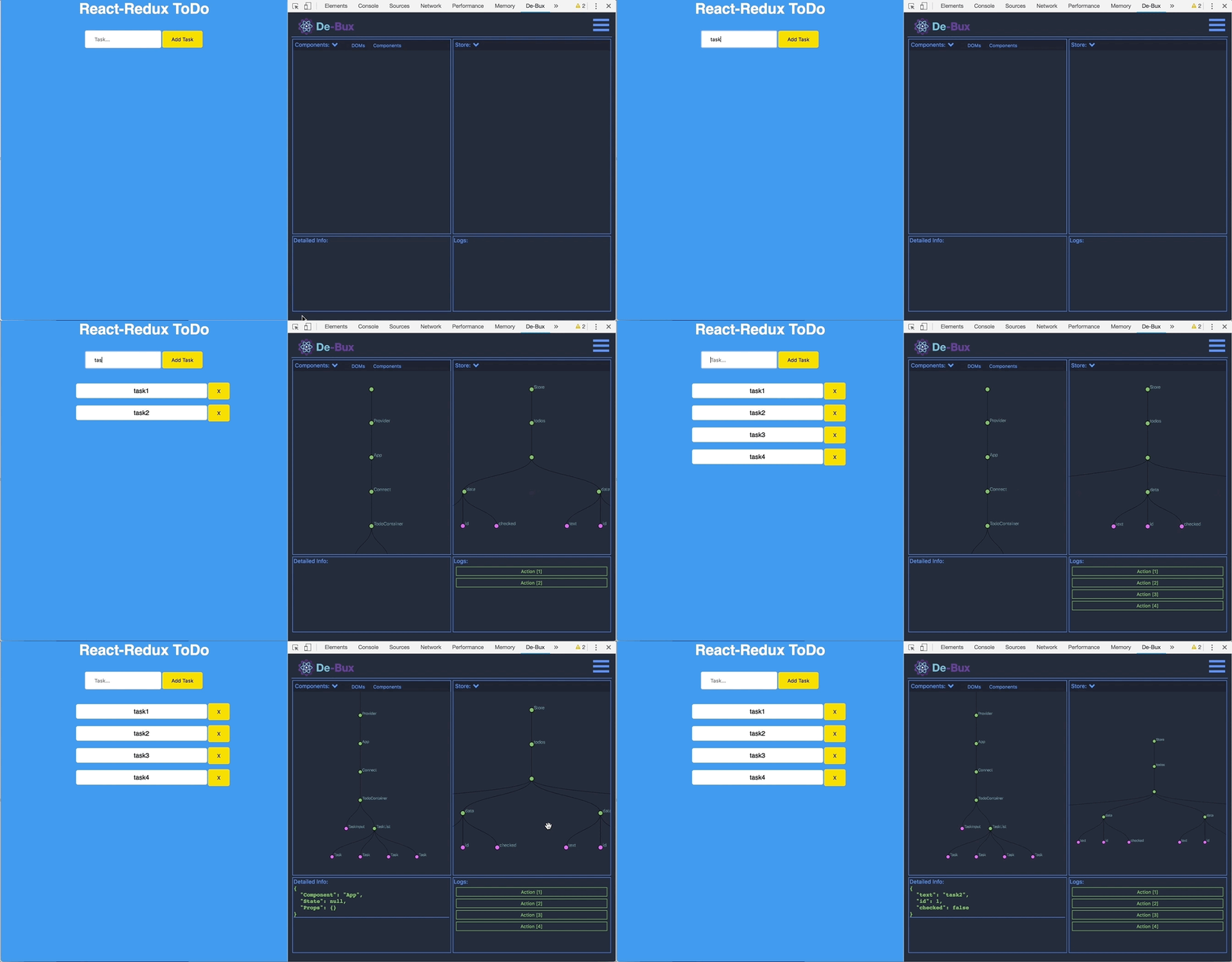 ### Time Traveling 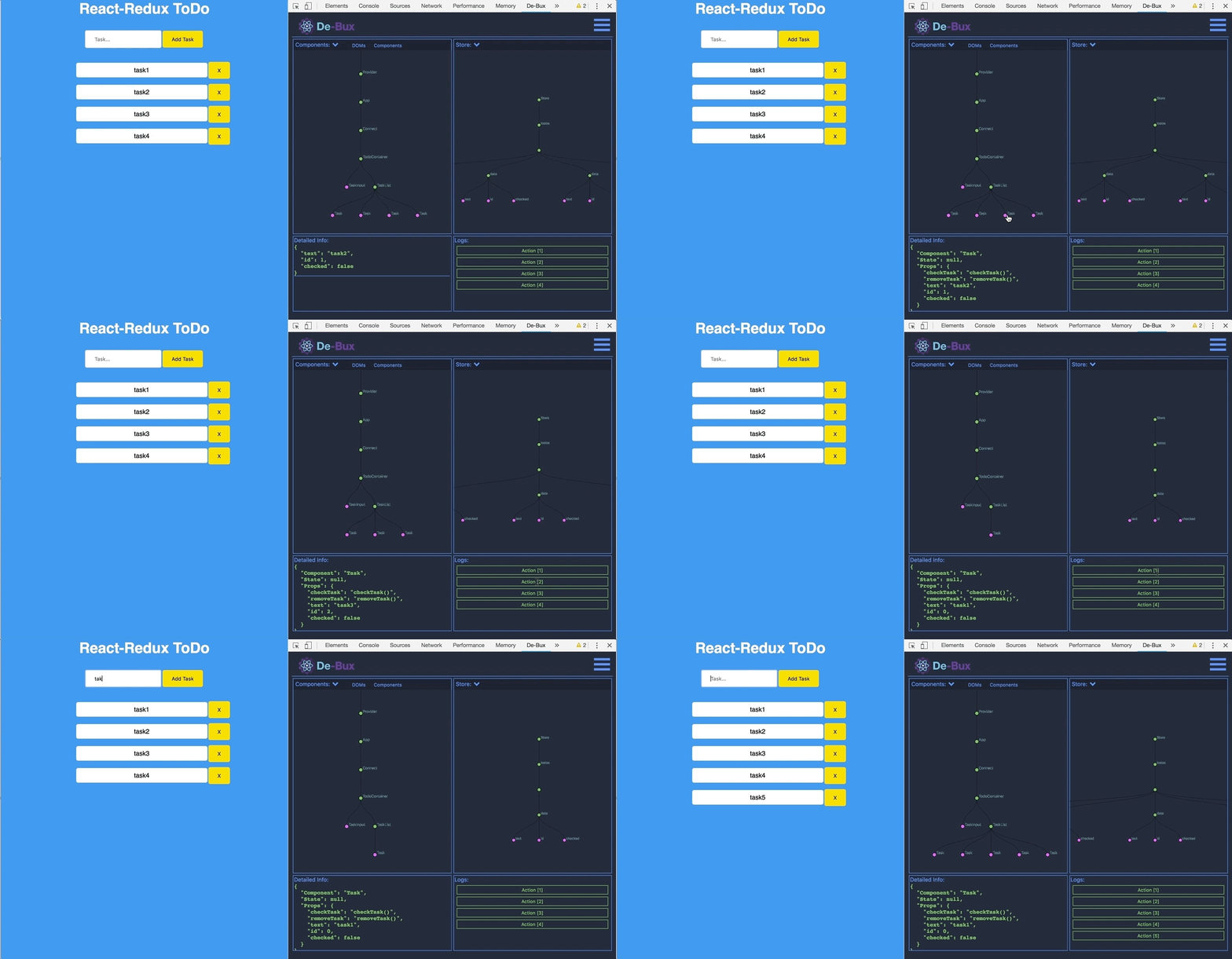 ### Multiple View Options 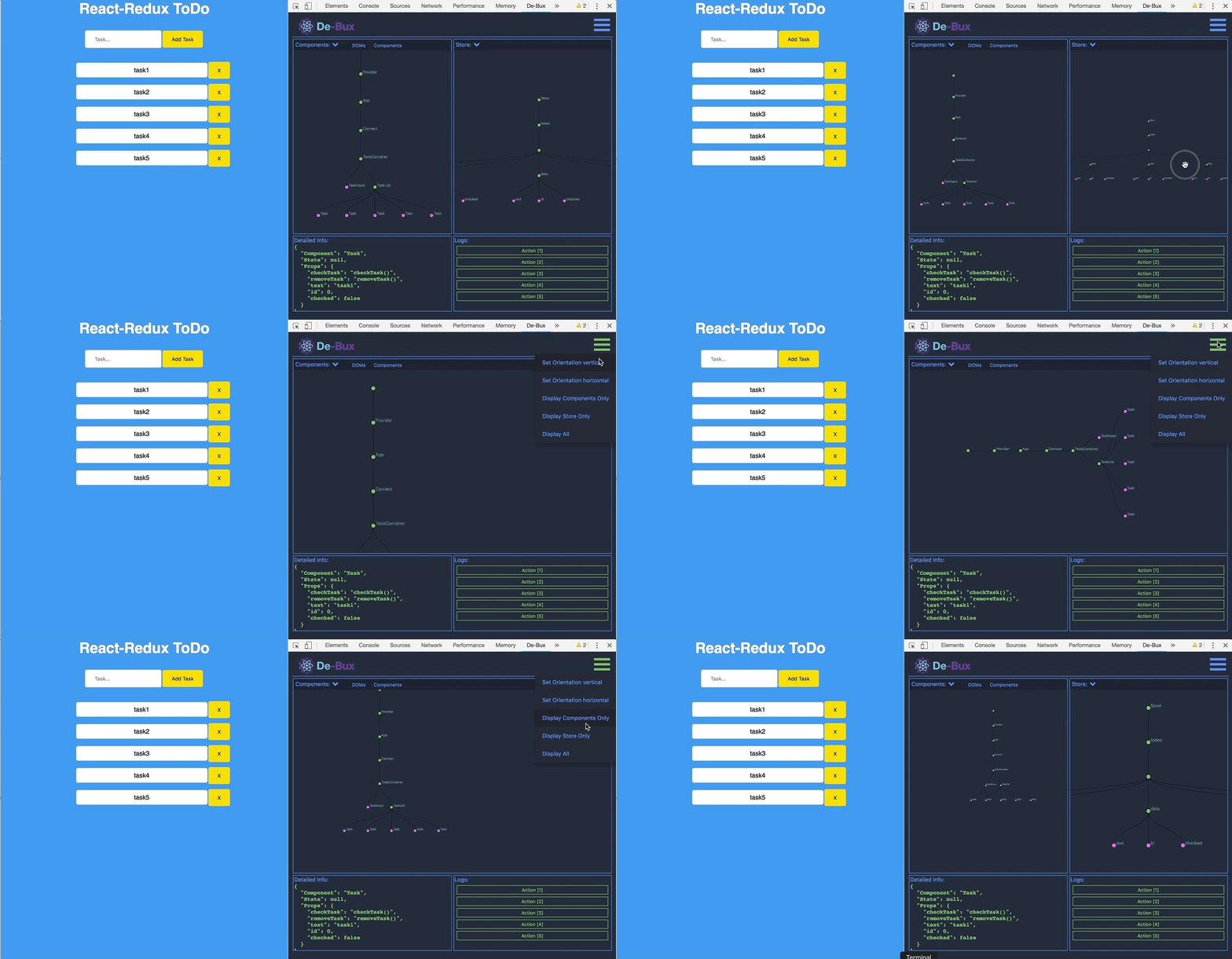 **Note:** The current version of De-Bux works best for local projects. We are currently working on adding more tests to our test suite. ## Testing Run current unit tests or build new ones and execute test suite: ```npm run test``` ## Authors Wontae Han (https://github.com/wontaeh) Alejandro Romero (https://github.com/Alexrom789) Shafayat Alam (https://github.com/shafayat05) Jeffrey Schrock (https://github.com/RhythmMagi) ## Contact Like what you see or have any suggestions? Feel free to contact to us! DeBuxDevtool@gmail.com Visit our Website <a href="https://De-Bux.com">De-Bux.com</a>
