KO
|
EN
gitlite — search
Search
#javascript
#python
#hacktoberfest
#react
#ai
#typescript
#llm
#go
#golang
#android
#machine-learning
#rust
#deep-learning
#linux
sql-source-control
★ 9
Open GitHub ↗
No description available.
Download README (.md)
Explore Similar Repositories
DAPrompt
:
This repository provides the code of DAPrompt model for the paper: TEPrompt: DAPrompt: Deterministic Assumption Prompt Learning for Event Causality Identification.
syosetu_novel_downloader
:
A simple code for download japan light novels from syosetu.com
CE2OCF
:
Data transformation tool to convert CE questionnaire responses into structured Open Cap Format (OCF) JSONs
resize-font.gvim
:
gVim plugin for changing font/window size using keyboard or mousewheel.
Modbus-STM32WB
:
Modbus RTU library for STM32WB with HAL and FreeRTOS. Fork from https://github.com/alejoseb
// repository documentation
Was this content helpful?
★ 0
(0 ratings)
Select Rating:
★
★
★
★
★
Submit Feedback
Recent Feedback
×
Download README
Do you want to download the
README.md
file for
sql-source-control
?
Download (.md)
# SQL Source Control This repository is a demo of how to get your database code into source control when you're looking for a first step to getting started with DevOps for your SQL database. 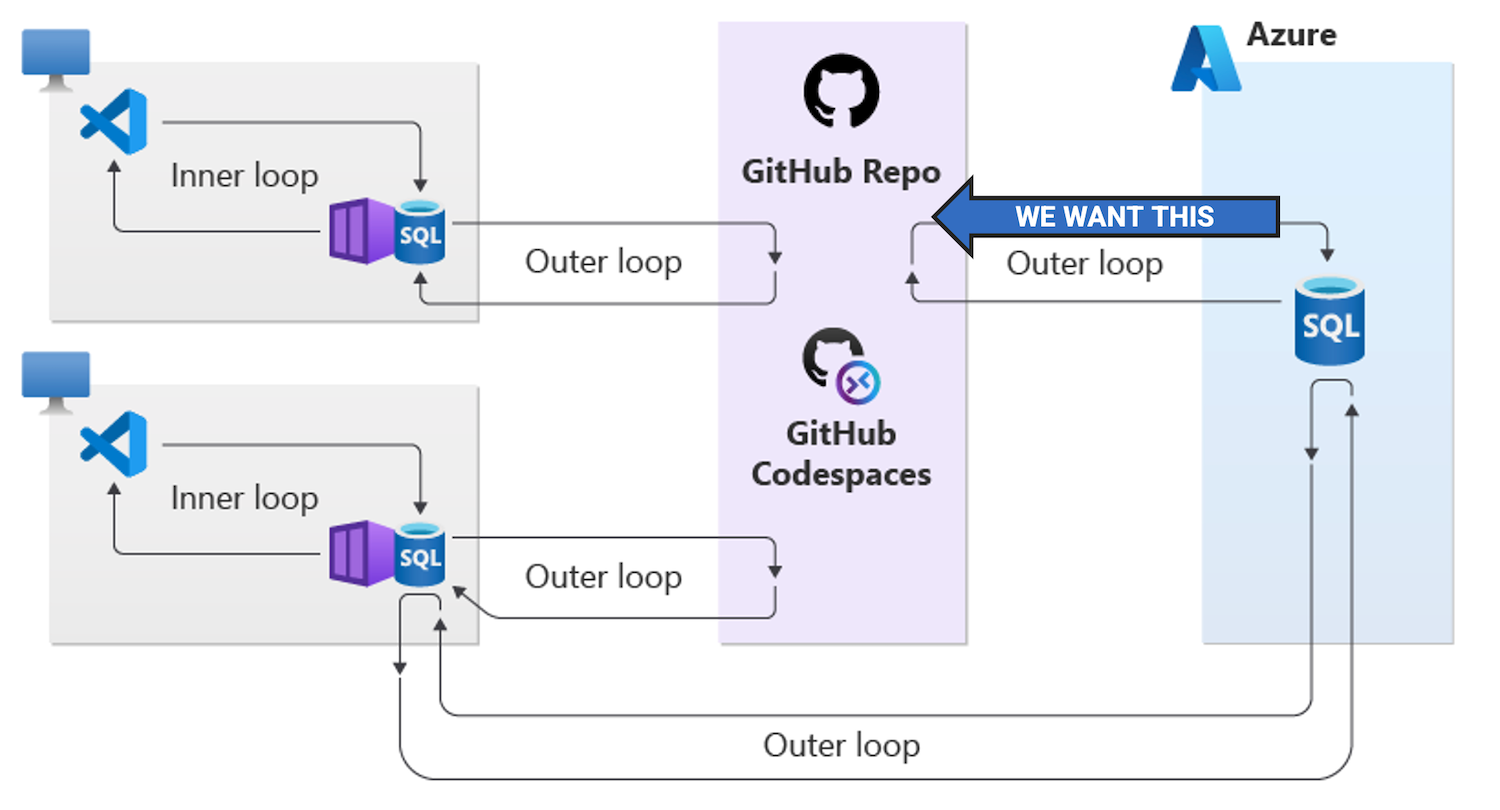 ## Prerequisites ### 📦 SqlPackage command line tool for Windows, macOS, and Linux **Install** ```bash dotnet tool install -g microsoft.sqlpackage ``` **Learn more** - [SqlPackage docs](https://aka.ms/sqlpackage-ref) - [DacFx feedback repository](https://github.com/microsoft/dacfx) ### Base dev tools You may already have these installed, but if not, you'll need them to try this in your own environment. - VS Code and/or Azure Data Studio - git source control CLI ## 🛠️ Convert your database to code ```bash sqlpackage /a:extract /ssn:localhost /sdn:AdventureWorks /su:sa /sp:Passw0rd /stsc:true /tf:AdventureWorks /p:ExtractTarget=ObjectType ``` - `/a:extract` specifies the action to perform a schema extraction with `/p:ExtractTarget=ObjectType` organizing the files into folders by object type - `/tf:AdventureWorks` sets the output location to the [AdventureWorks](AdventureWorks) folder More details available in the [Convert your database to code](Tutorial/convert-your-database-to-code.md) quickstart guide. ## Optional steps ### 🤖 Setup an automated process to check the database into source control Leverage an automation environment (GitHub Actions, Azure DevOps Pipelines) to run the `sqlpackage` command and check the results into source control or open a PR for you to review. The [GitHub Actions workflow](.github/workflows/database-pr.yml) in this repo is an example of how to do this, where the workflow steps are: 1. Checking out the repo files into the automated environment 2. Setting a timestamp variable to use as a branch name 3. Reset the database files in the environment by removing them 4. Run the `sqlpackage` command to extract the database schema to the pipeline environment 4b. (optional) Adds a .sqlproj file to the folder 5. Use `git status` to see if there are changes 6. If there are changes, create a new branch with the timestamp as the name and commit the changes to the branch 7. If there are changes, open a PR to the main branch as 'Database Status Bot' 8. Output a summary to the workflow log More details available in the [Automate your database source control](Tutorial/automate-your-database-source-control.md) quickstart guide. ### Convert the folder of files to a SQL project > Environment prerequisite: .NET SDK and .NET SQL project template > > Install the .NET SQL project template with: `dotnet new install microsoft.build.sql.templates` We will add a .sqlproj file to the folder with our database objects, enabling the files to be built into a package for unit tests, deployment, etc. ```bash dotnet new sqlproj -n AdventureWorks ``` More information on SQL projects is available in a [brief article](Resources/what-is-a-sql-project.md) and in the [Microsoft.Build.Sql repository](https://github.com/microsoft/DacFx/blob/main/src/Microsoft.Build.Sql/docs/Tutorial.md). ### Run unit tests on your database code > Prerequisite: SQL project file on your database code Layering a unit test project and set of unit tests on your database code enables you to test your database code in either an ad-hoc or automated manner. This is a great way to ensure your database code is working as expected. There is a very small example of utilizing the [tSQLt unit test framework](https://tsqlt.org/) in the [UnitTests](UnitTests) folder and with the [unit-tests.yml](.github/workflows/unit-tests.yml) GitHub Actions workflow. In this repository, the unit tests example is more of an aspirational future state than the first step. The first step is to get your database code into source control and then you can layer on unit tests or any other DevOps concepts that are right for your environment. ## 📗 Resources The deck from the PASS Summit 2023 session "It’s Under Control, But Is It Under Source Control?" is available in [Resources](Resources/UnderControlSourceControl.pdf).
