KO
|
EN
gitlite — search
Search
#python
#api
#generator
#cpp
#time-series
#c
#gpl3
#gplv3
#md
#txt
#template
#opencv
probhat-macos
★ 65
Open GitHub ↗
🔡 Probhat keylayout for macOS
Download README (.md)
Explore Similar Repositories
MachineLearning
:
some real example of machine learn algorithm
scrape
:
Distributed Scraper
cloudml
:
R interface to Google Cloud Machine Learning Engine
glsl-bloom
:
test of a glsl bloom effect. it is not used THREE.EffectComposer.
Ark-Server-Plugins
:
Server Plugins for ARK: Server API
// repository documentation
Was this content helpful?
★ 0
(0 ratings)
Select Rating:
★
★
★
★
★
Submit Feedback
Recent Feedback
×
Download README
Do you want to download the
README.md
file for
probhat-macos
?
Download (.md)
<div align="center"> # 🇧🇩 Probhat Keyboard Layout for macOS **প্রভাত** — A fixed-layout Bengali keyboard for macOS [](http://mths.be/mit) [](https://www.apple.com/macos/) **Looking for web version?** 🌐 Visit [probhat.mdminhazulhaque.io](https://probhat.mdminhazulhaque.io/) </div> --- ## 📖 About The **Probhat (প্রভাত)** keyboard layout is a free, Unicode-based, fixed-layout system for Bengali script, commonly found in Linux distributions. Although its key mappings share similarities with phonetic layouts, Probhat employs a strictly fixed typing method. This implementation is a custom XML-based layout for macOS, derived from the original Probhat. ### ✨ Key Features - **Full macOS Integration** — Native keyboard shortcuts work seamlessly - **Unicode Support** — Proper rendering with zero-width characters - **Fixed Layout** — Consistent typing experience across platforms **Supported Modifiers:** | Modifier | Symbol | Description | |----------|--------|-------------| | Command | ⌘ | Works with Probhat enabled | | Option | ⌥ | Works with Probhat enabled | | Control | ⌃ | Works with Probhat enabled | > Even when `Probhat` layout is activated, you can still use `⌘+A` to select all, `⌘+C` to copy, `⌃+D` to send EOF, and other `⌘+⌥` combinations. --- ## ⌨️ Layout 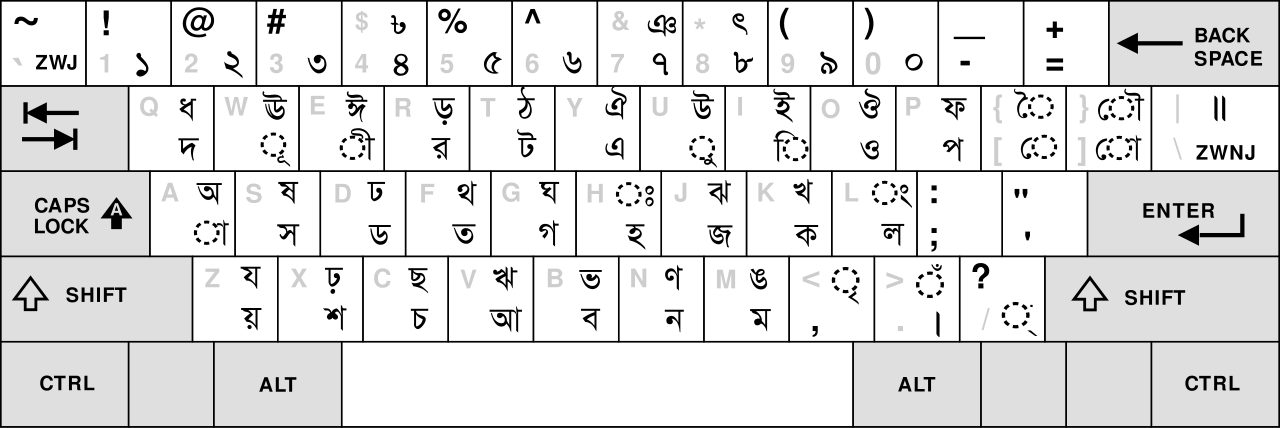 --- ## 🚀 Installation > **Tested up to macOS 15 Sequoia** ### Method 1: Download & Inspect (Recommended) ```bash # Download the installation script curl -O https://raw.githubusercontent.com/mdminhazulhaque/probhat-macos/master/install.sh # Inspect the script (optional but recommended) cat install.sh # Run the installer sudo bash install.sh ``` ### Method 2: One-Line Install > ⚠️ **Warning:** This method pipes directly to bash. Use Method 1 for better security. ```bash curl https://raw.githubusercontent.com/mdminhazulhaque/probhat-macos/master/install.sh | sudo bash ``` --- Enter your password when prompted. The installer will copy the necessary files to `/Library/Keyboard\ Layouts` directory. **⚠️ Important:** Reboot or log out after installation to apply changes. --- ## 🗑️ Uninstall ### Method 1: Download & Inspect (Recommended) ```bash # Download the uninstall script curl -O https://raw.githubusercontent.com/mdminhazulhaque/probhat-macos/master/uninstall.sh # Inspect the script (optional but recommended) cat uninstall.sh # Run the uninstaller sudo bash uninstall.sh ``` ### Method 2: One-Line Uninstall > ⚠️ **Warning:** This method pipes directly to bash. Use Method 1 for better security. ```bash curl https://raw.githubusercontent.com/mdminhazulhaque/probhat-macos/master/uninstall.sh | sudo bash ``` --- **⚠️ Important:** Reboot or log out to complete the uninstallation. --- ## ⚙️ Configuration 1. **Reboot** or log out and log in again after installing 2. Open **System Preferences** → **Language & Region** → **Keyboard Preferences** → **Input Sources** 3. Click the **`+`** button, then select **Others** → **Probhat** (with Bangladeshi flag 🇧🇩) 4. Go to **Keyboard Preferences** → **Shortcuts** → **Input Sources** Enable **"Select the previous input source"** with shortcut `⌘+Space` 5. You'll now see **Probhat** in the input method list on your menu bar 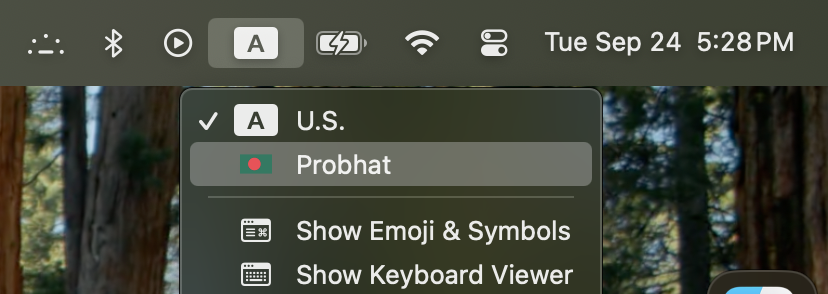 6. Open any text editor, browser, or application, press **`⌘+Space`** and start typing in Bengali! 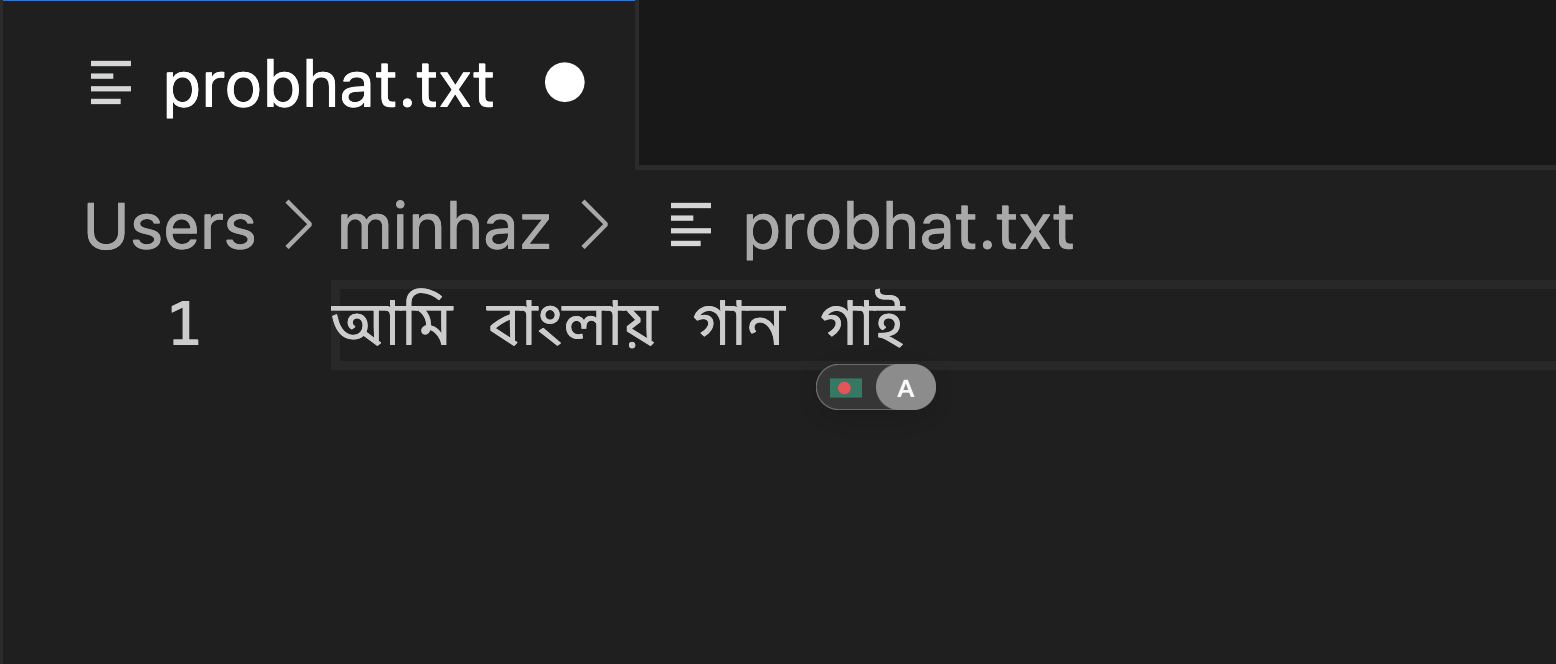 --- ## 🐛 Fixed Issues - ✅ **Numkeys** not working in Bangla mode - ✅ **Backtick (`)** does not work in Bangla mode — by [@tareqmahmud](https://github.com/tareqmahmud) - ✅ **ZWNJ Support** — by [@rabbihossain](https://github.com/rabbihossain) - ✅ **Pipe (|) mapping** fixed using [sha256/Ridmik-Keyboard-macOS](https://github.com/sha256/Ridmik-Keyboard-macOS/blob/master/Keyboard/Mappings/probhat.json) --- ## 📄 License This keyboard layout is available under the [MIT License](http://mths.be/mit). --- <div align="center"> **Made with ❤️ for the Bengali community** </div>
