KO
|
EN
gitlite — search
Search
#llm
#claude-code
#typescript
#python
#claude
#mcp-server
#cli
#ai-agent
#automation
#ai-agents
#rust
#mcp
vnote
★ 12,897
Open GitHub ↗
A pleasant note-taking platform in native C++.
Download README (.md)
Explore Similar Repositories
rubocop
:
A Ruby static code analyzer and formatter, based on the community Ruby style guide.
broot
:
A new way to see and navigate directory trees : https://dystroy.org/broot
cmdk
:
Fast, unstyled command menu React component.
txtai
:
💡 All-in-one AI framework for semantic search, LLM orchestration and language model workflows
SkeletonView
:
☠️ An elegant way to show users that something is happening and also prepare them to which contents they are awaiting
// repository documentation
Was this content helpful?
★ 0
(0 ratings)
Select Rating:
★
★
★
★
★
Submit Feedback
Recent Feedback
×
Download README
Do you want to download the
README.md
file for
vnote
?
Download (.md)
# VNote    [简体中文](README_zh_CN.md) [Project on Gitee](https://gitee.com/vnotex/vnote) A pleasant note-taking platform. For more information, please visit [**VNote's Home Page**](https://docs.vnote.fun).  ## Description **VNote** is a Qt-based, free and open source note-taking application, focusing on Markdown now. VNote is designed to provide a pleasant note-taking platform with excellent editing experience. VNote is **NOT** just a simple editor for Markdown. By providing notes management, VNote makes taking notes in Markdown simpler. In the future, VNote will support more formats besides Markdown. Utilizing Qt, VNote could run on **Linux**, **Windows**, and **macOS**. 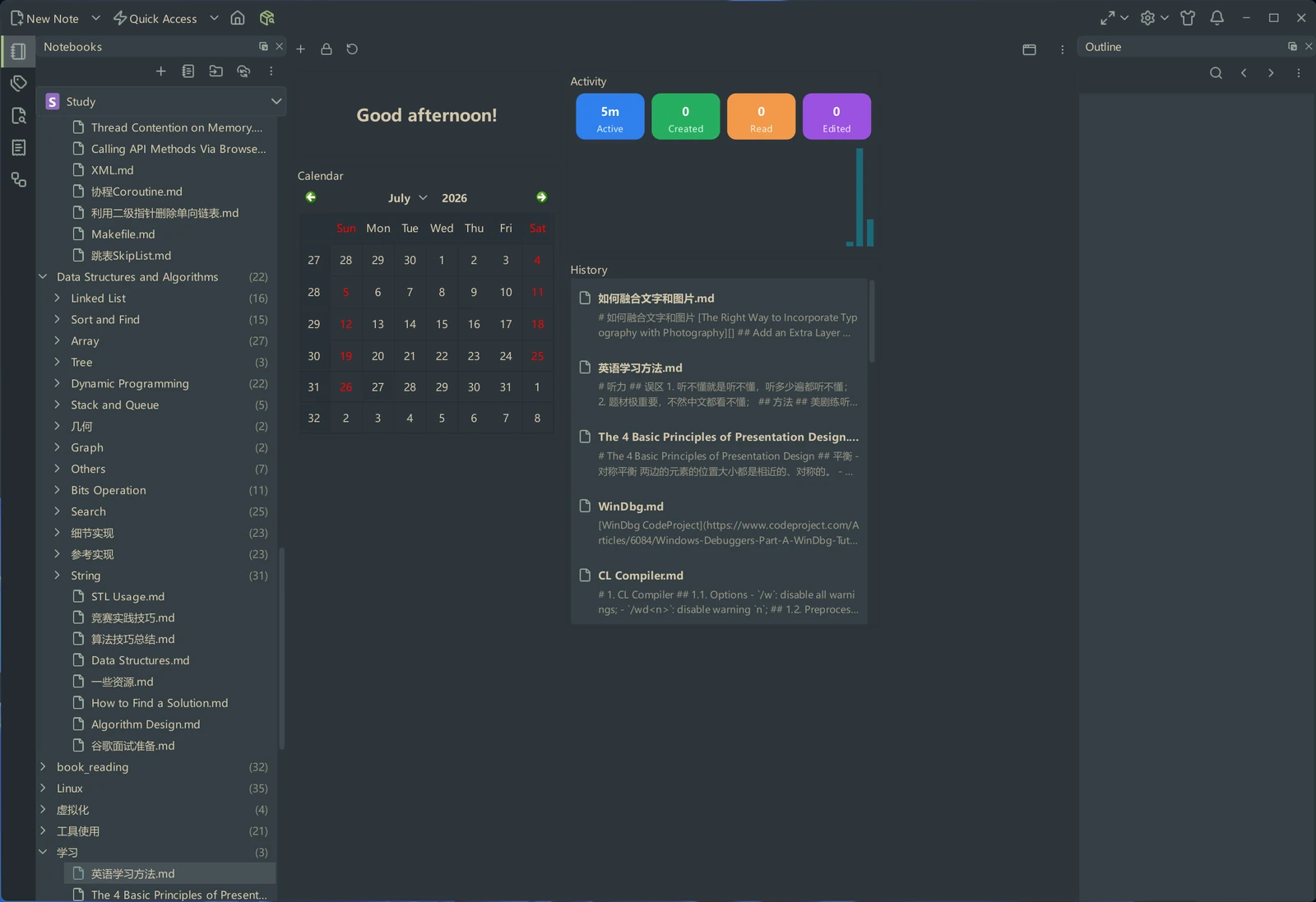 ## Downloads Continuous builds on `master` branch could be found at the [Continuous Build](https://github.com/vnotex/vnote/releases/tag/continuous-build) release. Latest stable builds could be found at the [latest release](https://github.com/vnotex/vnote/releases/latest) or [Gitee release](https://gitee.com/vnotex/vnote/releases) ## Supports * [GitHub Issues](https://github.com/vnotex/vnote/issues); * Email: `tamlokx at gmail.com`; Thank [users who donated to VNote](https://github.com/vnotex/vnote/wiki/Donate-List)! ## Development After cloning the repository, run the initialization script to set up your development environment: **Linux/macOS:** ```bash bash scripts/init.sh ``` **Windows:** ```cmd scripts\init.cmd ``` This script will: * Initialize and update all git submodules * Install pre-commit hooks for automatic code formatting with clang-format * Set up the vtextedit submodule pre-commit hook For more development guidelines, see [AGENTS.md](AGENTS.md). ## License VNote is licensed under [GNU LGPLv3](https://opensource.org/licenses/LGPL-3.0).
