KO
|
EN
gitlite — search
Search
#php
#java
#python
#wordpress
#ruby
#javascript
#hacktoberfest
#wordpress-plugin
#nodejs
#shell
#jquery
#library
sonar-perl
★ 77
Open GitHub ↗
Community Perl Plugin for SonarQube
Download README (.md)
Explore Similar Repositories
impression
:
👀Element view notifier
Antiforgery
:
[Archived] AntiForgery token feature for ASP.NET Core. Project moved to https://github.com/aspnet/AspNetCore
Google-Maps-BottomSheet
:
A BottomSheetBehavior framework mirroring Google Maps'
buildkite-agent-metrics
:
A command-line tool (and Lambda) for collecting Buildkite agent metrics
security-key
:
iOS SEP U2F
// repository documentation
Was this content helpful?
★ 0
(0 ratings)
Select Rating:
★
★
★
★
★
Submit Feedback
Recent Feedback
×
Download README
Do you want to download the
README.md
file for
sonar-perl
?
Download (.md)
[](https://microbadger.com/images/sonarperl/sonar-perl "Get your own version badge on microbadger.com") [](https://sonarcloud.io/dashboard?id=sonar-perl_sonar-perl) [](https://sonarcloud.io/dashboard?id=sonar-perl_sonar-perl) # Community Perl 5 Plugin for SonarQube This is a community-contributed [SonarQube](http://www.sonarqube.org/) [plugin](http://docs.sonarqube.org/display/PLUG/Plugin+Library) to integrate popular features like code coverage, Perl::Critic and test reporting for your Perl 5 projects. ## Version Compatibility We support SonarQube LTA (2026.1) and latest (2026.3) releases. Please report bugs or incompatibilities in our [bugtracker](https://github.com/sonar-perl/sonar-perl/issues). ## Current State Current plugin is still at an early stage. It analyzes Perl projects without fully parsing the Perl code itself, attaching the source as line-based text. There is work in progress on a grammar-based parsing and analyzing (as far as this is possible for Perl, see bugtracker for current status). What we have so far... * LOC reporting (incl. comment and POD lines) * Structural metrics (classes and functions) * Test metrics (duration, successful and failed test count) * Syntax highlighting of imported code * Attaching of Perl::Critic issues * Default profile containing 271 Perl::Critic rules and accepting unknown violations from Perl::Critic reports * Test Coverage (via [Devel::Cover::Report::SonarGeneric](https://metacpan.org/pod/Devel::Cover::Report::SonarGeneric)) * Copy-Paste Detection via the generic PMD-CPD module ## Screenshots ### Dashboard 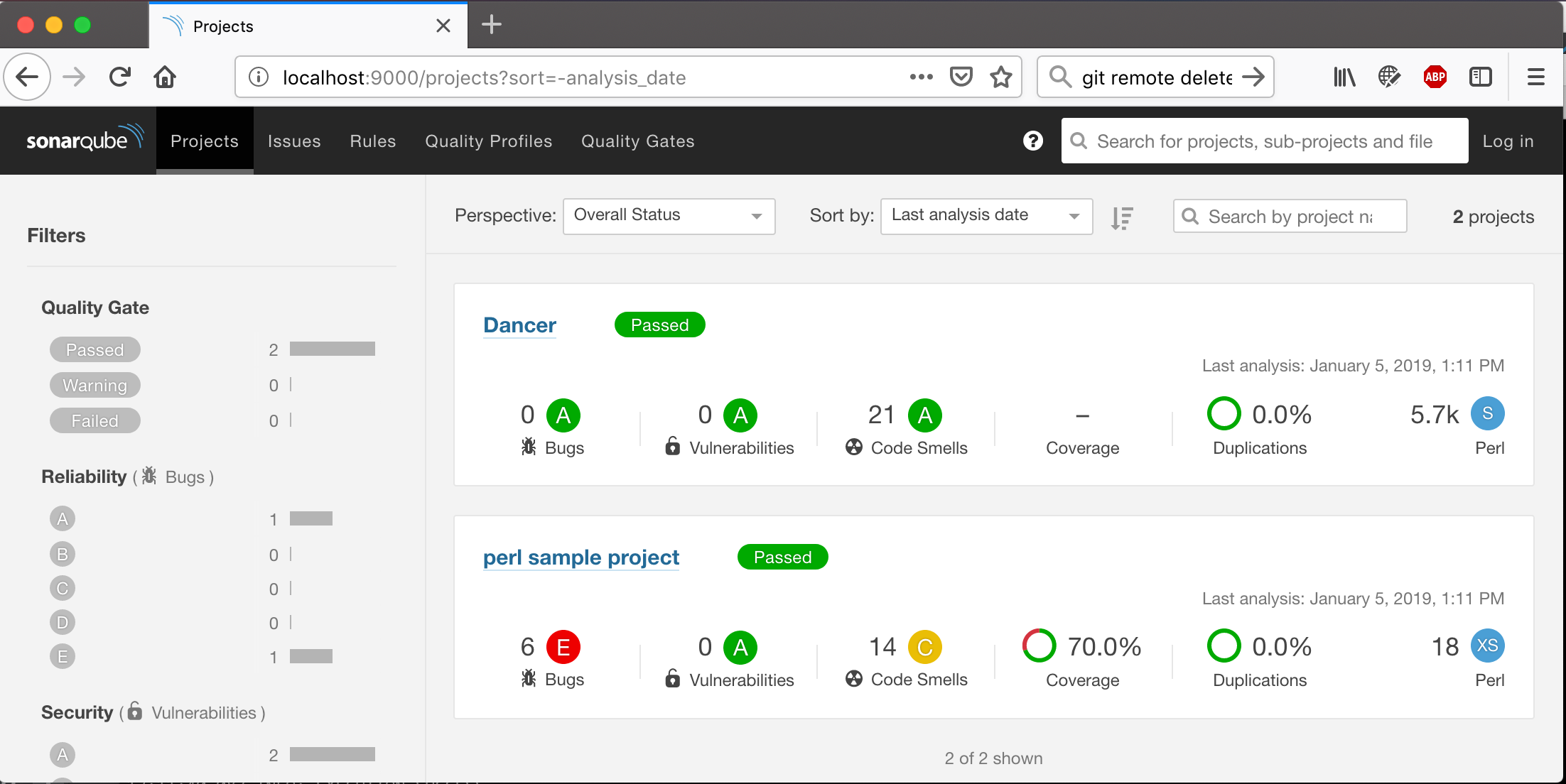 ### Source Code Details  ### Code Metrics  ### Issues Overview 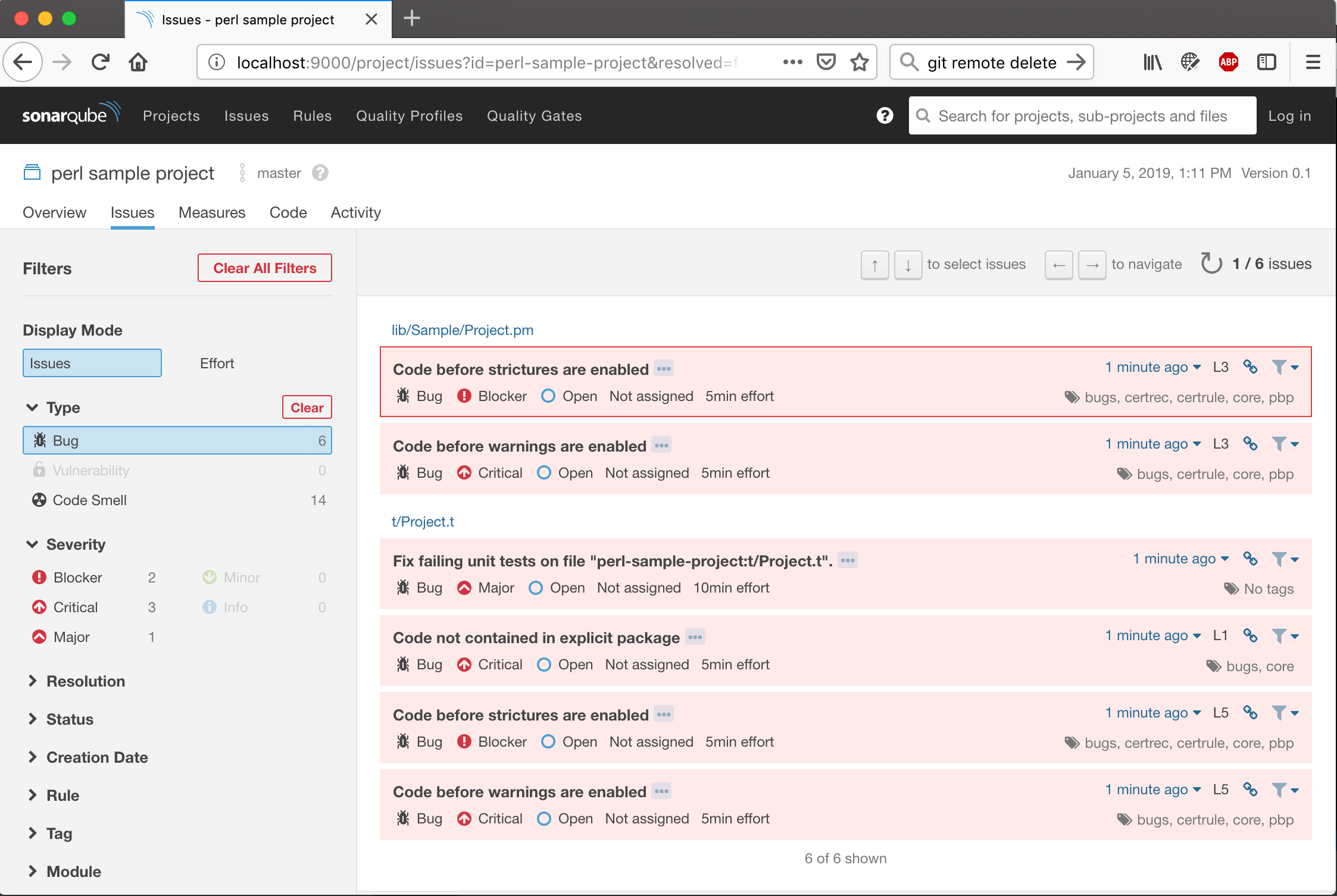 ### Project Overview 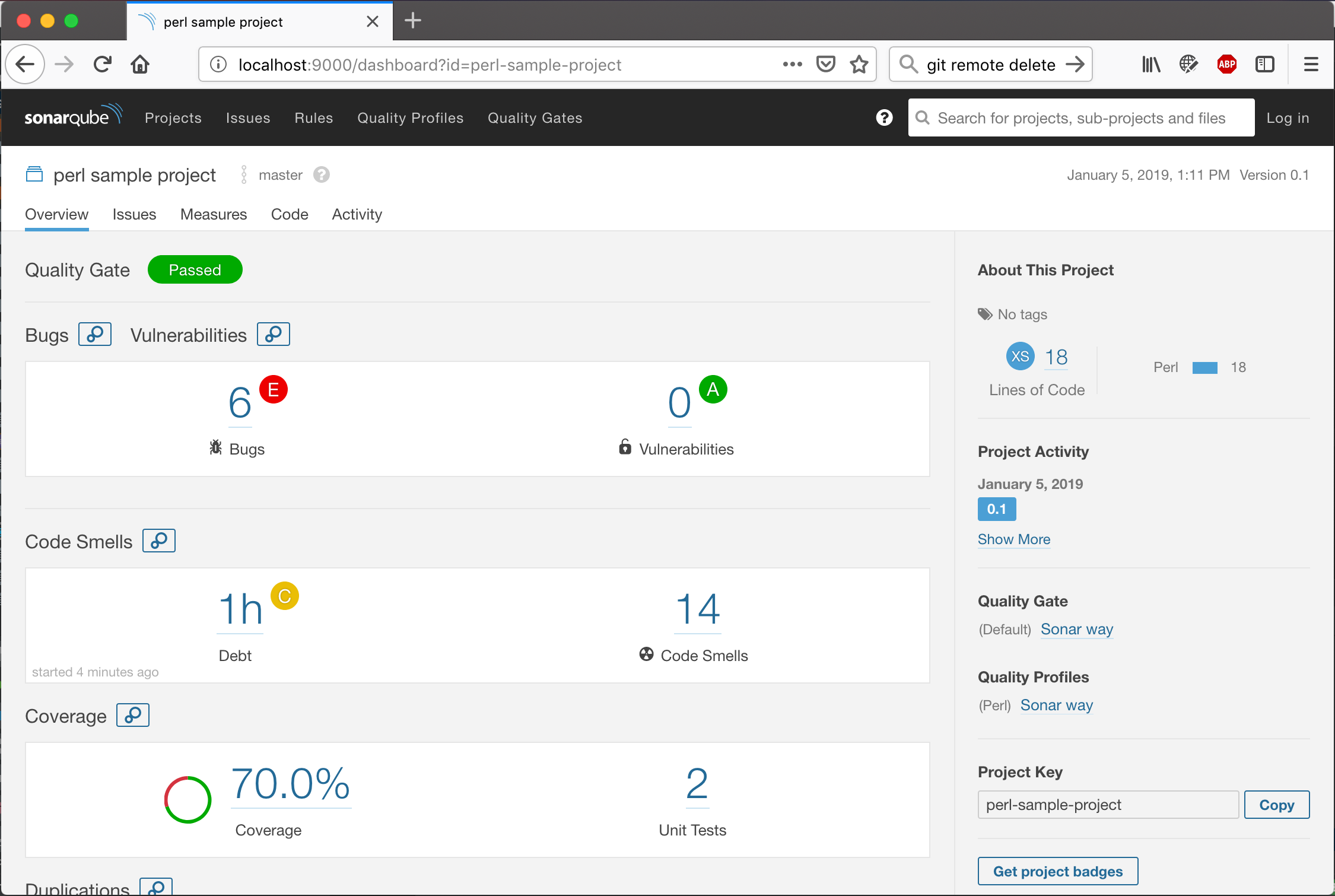 ### Perl::Critic Rules Catalog 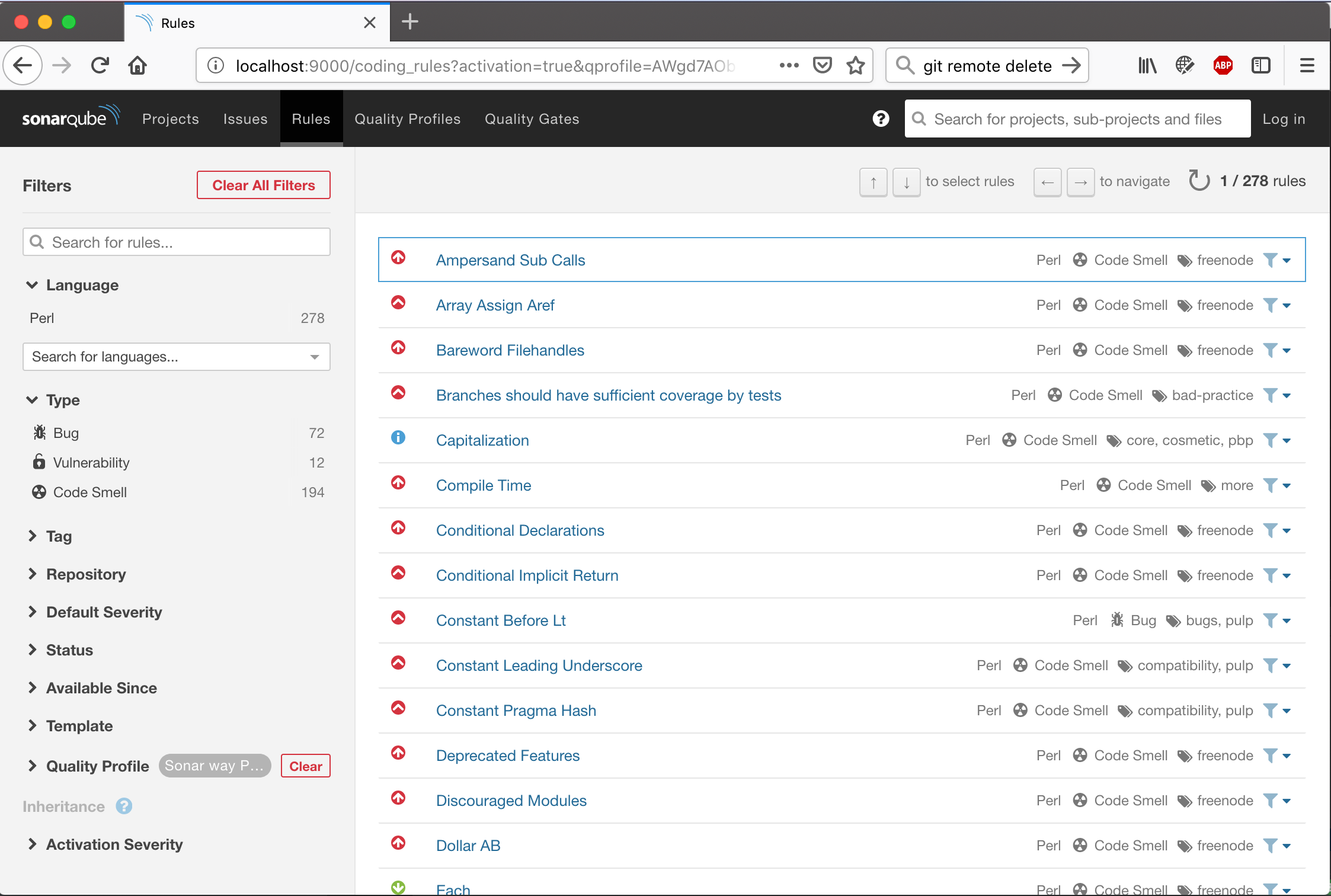 ### Code Coverage 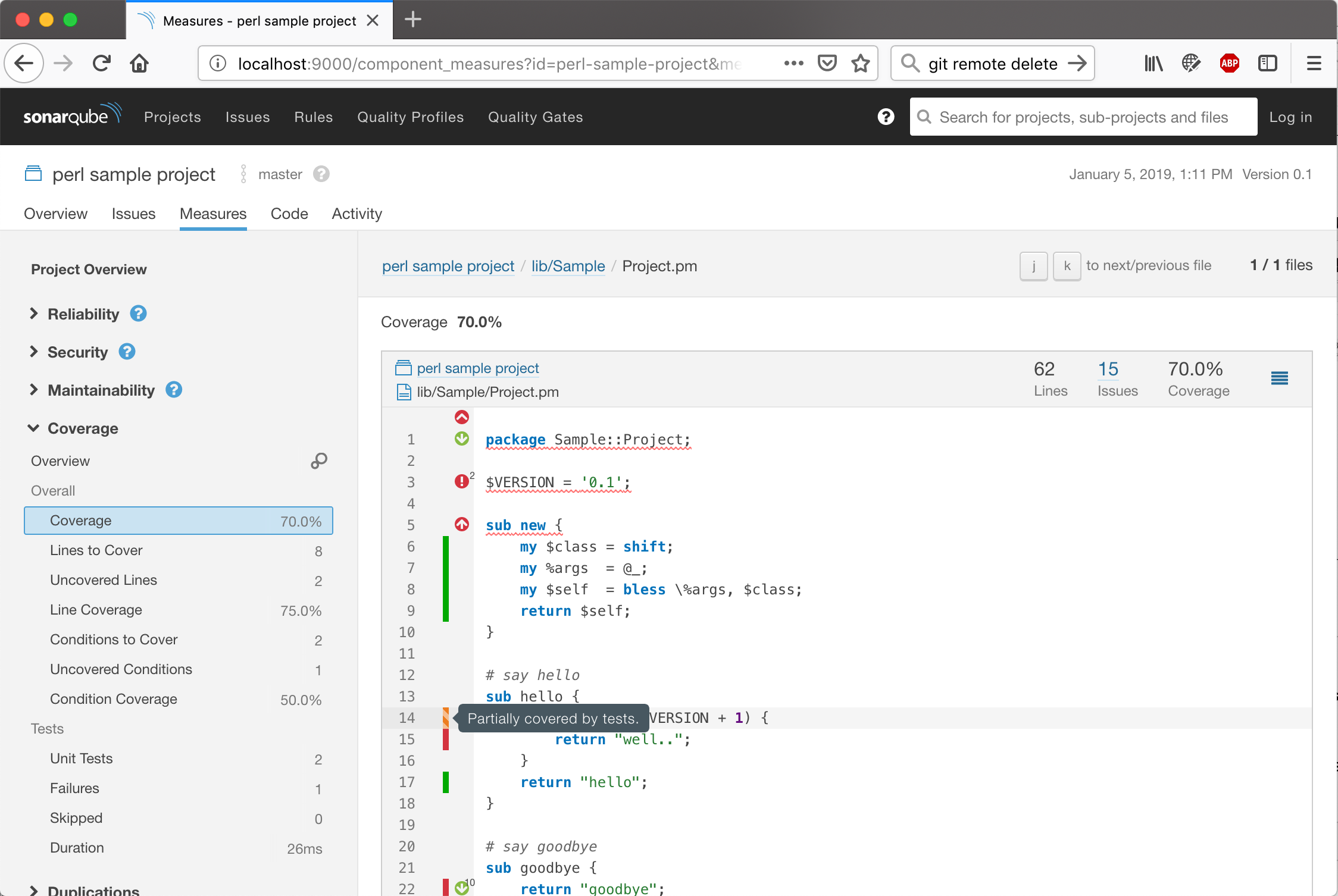 ## Running it The easiest way to see SonarQube with the Perl Plugin in action is to execute our sample Perl project with `sonar-scanner` against a local SonarQube installation using `docker-compose`. First, start up the SonarQube docker container, that has the latest sonar-perl release installed. ```sh docker-compose up -d sonarperl ``` Alternatively, you can build and run sonar-perl from source: ```sh ./gradlew run ``` Wait for SonarQube to start-up and then open the web interface in your browser (http://localhost:9000/ - or the IP you bound your docker to). Then, run the `sonar-scanner` on the sample project. For a more complex project reference, run the same commands on the dancer project. ```sh docker-compose build sample dancer docker-compose run sample docker-compose run dancer ``` You should see a "perl sample project" and "Dancer" on your SonarQube dashboard. ## Installing into your SonarQube Plugin releases can be downloaded from our [GitHub releases page](https://github.com/sonar-perl/sonar-perl/releases). If you want to build a snapshot version from source, you can create it via `./gradlew sonar-perl-plugin:shadowJar` and copy the resulting file (usually suffixed -SNAPSHOT, unless you checked out a release tag) e.g. `sonar-perl-plugin/build/libs/sonar-perl-plugin-0.6.6-SNAPSHOT-all.jar` into the plugins directory of your SonarQube installation (should be something like `/opt/sonarqube/extensions/plugins/`) ## Analyzing your Perl project - Make sure your SonarQube is running, and has the [latest perl plugin](https://github.com/sonar-perl/sonar-perl/releases) installed - [Download](http://docs.sonarqube.org/display/SCAN/Analyzing+with+SonarQube+Scanner) and extract the `sonar-scanner` command-line tool. - Create a basic `sonar-project.properties` file. Here is an example: ``` # must be unique in a given SonarQube instance sonar.projectKey=My::Project # this is the name displayed in the SonarQube UI sonar.projectName=My Project sonar.projectVersion=1.0.0 # Path is relative to the sonar-project.properties file. Replace "\" by "/" on Windows. # Since SonarQube 4.2, this property is optional if sonar.modules is set. # If not set, SonarQube starts looking for source code from the directory containing # the sonar-project.properties file. sonar.sources=lib # Encoding of the source code. Default is default system encoding sonar.sourceEncoding=UTF-8 sonar.tests=t # testReport.tgz is the default for the report archive. sonar.perl.testHarness.archivePath=testReport.tar.gz sonar.coverageReportPaths=cover_db/sonar_generic.xml ## if your project has perl files without file extension: # sonar.import_unknown_files=true ## .. and then exclude all known non-perl files. # sonar.exclusions=READ*,Change*,COPY*,AUTH*,perlcritic_report.txt ``` - Execute your tests and save the report as `testReport.tar.gz`. We require a format compatible with `TAP::Harness::Archive`. ```sh prove -t -a testReport.tar.gz ``` We also support JUnit reports. There are mainly two CPAN modules that can generate JUnit XML reports, `TAP::Harness::JUnit` and `TAP::Formatter::JUnit`. As the plugin would need to extract the test file names from the reports, some specific settings are required when using these JUnit modules. For `TAP::Harness::JUnit` you can generate a single report file. The namemangle mode has to be "perl" or "none" to allow test file names to be recovered from the JUnit report. Note that with the "perl" mode you shall not have multiple dots in your test file name, like `foo.bar.t`. And the "none" mode may not work well with some JUnit XML report consumer software. ```sh # below would defaultly generate a junit_output.xml JUNIT_NAME_MANGLE=perl prove --harness TAP::Harness::JUnit ... ``` ``` # in sonar-project.properties sonar.perl.testHarness.junitPath=junit_output.xml ``` For `TAP::Formatter::JUnit` ```sh # generate individual JUnit XML files into a directory mkdir junit_output PERL_TEST_HARNESS_DUMP_TAP=junit_output prove --formatter TAP::Formatter::JUnit --timer ... ``` ``` # in sonar-project.properties sonar.perl.testHarness.junitPath=junit_output ``` The plugin would firstly try to scan `testReport.tar.gz`, or whatever specified via `sonar.perl.testHarness.archivePath`. Only if the archive report does not exist, it would look at the JUnit settings. - Generate coverage reports in Generic Coverage format (requires version 0.3 or later of `Devel::Cover::Report::SonarGeneric`) ```sh cover -test -report SonarGeneric ``` - Execute `Perl::Critic` and save the report as `perlcritic_report.txt` in your project. Important is the formatting instruction below, to make the `perlcritic_report.txt` machine-readable. ```sh perlcritic --cruel --quiet --verbose "%f~|~%s~|~%l~|~%c~|~%m~|~%e~|~%p~||~%n" lib t > perlcritic_report.txt ``` - Run the `sonar-scanner` - Finally open the project report in SonarQube ## Building the plugin from source Running a full build includes creation of the plugin-jar and a docker image. This is achieved by running `./gradlew build`. Note that you need to have a local docker daemon running for this. ## Performing a release We're using the `axion` plugin for standardising the release process. To craft a new release, we tag the latest master, finalize the draft release notes, and let Github Workflows push the resulting build artifacts to our GitHub releases page, and a demo Docker image to Docker Hub. You can start this process by calling: ``` ./gradlew release ``` While Github runs, make sure to fill in the release notes. In case the build doesn't succeed, you should remove the tag from GitHub, fix the issues in `master`, and release again. But, if unsure, increment and release a new version. Further details can be read on the [axion read-the-docs](https://axion-release-plugin.readthedocs.io/en/latest/) page. ## Next steps Please look at the issues in our [bugtracker](https://github.com/sonar-perl/sonar-perl/issues) for the planning and status of the next steps. We also appreciate contributions from the community. So, if you're interested, get in touch with us! ## Links * [Devel::Cover::Report::SonarGeneric](https://metacpan.org/pod/Devel::Cover::Report::SonarGeneric) for coverage details on SonarQube versions 7.3+. * Perl [TAP](https://testanything.org/), and [TAP::Harness::Archive](https://metacpan.org/pod/TAP::Harness::Archive), [TAP::Harness::JUnit](https://metacpan.org/pod/TAP::Harness::JUnit), [TAP::Formatter::JUnit](https://metacpan.org/pod/TAP::Formatter::JUnit), for test reporting. * [Perl::Critic](http://perlcritic.org/) for issue reporting. * [Devel::Cover::Report::Clover](https://metacpan.org/pod/Devel::Cover::Report::Clover) ([source](https://github.com/captin411/devel-cover-report-clover/)) 1.01+ for coverage details for SonarQube versions 7.3 or older. Please install [Sonar Clover Plugin](http://docs.sonarqube.org/display/SONARQUBE45/Clover+Plugin) for reading the coverage report.
