KO
|
EN
gitlite — search
Search
#javascript
#python
#hacktoberfest
#react
#ai
#typescript
#llm
#go
#golang
#android
#machine-learning
#rust
#deep-learning
#linux
music-native
★ 8
Open GitHub ↗
React Native App for listen music
Download README (.md)
Explore Similar Repositories
tracking
:
Compare Compressive Tracker and KCF Tracker
okhttp-android-tests
:
Set of Android instrumentation tests for OkHttp.
stalker_pyramid2
:
A Pyramid Web Application Build On Top of Stalker
rails-api-template
:
Rails API Only Template
slide_thesis_ioslides
:
The slide for my thesis defence using ioslides in Rstudio.
// repository documentation
Was this content helpful?
★ 0
(0 ratings)
Select Rating:
★
★
★
★
★
Submit Feedback
Recent Feedback
×
Download README
Do you want to download the
README.md
file for
music-native
?
Download (.md)
# Music-native This is a personal project for playing sound clips on iOS and Android. ## view For view the app work, visit https://expo.io/@yeion7/music-native ## Preview app 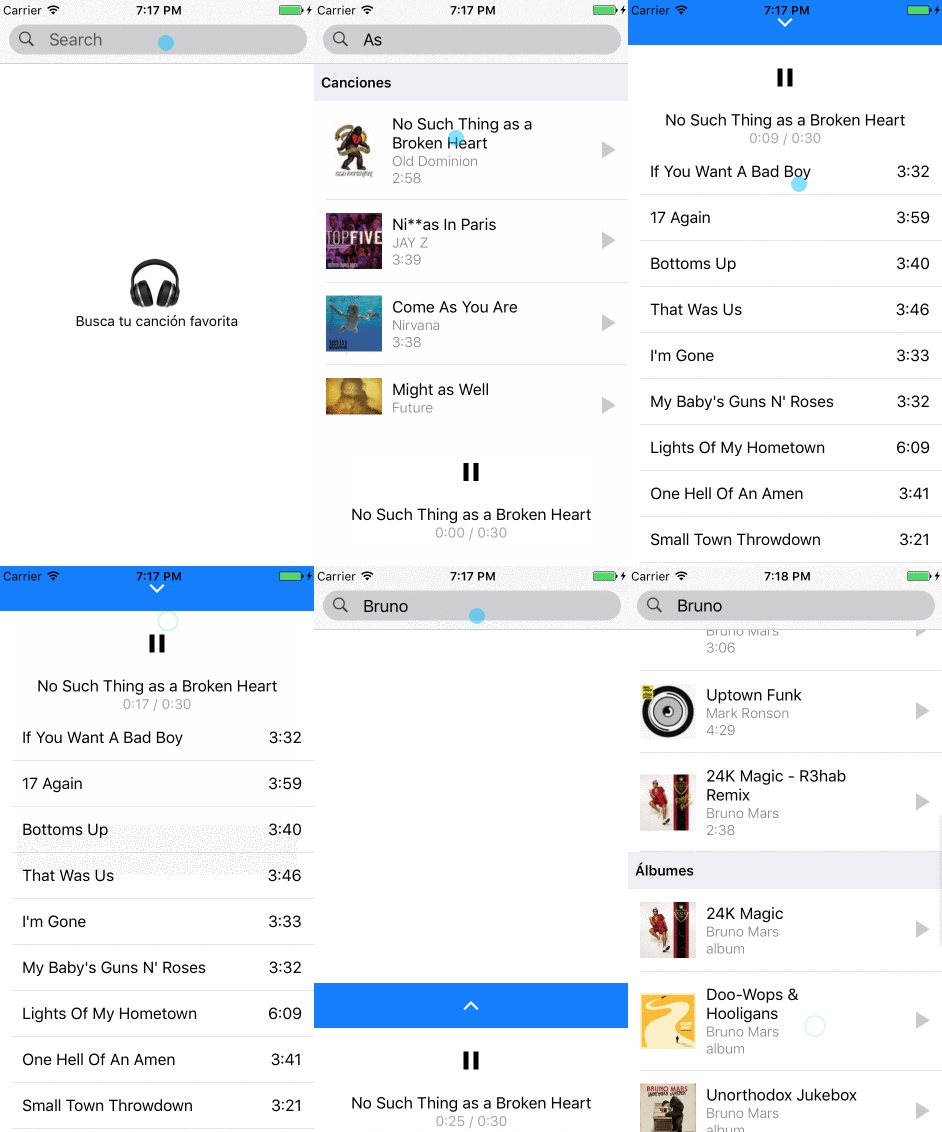 ## Available Scripts If Yarn was installed when the project was initialized, then dependencies will have been installed via Yarn, and you should probably use it to run these commands as well. Unlike dependency installation, command running syntax is identical for Yarn and NPM at the time of this writing. ### `npm start` Runs your app in development mode. Open it in the [Expo app](https://expo.io) on your phone to view it. It will reload if you save edits to your files, and you will see build errors and logs in the terminal. Sometimes you may need to reset or clear the React Native packager's cache. To do so, you can pass the `--reset-cache` flag to the start script: ``` npm start -- --reset-cache # or yarn start -- --reset-cache ``` #### `npm test` Runs the [jest](https://github.com/facebook/jest) test runner on your tests. #### `npm run ios` Like `npm start`, but also attempts to open your app in the iOS Simulator if you're on a Mac and have it installed. #### `npm run android` Like `npm start`, but also attempts to open your app on a connected Android device or emulator. Requires an installation of Android build tools (see [React Native docs](https://facebook.github.io/react-native/docs/getting-started.html) for detailed setup). We also recommend installing Genymotion as your Android emulator. Once you've finished setting up the native build environment, there are two options for making the right copy of `adb` available to Create React Native App:
