KO
|
EN
gitlite — search
Search
#python
#java
#python3
#arduino
#golang
#machine-learning
#rust
#html
#flask
#javascript
#seismology
#nodejs
react-code-diff-lite
★ 27
Open GitHub ↗
基于react-hook的代码比对组件
Download README (.md)
Explore Similar Repositories
GDOCK-passwall
:
把GDOCK的源码进行了部分修改,添加了passwall,感谢https://github.com/ljk4160/GDOCK 和 https://github.com/coolsnowwolf/lede
godotia
:
A Defender-like game produced with Godot Engine.
wandering_inn
:
Download and convert The Wandering Inn to epub and mobi (kindle) format
lovue
:
Love vue 🔗 https://lovuey.github.io/lovue/
NSM
:
Neural Stored-program Memory
// repository documentation
Was this content helpful?
★ 0
(0 ratings)
Select Rating:
★
★
★
★
★
Submit Feedback
Recent Feedback
×
Download README
Do you want to download the
README.md
file for
react-code-diff-lite
?
Download (.md)
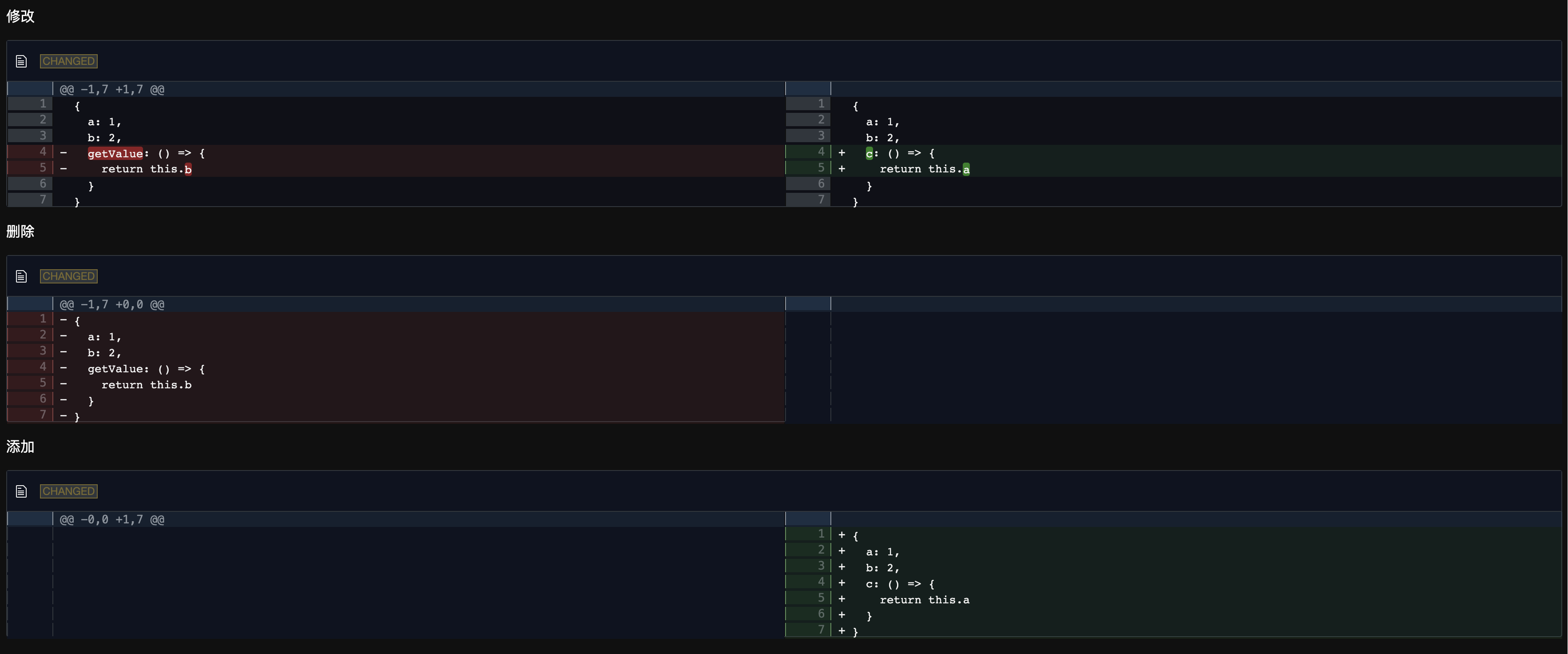
# react-code-diff-lite 一个基于 diff2html 的 React diff 组件 # demo https://react-code-diff-lite-ifmiss.vercel.app/ ### 使用方法 安装 ```code npm install react-code-diff-lite ``` 引入 ```tsx import React from "react"; import CodeDiff from "react-code-diff-lite"; const newStr = `{ a: 1, b: 2, c: () => { return this.a } }`; const oldStr = `{ a: 1, b: 2, getValue: () => { return this.b } }`; const Main: React.FC = () => { return ( <React.Fragment> <p>修改</p> <div> <CodeDiff oldStr={oldStr} newStr={newStr} context={10} /> </div> <p>删除</p> <div> <CodeDiff oldStr={oldStr} newStr="" context={10} /> </div> <p>添加</p> <div> <CodeDiff oldStr="" newStr={newStr} context={10} /> </div> <p>新增</p> <div> <CodeDiff oldStr="" newStr={newStr} context={10} outputFormat="side-by-side" /> </div> <p>编辑</p> <div> <CodeDiff oldStr={oldStr} newStr={newStr} context={10} outputFormat="line-by-line" /> </div> <p>删除</p> <div> <CodeDiff oldStr={oldStr} newStr="" context={10} outputFormat="side-by-side" /> </div> </React.Fragment> ); }; ``` ### 组件属性如下: - `oldStr`: 旧代码 - `newStr`: 新代码 - `context`: 代码对比范围,默认为 0 也就是只显示改动的地方,如果为 10 就是除改动地方之外多显示上下 10 行代码 - `outputFormat`: 展示方式行内对比和两个窗口对比 'line-by-line' | 'side-by-side' - `theme`: 主题色 支持自动跟随系统色的方式 'auto', 或者手动设置 'light' | 'dark', 默认'auto' - 其他属性可参考 https://github.com/rtfpessoa/diff2html#diff2html-configuration ### 实现效果 #### line-by-line 行内对比 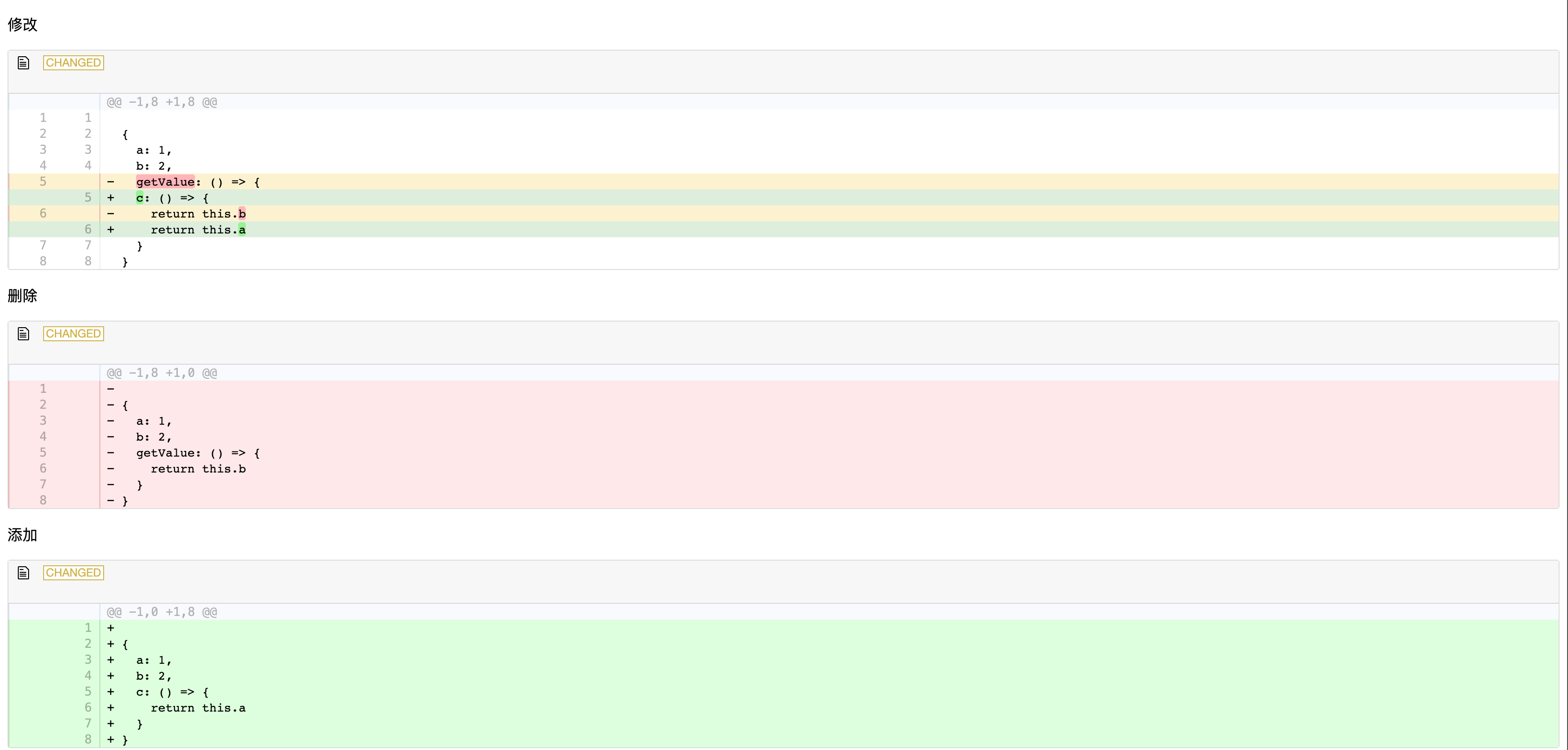 #### 两个窗口对比 side-by-side 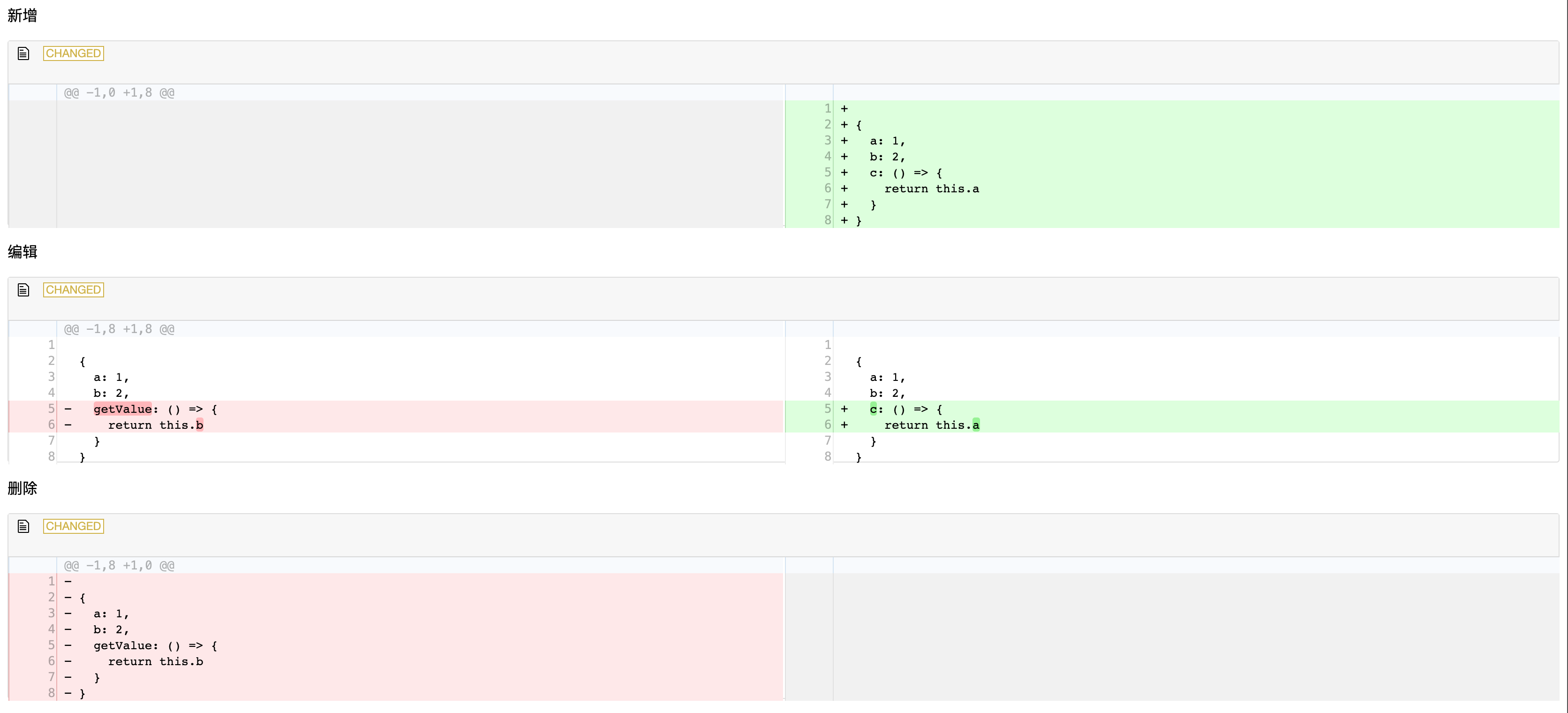 #### 夜间模式效果