KO
|
EN
gitlite — search
Search
#python
#java
#python3
#arduino
#golang
#machine-learning
#rust
#html
#flask
#javascript
#seismology
#nodejs
micro-gfx
★ 19
Open GitHub ↗
Create a SciFi SVG graphic interface
Download README (.md)
Explore Similar Repositories
eve-design-template
:
An eve agent to act as your design collaborator
YYB-GO-Script
:
仅支持应用宝协议的code
deepseek-harness-snowsalt
:
No description available.
OWRT-Tools
:
PySide6 GUI for building OpenWrt on Linux and WSL2
HXAudio-Desktop
:
HXAudio for Windows Desktop
// repository documentation
Was this content helpful?
★ 0
(0 ratings)
Select Rating:
★
★
★
★
★
Submit Feedback
Recent Feedback
×
Download README
Do you want to download the
README.md
file for
micro-gfx
?
Download (.md)
# MicroGfx A tiny, dependency-free library for generating **hand-drawn "technical instrument" graphics** — fake telemetry cards, spec labels, and contact-sheet posters — as pure SVG. Hit *Lucky* and it composes a new one; export to PNG or SVG. 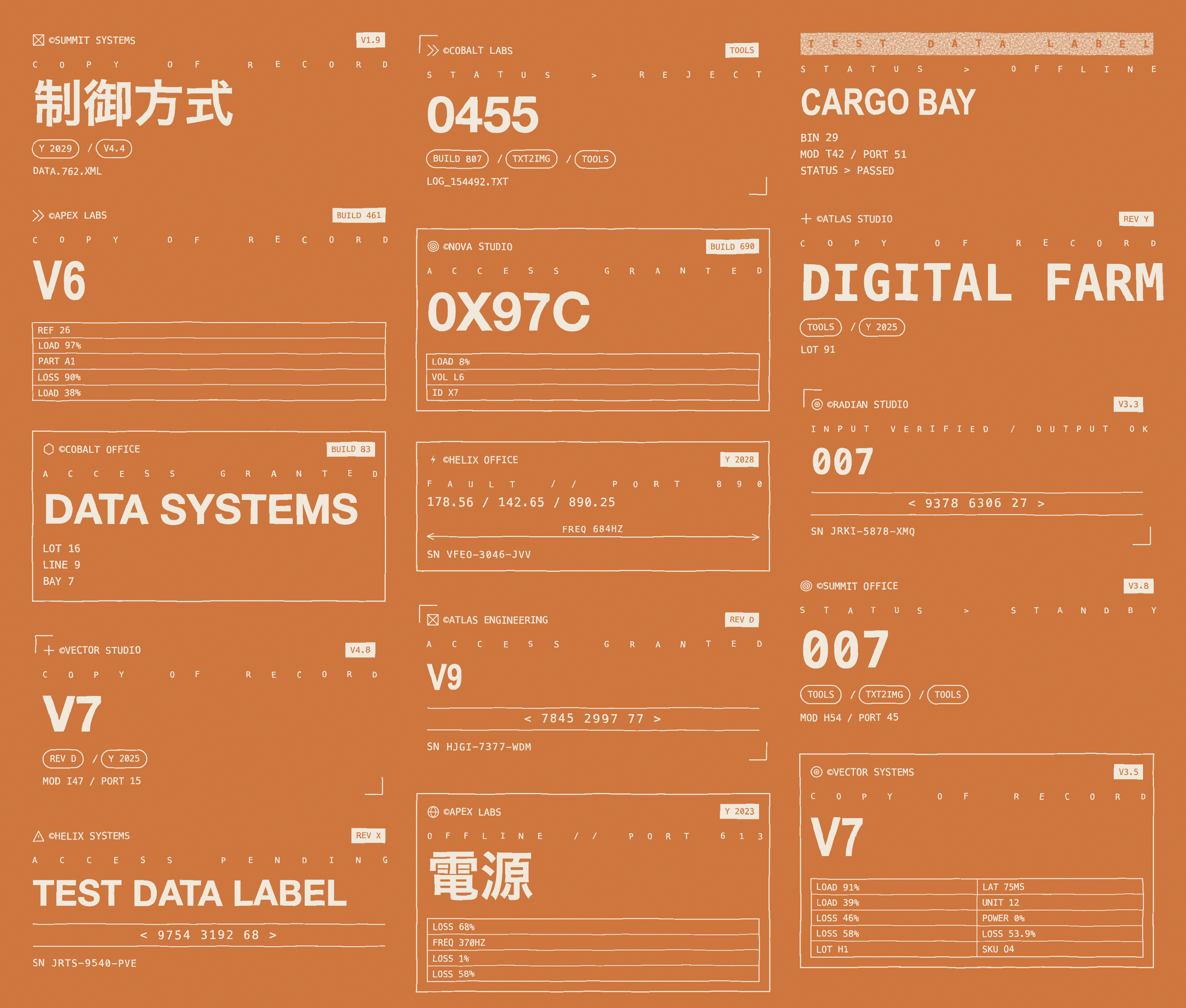 ## Run it No build step, no server. Just open the studio: ``` open index.html # macOS (or double-click the file) ``` - **Space** — new draw (Lucky) - **1 / 2 / 3** — Card / Banner / Poster modes - **P / S** — export PNG / SVG - **Theme** dropdown — pick a palette or *Auto* - Click the seed to copy it (same seed always reproduces the same piece) ## What it makes | Mode | Description | |------|-------------| | **Card** | A single label whose **height adapts to its content** — a barcode card is short, a chart card is tall. Footer-anchored. | | **Banner** | Wide corner-bracketed hero with big display type. | | **Poster** | A masonry contact sheet of 12–16 mini-compositions sharing one theme. | Eight themes ship in the registry — gray, orange, cream, acid-on-black, lavender, olive, steel, sand: 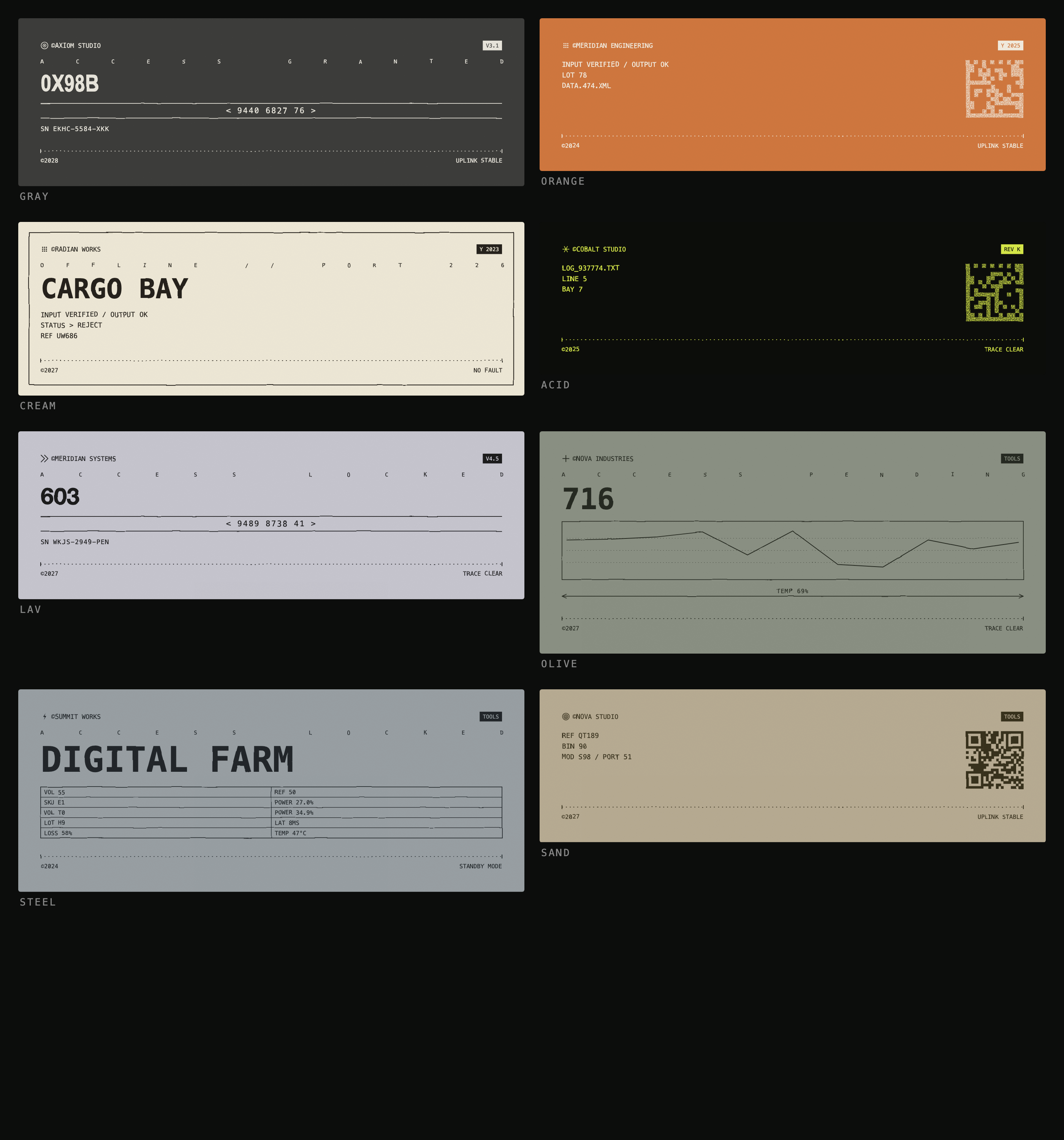 ## How it works Everything is built from three composable layers, which is what lets one small codebase span cards, banners, and posters: ``` 1. ELEMENTS ~25 self-measuring components: (ctx) => { svg, h } brandLine · eyebrow · bigDisplay · dataTable · barcode · qrcode · dataMatrix · lineChart · waveform · dimension · pillRow · iconRow · titleBar · bracketRule · coordReadout · hatch · spring · dividers · footer 2. LAYOUT recursive containers stack() / row() — themselves elements, so a row can hold a stack that holds a row (the "QR + readouts" splits) 3. COMPOSE a grammar of templates that assembles elements into whole cards ``` Because **every element reports its own height**, containers flow them automatically — no manual coordinate math, and layout nests arbitrarily. The hand-drawn look is two SVG filters: - **`#warp`** — `feTurbulence` → `feDisplacementMap` distorts every stroke *and* glyph uniformly, so the whole thing reads as sketched by one hand. - **`#erode`** — a turbulence alpha-mask composited into heavy fills only (barcodes, QR, inverted bars) for the screen-printed grain. ## API ```js const gen = MicroGfx.generate({ mode: "poster", theme: "orange", seed: 42 }); // -> { inner, w, h, seed, theme } inner = the SVG body markup document.querySelector("#stage").innerHTML = `<svg viewBox="0 0 ${gen.w} ${gen.h}">${gen.inner}</svg>`; const svgText = MicroGfx.standalone(gen, 2); // export-ready <svg> string at 2x ``` `generate()` takes `{ mode, theme, seed }` — omit `seed` for random, use `theme: "auto"` to pick one at random. ## Extending it Every part is a registry you can mutate from outside. Add an element and the grammar can immediately use it: ```js // a new element (must return { svg, h }) MicroGfx.elements.gauge = (ctx) => { const pct = ctx.r.int(0, 100); return { svg: /* svg string drawn from ctx.x / ctx.y / ctx.w */ "", h: 40 }; }; // a template that uses it MicroGfx.templates.push((r) => ({ frame: "full", children: [{ type: "brandLine" }, { type: "gauge" }, { type: "dimension" }], })); // a new theme MicroGfx.themes.neon = { bg: "#05070a", ink: "#39f5c8", erode: true, grain: .05, warp: 2.4 }; ``` Registries: `MicroGfx.elements`, `.templates`, `.themes`, `.marks` (logo glyphs), `.frames`. ## Files - **`microgfx.js`** — the built library, a single self-contained file (a UMD-ish bundle: `window.MicroGfx` in the browser, `module.exports` in Node so you can generate SVGs headless). This is committed, so consuming it needs no build step. - **`index.html`** — the studio UI that consumes it via a plain `<script src>`. - **`src/`** — the TypeScript source the bundle is built from. ## Developing The source lives in `src/` as focused TypeScript modules; esbuild bundles them into `microgfx.js`. Only contributors need this — end users just open `index.html`. ``` npm install npm run build # bundle src/ -> microgfx.js npm run dev # rebuild on change (watch) npm run typecheck # tsc --noEmit ``` The layers map to files, each free to grow without touching the others: | File | Responsibility | |------|----------------| | `rng.ts` · `text.ts` · `svg.ts` | seeded PRNG · text measurement · SVG primitives + shared draw state | | `content.ts` · `marks.ts` | text/number pools · logo & icon glyphs | | `elements.ts` · `layout.ts` | leaf `EL.*` components · recursive `stack` / `row` + `draw` | | `themes.ts` · `frames.ts` · `compose.ts` | palettes · outer frames · the template grammar | | `render.ts` · `index.ts` | filters + `generate` / `standalone` · public API assembly | Adding a component is usually a one-file change: a new element in `elements.ts`, a glyph in `marks.ts`, a palette in `themes.ts`, or a template in `compose.ts`. (You can also add any of these at runtime — see **Extending it** above.) ## Notes - Display and CJK glyphs use **system font stacks** (Impact / Arial Narrow / Helvetica + the OS CJK font), so exported files render with whatever fonts the viewer has installed — exact weights vary per machine. Point `MicroGfx.themes[x].display` at an embedded base64 font for pixel-identical exports. - QR / data-matrix codes are **decorative** (correct finder patterns and quiet zones, random payload) — they don't encode real data. ## License MIT
