KO
|
EN
gitlite — search
Search
#javascript
#python
#hacktoberfest
#react
#ai
#typescript
#llm
#go
#golang
#android
#machine-learning
#rust
#deep-learning
#linux
TorCI
★ 19
Open GitHub ↗
Web-based GUI for TorBox
Download README (.md)
Explore Similar Repositories
GS.Adventure
:
Port of the classic "Adventure" console game for the Apple IIgs computer
UnityAI
:
AI in Unity.
jy_master_thesis
:
Master Thesis (2021, KAIST): The development of the scale-aware monocular depth estimation aided monocular visual SLAM system for real-time robot navigation
SYNLA-Plus
:
Successor to the original Synthetic Line Art (SYNLA) Dataset.
people-data-analysis
:
👥 Employee analysis #DWD
// repository documentation
Was this content helpful?
★ 0
(0 ratings)
Select Rating:
★
★
★
★
★
Submit Feedback
Recent Feedback
×
Download README
Do you want to download the
README.md
file for
TorCI
?
Download (.md)
   # TorCI TorCI is a Configuration Interface for [TorBox](https://github.com/radio24/torbox). It is implemented in the [Nim](https://nim-lang.org) programming language. <b>WARNING: THIS IS A ALPHA VERSION, THEREFORE YOU MAY ENCOUNTER BUGS. IF YOU DO, OPEN AN ISSUE VIA OUR GITHUB REPOSITORY.</b> ## Features: - [x] Configure [TorBox](https://radio24/torbox) as easy as [OpenWrt](https://github.com/openwrt)'s [LuCI](https://github.com/openwrt/luci) - [x] ~~JavaScript not required~~ - [x] No Terminal - [x] Mobile-friendly - [x] Lightweight ## Roadmap - [ ] Improving UI - [ ] All TorBox features support - [ ] ~~HTTPS support~~ - [ ] Themes support ## Screenshots    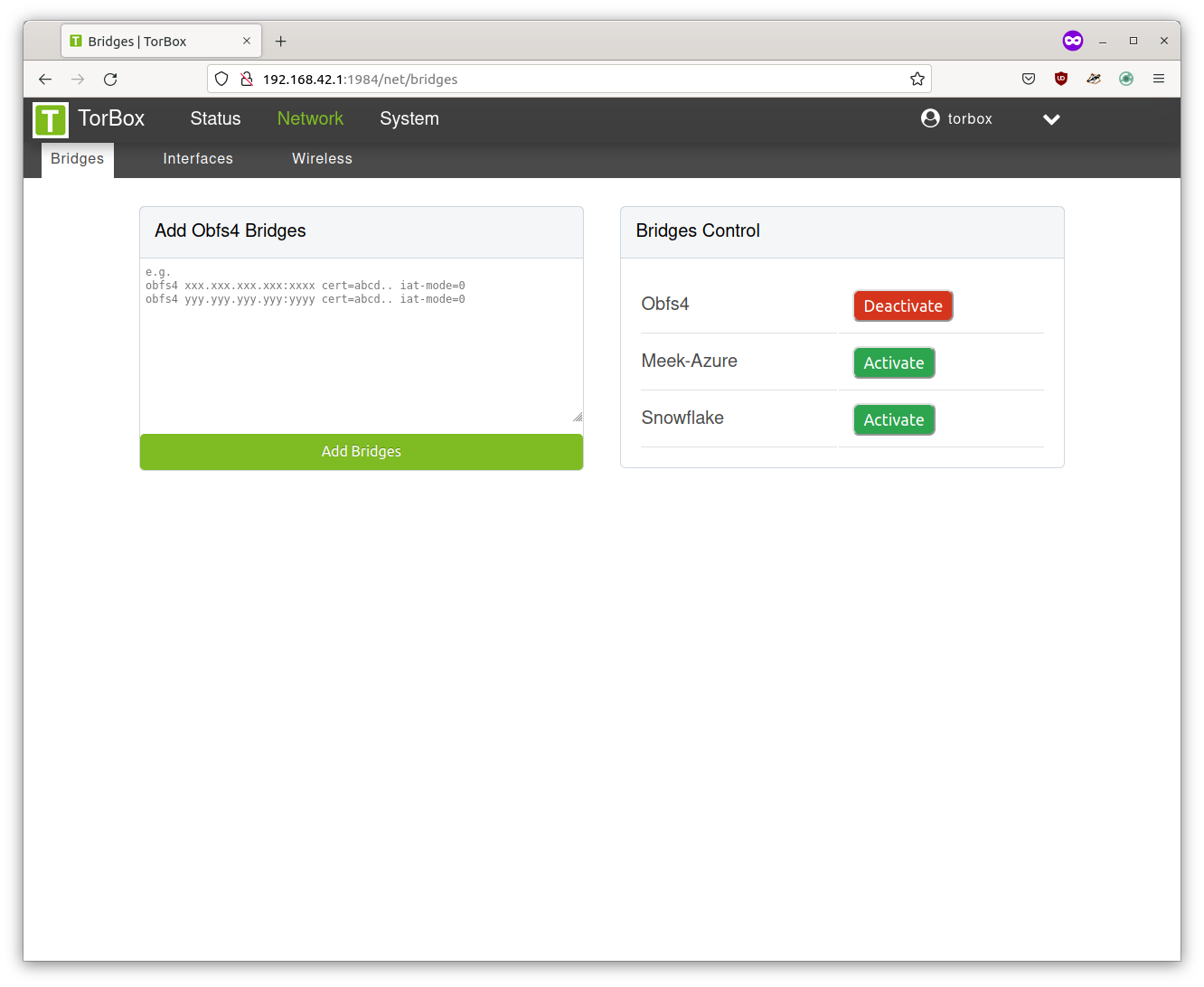 ## Installation ### Docker To build and run TorCI in Docker ```bash $ docker build -t torci:debug . $ docker run --rm -d -p 1984:1984 torci:debug # See debug logs $ docker logs `CONTAINER_ID` ``` Reach TorCI: `0.0.0.0:1984` (username and password: `torbox`) ### Nimble To compile the scss files, you need to install `libsass`. On Ubuntu and Debian, you can use `libsass-dev`. ```bash $ git clone https://github.com/nonnil/torci $ cd torci $ nimble build $ nimble scss ``` and Run: ```bash $ sudo ./torci ``` Then access the following address with a browser: ``` http://0.0.0.0:1984 ``` ## SystemD You can use the SystemD service (install it on `/etc/systemd/system/torci.service`) To run TorCI via SystemD you can use this service file: ```ini [Unit] Description=front-end for TorBox After=syslog.target After=network.target [Service] Type=simple User=root WorkingDirectory=/home/torbox/torci ExecStart=/home/torbox/torci/torci Restart=always RestartSec=15 [Install] WantedBy=multi-user.target ```
