KO
|
EN
gitlite — search
Search
#javascript
#python
#hacktoberfest
#react
#ai
#typescript
#llm
#go
#golang
#android
#machine-learning
#rust
#deep-learning
#linux
power-flow-card
★ 12
Open GitHub ↗
No description available.
Download README (.md)
Explore Similar Repositories
cloudflare-panel-v.1
:
cloudflare panel v.1 tg@seo2cartel
netbird-management-cli
:
Unofficial command-line tool written in Go for interacting with the NetBird API.
mashq3_2111
:
No description available.
Woolworths-mcp
:
No description available.
vim-ug
:
fUGly fUGitive mappings
// repository documentation
Was this content helpful?
★ 0
(0 ratings)
Select Rating:
★
★
★
★
★
Submit Feedback
Recent Feedback
×
Download README
Do you want to download the
README.md
file for
power-flow-card
?
Download (.md)
# Power Flow Card for Home Assistant 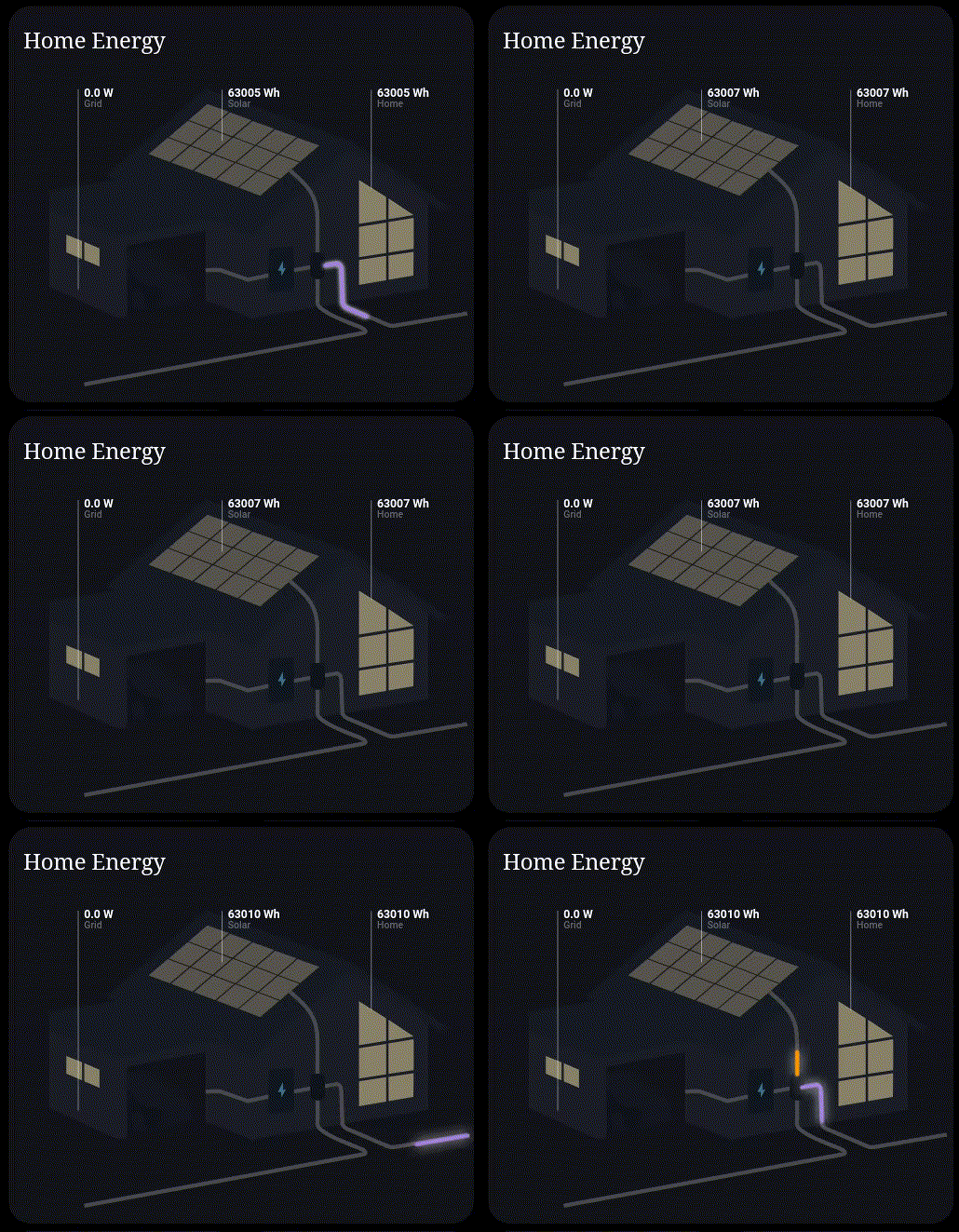 --- A custom Lovelace card for visualizing real-time energy flow between grid, solar, battery, and home. Provides a clean, animated interface that makes it easy to understand how power is moving through your system. --- ## Features - **Smooth glowing pulse animation** - Single traveling pulse along each flow line (not blocky dashes) - **Dynamic animation speed** - Speed adjusts based on actual power values (configurable) - **Configurable speed thresholds** - Set min/max speeds and power ranges in the UI - **Toggle dynamic speed** - Switch between dynamic and fixed animation speed - Supports grid import/export, solar generation, battery charge/discharge, and EV charging - Optional descriptors with labels and values for each component - Fully configurable via Home Assistant UI --- ## Installation ### **HACS (recommended)** 1. Open **HACS → Frontend** 2. Add a custom repository: ## Configuration ### Minimal Configuration The **only required** field is `entities`. All other options have sensible defaults: ```yaml type: custom:power-flow-card entities: solar_power: sensor.solar_power grid_import_power: sensor.grid_import ``` This will give you: - Smooth animated flow lines - Dynamic speed enabled (100W-10000W → 5s-1s) - Threshold: 10W - Default card title: "Power Flow Diagram" ### Basic Configuration Add more entities and customize the card: ```yaml type: custom:power-flow-card name: Home Energy Flow # Optional: Custom card title threshold: 10 # Optional: Minimum watts to show animation (default: 10) entities: solar_power: sensor.sn_3015027172_pv_power # Optional grid_import_power: sensor.grid_metering_power_absorbed # Optional grid_export_power: sensor.grid_metering_power_supplied # Optional ev_charge_power: sensor.evcc_garage_charge_power # Optional battery_charge_power: sensor.battery_power_charge # Optional battery_discharge_power: sensor.battery_power_discharge # Optional ``` **Note:** All entities are optional - only include the ones your system has! ### Animation Speed Settings (Optional) Control how fast the animation pulses move based on power flow. **All settings are optional** and have defaults: ```yaml # Animation Speed Configuration dynamic_speed_enabled: true # Optional: Enable/disable dynamic speed (default: true) min_flow_speed: 5 # Optional: Slowest animation in seconds (default: 5) max_flow_speed: 1 # Optional: Fastest animation in seconds (default: 1) min_power_threshold: 100 # Optional: Power (W) at slowest speed (default: 100) max_power_threshold: 10000 # Optional: Power (W) at fastest speed (default: 10000) ``` **How it works:** - When `dynamic_speed_enabled: true` (default), animation speed changes based on power - 100W → 5 second animation (slow pulse) - 5000W → 3 second animation (medium pulse) - 10000W → 1 second animation (fast pulse) - When `dynamic_speed_enabled: false`, all animations run at fixed 3 seconds regardless of power **Tip:** Only add these if you want to change the defaults! ### Line Colors (Optional) Override line colors directly in YAML using hex values (`#ffcc00`) or any valid CSS color: ```yaml solar_line_color: "#ffd54f" grid_import_line_color: "#4fc3f7" grid_export_line_color: "#66bb6a" battery_charge_line_color: "#64b5f6" battery_discharge_line_color: "#29b6f6" ev_line_color: "#26c6da" ``` ### Descriptors (Optional Labels) Add labels and additional values below each component. **All descriptors are optional:** ```yaml # Solar Descriptor (optional) solar_descriptor_enabled: true # Optional: Show solar descriptor solar_descriptor_label: Solar # Optional: Label text solar_descriptor_entity: sensor.sn_3015027172_daily_yield # Optional: Entity for value # Grid Descriptor (optional) grid_descriptor_enabled: true grid_descriptor_label: Grid grid_descriptor_entity: sensor.daily_grid_import # Battery Descriptor (optional) battery_descriptor_enabled: true battery_descriptor_label: Battery battery_descriptor_entity: sensor.battery_state_of_charge # EV Descriptor (optional) ev_descriptor_enabled: true ev_descriptor_label: EV ev_descriptor_entity: sensor.ev_daily_charge # Home Descriptor (optional) home_descriptor_enabled: true home_descriptor_label: Home home_descriptor_entity: sensor.daily_home_consumption ``` **Tip:** Only enable descriptors for components you want to display extra information for! ### Complete Example ```yaml type: custom:power-flow-card name: Home Energy Flow threshold: 10 # Power entities entities: solar_power: sensor.sn_3015027172_pv_power grid_import_power: sensor.sunny_home_manager_2_metering_power_absorbed grid_export_power: sensor.sunny_home_manager_2_metering_power_supplied ev_charge_power: sensor.evcc_garage_charge_power battery_charge_power: sensor.sn_3017444296_battery_power_charge_total battery_discharge_power: sensor.sn_3017444296_battery_power_discharge_total # Animation speed settings dynamic_speed_enabled: true min_flow_speed: 5 max_flow_speed: 1 min_power_threshold: 100 max_power_threshold: 10000 # Line colors (optional) solar_line_color: "#ffd54f" grid_import_line_color: "#4fc3f7" grid_export_line_color: "#66bb6a" battery_charge_line_color: "#64b5f6" battery_discharge_line_color: "#29b6f6" ev_line_color: "#26c6da" # Descriptors solar_descriptor_enabled: true solar_descriptor_label: Solar solar_descriptor_entity: sensor.sn_3015027172_daily_yield grid_descriptor_enabled: true grid_descriptor_label: Grid grid_descriptor_entity: sensor.daily_grid_import battery_descriptor_enabled: true battery_descriptor_label: Battery battery_descriptor_entity: sensor.battery_soc ev_descriptor_enabled: true ev_descriptor_label: EV ev_descriptor_entity: sensor.ev_daily_charge home_descriptor_enabled: true home_descriptor_label: Home home_descriptor_entity: sensor.daily_consumption ``` ### UI Configuration ### UI Configuration All settings can be configured through the Home Assistant UI: 1. Click the three dots on the card → **Edit** 2. Configure **Entities** (solar, grid, battery, EV power sensors) 3. Expand **Animation Speed Settings** to: - Toggle dynamic speed on/off - Adjust min/max animation speeds - Set power thresholds for speed calculation 4. Expand descriptor sections (Solar, Grid, Battery, EV, Home) to add labels 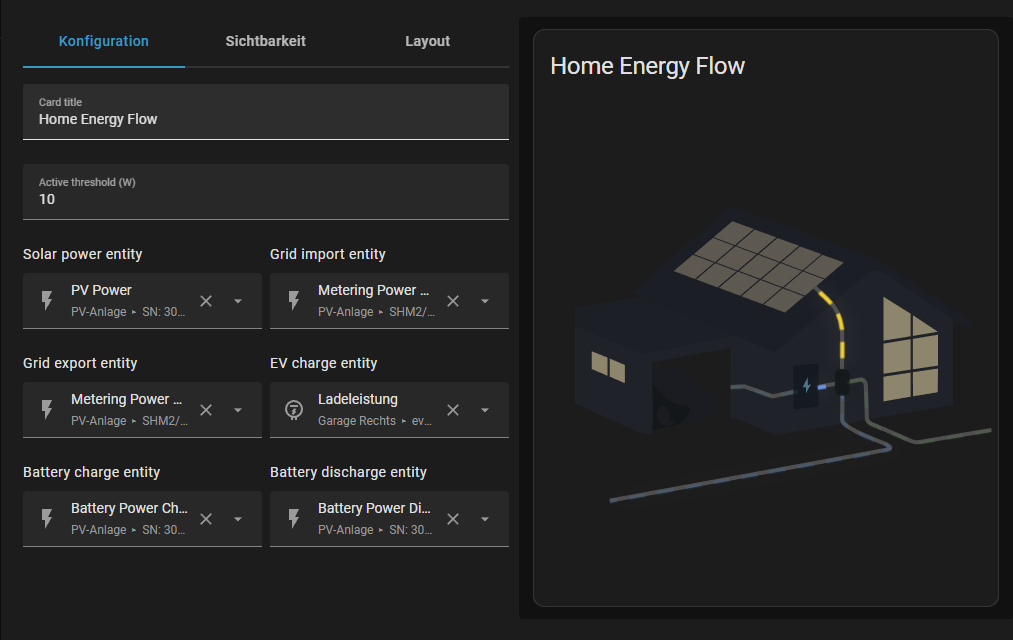 ### Configuration Reference | Option | Required | Default | Description | |--------|----------|---------|-------------| | `entities` | ✅ Yes | - | Power sensor entities (at least one) | | `name` | ❌ No | "Power Flow Diagram" | Card title | | `threshold` | ❌ No | `10` | Minimum watts to show animation | | `dynamic_speed_enabled` | ❌ No | `true` | Enable speed based on power | | `min_flow_speed` | ❌ No | `5` | Slowest animation (seconds) | | `max_flow_speed` | ❌ No | `1` | Fastest animation (seconds) | | `min_power_threshold` | ❌ No | `100` | Power (W) at min speed | | `max_power_threshold` | ❌ No | `10000` | Power (W) at max speed | | `solar_line_color` | ❌ No | Theme/default | Solar flow line color | | `grid_import_line_color` | ❌ No | Theme/default | Grid import flow line color | | `grid_export_line_color` | ❌ No | Theme/default | Grid export flow line color | | `battery_charge_line_color` | ❌ No | Theme/default | Battery charge flow line color | | `battery_discharge_line_color` | ❌ No | Theme/default | Battery discharge flow line color | | `ev_line_color` | ❌ No | Theme/default | EV flow line color | | `*_descriptor_enabled` | ❌ No | `false` | Show descriptor for component | | `*_descriptor_label` | ❌ No | - | Descriptor label text | | `*_descriptor_entity` | ❌ No | - | Entity for descriptor value | --- ## Local Testing A Docker-based testing environment is included for development: ```bash # Start the test server docker compose up --build # Open in browser http://localhost:8080/test.html ``` The test page includes: - Mock Home Assistant environment - Power value controls for all components - Live animation speed configuration - Auto-demo mode for testing different power scenarios --- ## Credits The Illustrator Base for the SVGs was provided by [ForsakenConversation](https://www.reddit.com/user/ForsakenConversation/)
