KO
|
EN
gitlite — search
Search
#javascript
#python
#hacktoberfest
#react
#ai
#typescript
#llm
#go
#golang
#android
#machine-learning
#rust
#deep-learning
#linux
whatsapp-bridge
★ 19
Open GitHub ↗
No description available.
Download README (.md)
Explore Similar Repositories
neonvm
:
NeonVM: QEMU-based virtualization API and controller for Kubernetes
class2024_CUG_HydroMet
:
2024年CUG水文气象学课程
jspatch
:
Jest mocking library inspired by mock from python
block_twitter_users_bot
:
Bot created to block undesired followers.
awsome-vtuber-tool
:
Δ 目標成為最齊全的Vtuber工具資源倉庫(歡迎PR提供內容) Δ
// repository documentation
Was this content helpful?
★ 0
(0 ratings)
Select Rating:
★
★
★
★
★
Submit Feedback
Recent Feedback
×
Download README
Do you want to download the
README.md
file for
whatsapp-bridge
?
Download (.md)
# Whatsapp-bridge Whatsapp-bridge is a lightweight application written in python and FastAPI-MQTT. I created WhatsApp-bridge to have the ability to send WhatsApp notifications easily from any application or IoT platform using MQTT topics or HTTP calls and without needing to write an extension for every application or device in the network. To maintain the ability to combine MQTT and Web server, I’m using the [FastAPI-MQTT](https://sabuhish.github.io/fastapi-mqtt/). ## Features - Send text message. - Send template message. - Send messages using REST API call or MQTT topic publising. - Receive message from whatsapp and forward it om MQTT. ## Components and Frameworks used in Voicy * [Loguru](https://pypi.org/project/loguru/) * [configparser](https://pypi.org/project/configparser/) * [FastAPI-MQTT](https://sabuhish.github.io/fastapi-mqtt/). * [na-mish](https://pypi.org/project/ma-nish/) - Unofficial python wrapper to [WhatsApp Cloud API](https://developers.facebook.com/docs/whatsapp/cloud-api) ## Limitations * 1000 free messages per month (Free tier) * It is only possible to send messages other than templates after the target phone responds to an initial message (Unless you use Template messages) * You can't send message to a group ## Getting started ### Set Up Meta App First you’ll need to follow the (instructions on this page)[https://developers.facebook.com/docs/whatsapp/cloud-api/get-started] to: * Register as a Meta Developer * Enable two-factor authentication for your account * Create a Meta App – you need to create a Business App for WhatsApp Once you’ve done that, go to your app and set up the WhatsApp product. [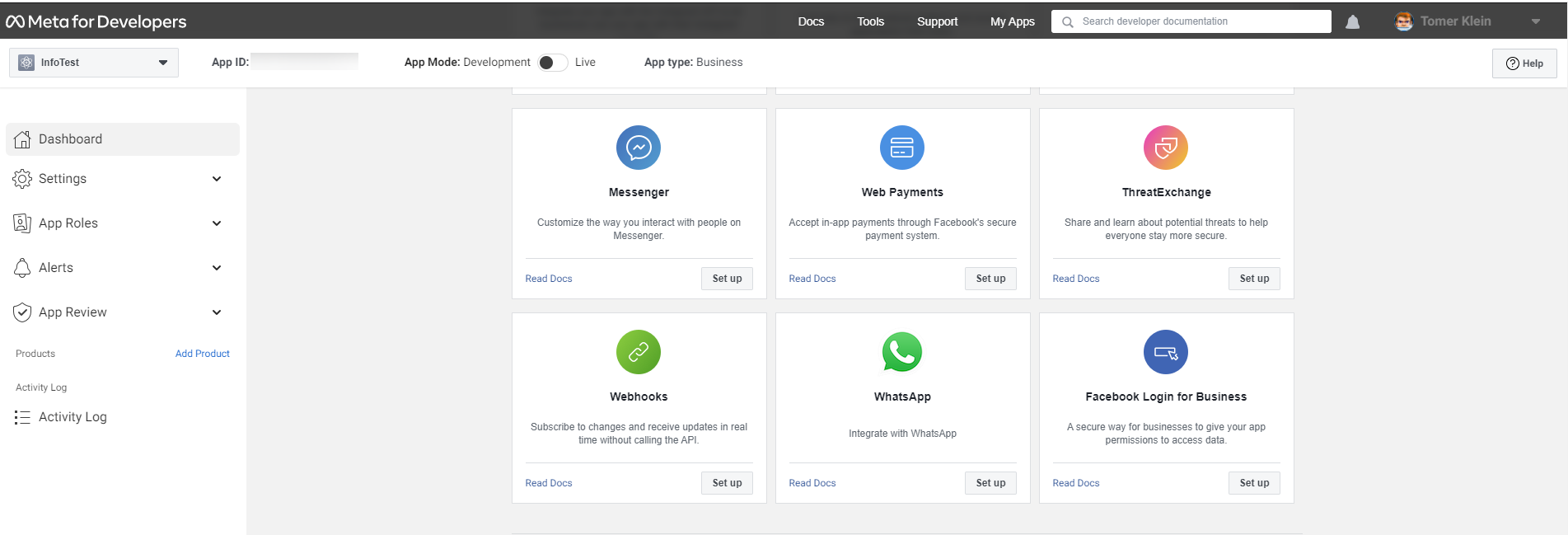](https://techblog.co.il/wp-content/uploads/2022/12/new-app.png "New App") You’ll be given a temporary access token and a Phone Number ID, note these down as you’ll need them later. Set up your own phone number as a recipient and you can have a go at sending yourself a test message: [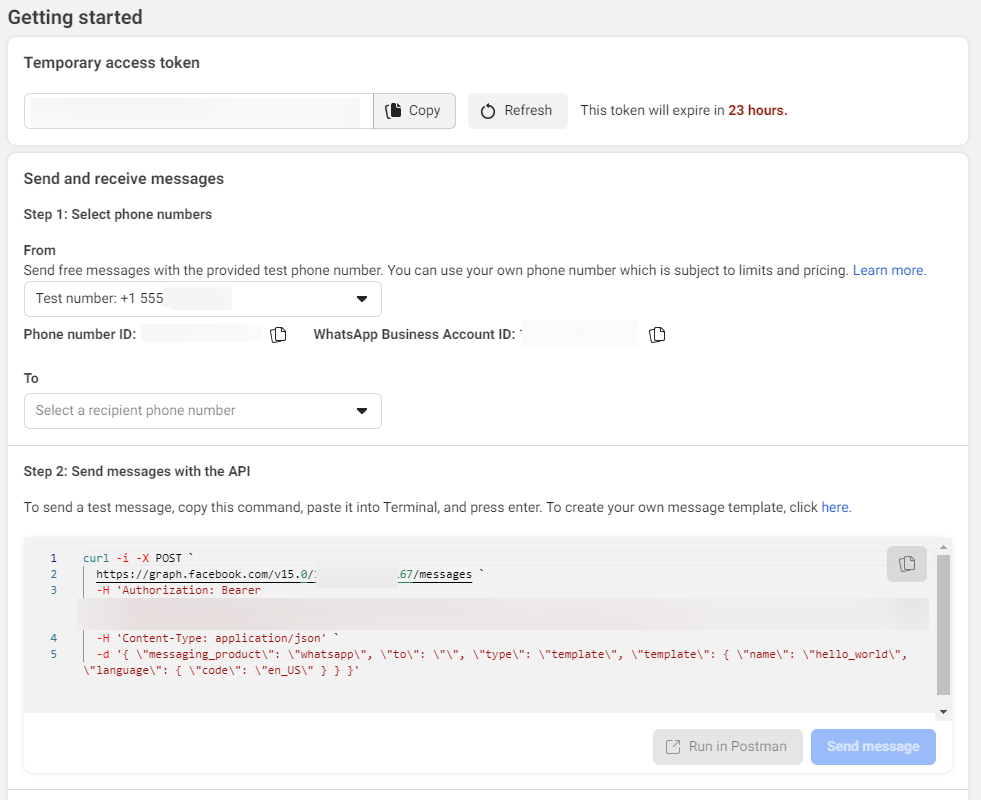](https://techblog.co.il/wp-content/uploads/2022/12/test-number.png "Getting started") ### Set Up Message Template In the test message above, you used the **hello_world** template. You’ll need to set up your own template for your own purposes. If you go to [“Message Templates”](https://business.facebook.com/wa/manage/message-templates/) in the WhatsApp manager you can build your own templates. In the following example, i created a template for my smat home. The template header if fixed and so is the footer. in the body i added variable for dynamic text: [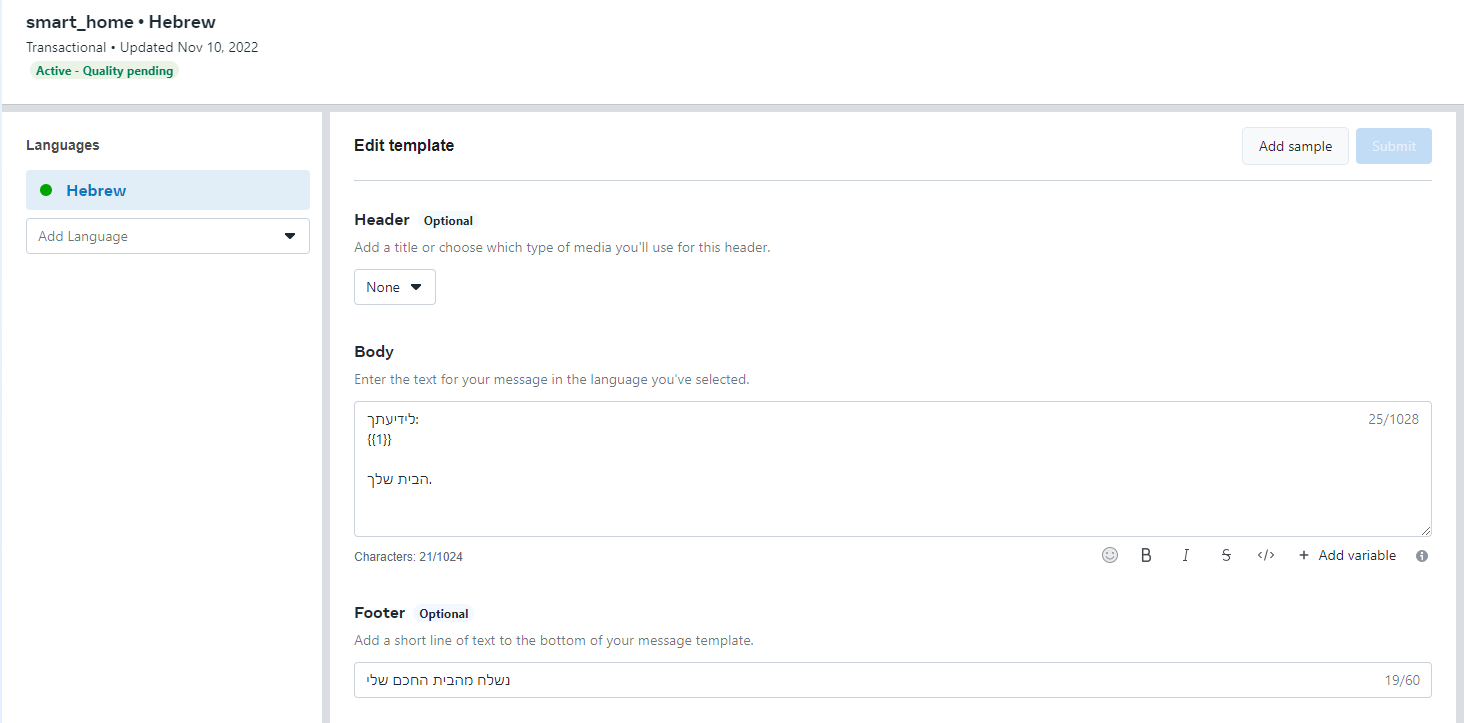](https://techblog.co.il/wp-content/uploads/2022/12/my-template.png "Smart Home Template") Once you're done with the above ,you're ready to start send messages using this docker. ### Running the container Before running the docker you should create the config file with the following parameters: ```ini [Whatsapp] api.token= api.phone_id= api.template_name= api.template_language= webhook.token= webhook.base_url= [MQTT] mqtt.host= mqtt.port= mqtt.username= mqtt.password= mqtt.topic= ``` All fields are mandatory except webhook.token and webhook.base_url that are only needed for webhook validation and incoming messages (from WA to MQTT). After config file is set, create the docker using the following dokcer-compose file: ```yaml version: "3.6" services: whatsapp-bridge: image: techblog/whatsapp-bridge container_name: whatsapp-bridge restart: always ports: - 8081:8081 environment: - LOG_LEVEL=DEBUG volumes: - ./wa-bridge:/app/config ``` ## Sending Messages ### Sending from Home Assistant You can send Whatsapp messages using rest notification by adding the following code to the configuration file. ```yaml notify: - name: WhatsApp platform: rest resource: http://[whatsapp-bridge-ip:port]/send data: phone: #enter your phone number here ``` In the example above the message will be sent using the default template configured in the config file. if you want to send the notification using deferent template add the template name and language to the configuration section: ```yaml notify: - name: WhatsApp platform: rest resource: http://[whatsapp-bridge-ip:port]/send data: phone: #enter your phone number here template: #enter the temlate name here language: #enter the template's language here ``` Now you can test the notification using services under developer tools [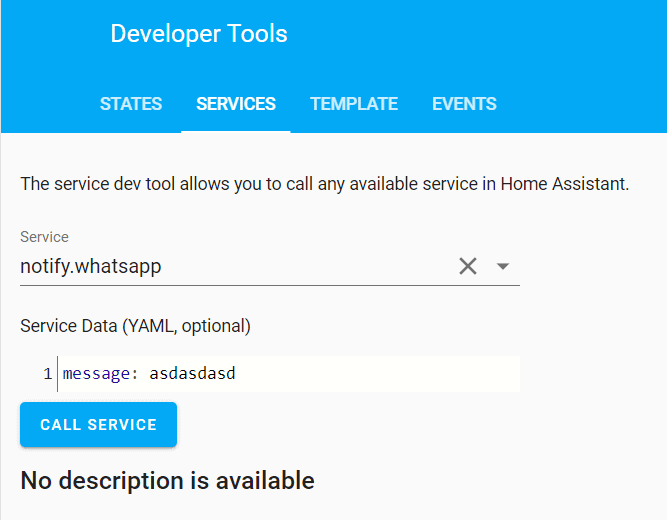](https://techblog.co.il/wp-content/uploads/2023/01/HA-Developer-tools-for-WA.png "HA-Developer-tools-for-WA") ### Sending message usin MQTT With whatsapp-bridge you can also send messages by publishing data to the topic ***whatsapp/send*** with the payload: ```json { "message":"Whatsapp message", "recipient":"1234567890" } ```
