KO
|
EN
gitlite — search
Search
#python
#java
#python3
#arduino
#golang
#machine-learning
#rust
#html
#flask
#javascript
#seismology
#nodejs
script
★ 24
Open GitHub ↗
Making bootanimations easy!
Download README (.md)
Explore Similar Repositories
wsdm2022-xmrec-top1-solution
:
No description available.
Underwater-Image-Restoration-based-on-Image-Blurriness-and-Light-Absorption
:
No description available.
Skip
:
Max4Live device for CD fetishists
admiralui-android
:
Admiral UIKit Android
meshchat
:
MeshChat for AREDN (in Lua)
// repository documentation
Was this content helpful?
★ 0
(0 ratings)
Select Rating:
★
★
★
★
★
Submit Feedback
Recent Feedback
×
Download README
Do you want to download the
README.md
file for
script
?
Download (.md)
# BootAnimix Welcome to **BootAnimix**, a delightful Python-based application for transforming videos and images into elegant boot animations. Whether you’re looking to convert videos into frame-by-frame image sequences, organize them into sections, resize videos, or compress/uncompress archives, BootAnimix has you covered in a friendly and visually appealing way! 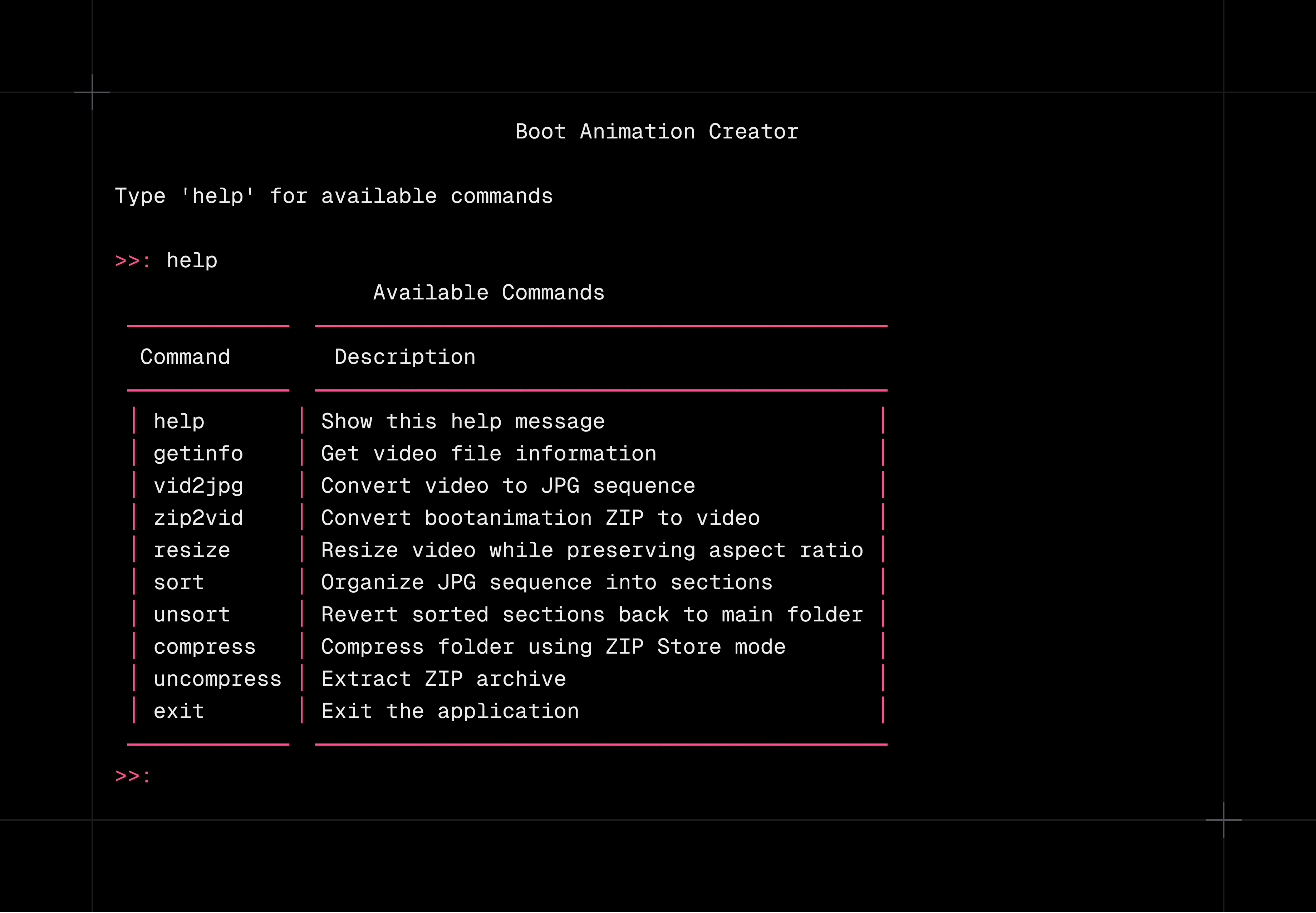 ## Table of Contents - Key Features - Installation - Quick Start - Commands Overview - How It Works - Contributing - License --- ## Key Features - **Convert Videos to JPG**: Easily extract frames from your video files. - **Organize & Sort Frames**: Group and sort frames into sections with loop counts. - **Resize Videos**: Adjust your video’s width or height while preserving aspect ratio. - **Compress & Uncompress**: Store files in a ZIP archive or extract existing ones. - **Generate Boot Animation**: Turn a bootanimation-like ZIP archive into an MP4 file. --- ## Installation 1. Clone or download this repository. 2. Navigate to the project folder in your terminal: ```bash cd bootanimix ``` 3. Install the required dependencies: ```bash pip install -r requirements.txt ``` Termux Installation (Single step): ```bash pkg update; pkg upgrade -y; pkg install git python -y; pkg install python-numpy python-pillow ffmpeg uv -y; git clone https://github.com/bootanimix/script; cd script; uv pip install -r requirements.txt --system ``` --- ## Quick Start 1. Run the main application: ```bash python main.py ``` 2. Type in any command listed below, or simply type **help** to see them all. --- ## Commands Overview - **help** – Display helpful information about commands. - **getinfo** – Show video metadata, including duration and dimensions. - **vid2jpg** – Convert a video to JPEG frames. - **zip2vid** – Create an MP4 video from a bootanimation ZIP. - **resize** – Change the resolution of a video without losing aspect ratio. - **sort** – Organize image frames into sections. - **unsort** – Revert your sorted frames back to a single folder. - **compress** – Archive a folder into a ZIP using store mode. - **uncompress** – Extract an existing ZIP archive. - **exit** – Quit the application gracefully. --- ## How It Works 1. **Interactive Prompts**: Enter file paths or select options as guided by the terminal prompts. 2. **Progress Bars**: Enjoy real-time feedback on conversions and resizing tasks. 3. **Customizable Sections**: Create boot animation sections with optional looping. 4. **Seamless Cleanup**: Unsort or revert changes quickly if something goes wrong. --- ## Contributing Contributions and suggestions are always welcome. Feel free to open an issue or submit a pull request on GitHub. Together, we can make BootAnimix even more delightful! --- ## License Feel free to use, modify, and distribute BootAnimix in accordance with the terms of the license provided in this repository. --- Enjoy creating fantastic boot animations and dynamic video transformations with **BootAnimix**! If you have any feedback or encounter any issues, please reach out or open an issue. Happy booting!
