KO
|
EN
gitlite — search
Search
#python
#java
#python3
#arduino
#golang
#machine-learning
#rust
#html
#flask
#javascript
#seismology
#nodejs
dotfiles
★ 12
Open GitHub ↗
dotfiles using Archlinux and Qtile
Download README (.md)
Explore Similar Repositories
Kicad-Bluetooth-Feasycom-projekt-library
:
KiCad 7 Library for the FSC-BT1026 Modul and schematic with FSC-BT1026 and PCM5102
marketing-landing-page-design
:
Landing page design for a marketing company.
KyberKotlin
:
ML-KEM's Super Fast Kotlin Implementation
UGI
:
Urban Generative Intelligence (UGI): A Foundational Platform for Embodied Agent and Future City
RXRENDER
:
enhance the graphic rendering capabilities of android devices
// repository documentation
Was this content helpful?
★ 0
(0 ratings)
Select Rating:
★
★
★
★
★
Submit Feedback
Recent Feedback
×
Download README
Do you want to download the
README.md
file for
dotfiles
?
Download (.md)
# containerscrew dotfiles My dotfiles using Arch Linux. Just for the time it takes to document this repository and configurations, **this repo deserves one star!**  [](https://discord.gg/KCUwVvcQTk) 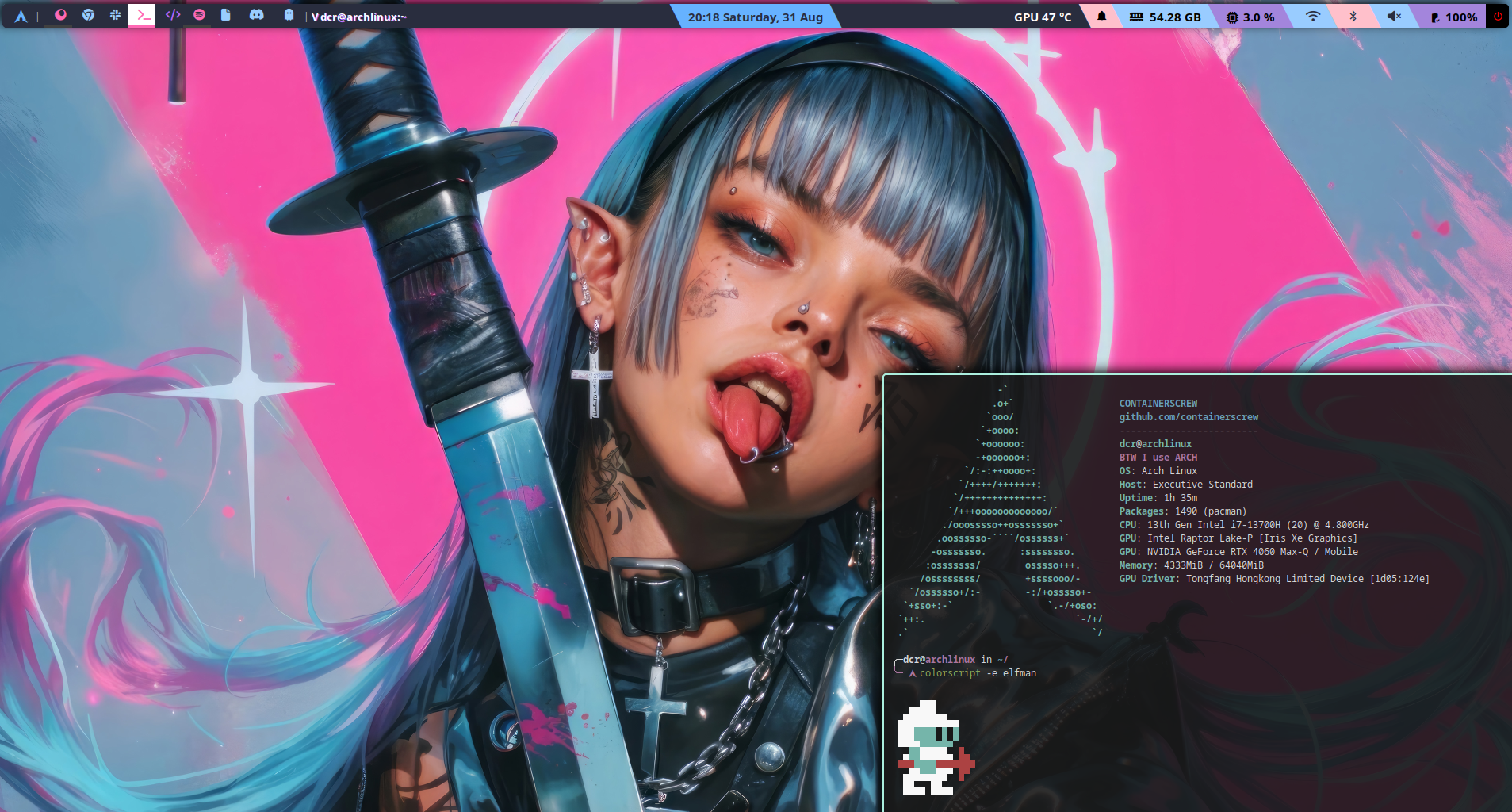 ### Hello geeks! <img src="./assets/example1.png" alt="img" align="right" width="400px"> <img src="./assets/example2.png" alt="img" align="right" width="400px"> <img src="./assets/nvim.png" alt="img" align="right" width="400px"> This is my personal collection of configuration files. Here are some details about my setup: - **WM:** [qtile](https://qtile.org/) - **OS:** [Arch Linux](https://archlinux.org) - **Terminal:** [alacritty](https://alacritty.org/) - **Shell:** [zsh](https://wiki.archlinux.org/index.php/Zsh) - **Widgets:** [eww](https://github.com/elkowar/eww) - **Compositor:** [picom](https://github.com/ibhagwan/picom) - **Editor:** [neovim](https://github.com/neovim/neovim) - **IDE:** [vscode](https://code.visualstudio.com/) - **Browser:** [firefox](https://www.mozilla.org/en-US/firefox) - **File Manager:** [nautilus](https://github.com/GNOME/nautilus) - **Application Launcher:** [rofi](https://github.com/davatorium/rofi) - **Display manager:** [lightdm](https://wiki.archlinux.org/title/LightDM) - **Clipboard manager** [clipcat](https://github.com/xrelkd/clipcat) - **Laptop:** [Slimbook Executive 16 Intel i7 13700H Black RTX 4060](https://slimbook.com/en/shop/product/executive-16-intel-i7-13700h-black-rtx-4060-1102?category=8) - **Grub theme:** [DedSec](https://gitlab.com/VandalByte/dedsec-grub-theme) --- <!-- START OF TOC !DO NOT EDIT THIS CONTENT MANUALLY--> **Table of Contents** *generated with [mtoc](https://github.com/containerscrew/mtoc)* - [containerscrew dotfiles](#containerscrew-dotfiles) - [Hello geeks!](#hello-geeks!) - [Disclaimer](#disclaimer) - [Arch Linux installation](#arch-linux-installation) - [Before installation using archinstall](#before-installation-using-archinstall) - [Connect to the internet](#connect-to-the-internet) - [Start the installation](#start-the-installation) - [Considerations in archinstall](#considerations-in-archinstall) - [After installation](#after-installation) - [Connect the computer to the internet](#connect-the-computer-to-the-internet) - [Download dotfiles from git](#download-dotfiles-from-git) - [dotfiles installation](#dotfiles-installation) - [Packages](#packages) - [Core config](#core-config) - [User config](#user-config) - [Run all](#run-all) - [Post install](#post-install) - [Shortcuts](#shortcuts) - [Links & Credits](#links-&-credits) - [License](#license) <!-- END OF TOC --> --- # Disclaimer It is my personal setup, the way I like it, with configurations, applications that are comfortable for me. Use it if you want as a template, as a guide. I will update it as I need to add new packages, configs...etc. And yes... all my commits in this repo you will see that they are called **Wip** 😀 # Arch Linux installation Just [R.T.F.M](https://en.wikipedia.org/wiki/RTFM) The installation of Arch Linux has been carried out using [archinstall](https://wiki.archlinux.org/title/archinstall). The [official installation page](https://wiki.archlinux.org/title/Installation_guide) is also very complete, everything and that using archinstall is more comfortable and makes the process easier. 1. Download `ISO` file. https://archlinux.org/download/ (to download the torrent I use [`transmission`](https://transmissionbt.com/)) 2. Take a pendrive and burn the ISO using, for example, https://etcher.balena.io/ 3. Insert the pendrive into the new PC, modify the boot options to use the pendrive instead of the local disk. 4. If all goes well, you should see the distro prompt. ```bash root@archiso ~ # ``` ## Before installation using archinstall Pre-flight checks 🚀 ### Connect to the internet Once the usb is booted, connect the laptop to your local network (if not using ethernet cable). ```bash iwctl station wlan0 get-networks # change wlan0 interface if needed. Type `$ ip a` if you don't know the name iwctl station wlan0 connect SSID # put the SSID/BSSID with your corresponding local network ping -c 1 1.1.1.1 # test connectivity ``` > [iwd](https://wiki.archlinux.org/title/Iwd) official documentation ### Start the installation Run the following command: ```bash $ archinstall ``` ### Considerations in archinstall Example of my configurations. Modify those you consider necessary. | Setting | Configuration | |---------------------------|-------------------------------------| | Archinstall language | English (100%) | | Mirrors | Netherlands | | Keyboard/Language/Encoding| en/en_US/UTF-8 | | Disk Configuration | Use best effort/ext4/Default partitioning| | Disk Encryption | **ALWAYS** | | Bootloader | Grub | | Swap | True | | Hostname | archlinux | | Profile | Minimal | | Root password | Yes | | User sudoer | Yes | | Audio | Pipewire | | Kernels | Linux | | Additional packages | neovim curl git | | Network | NetworkManager | | UTC | Europe/Amsterdam | | NTP | yes | | Optional repos | multilib | > In my case I use Netherlands as the closest country. Change it and use the one you need. ## After installation First setps after installation. Remove the usb from your computer and restart. Grub will launch the new archlinux distro, and a basic prompt (black window) will appear. Enter your username and password. ### Connect the computer to the internet ```bash $ sudo su - $ nmcli device wifi list $ nmcli device wifi connect SSID_or_BSSID password SSID/BSSID-PASSWORD # or use $ nmcli device wifi connect -a $ ping -c 1 1.1.1.1 # check connectivity $ history -c $ exit ``` ### Download dotfiles from git ```shell $ cd /tmp $ git clone https://github.com/containerscrew/dotfiles.git ``` # dotfiles installation Now, is time to install all the necessary `dotfiles/packages/configurations`. I have decided to separate each part into a `.sh` file inside the `installers/` folder. There is also [a file](./installers//run_all.sh) that executes in order all at once. **I recommend to go step by step to understand what is going on.** > [!WARNING] > All the scripts must be executed inside the `repo root` folder. **Remember, these packages many are necessary for the whole Qtile setup and others are custom that I use. Modify it to your needs** ## Packages The distro comes with the defaults. Is time to install our custom packages. Please take a look to [installers/packages.sh](./installers/packages.sh). Inside the folder `dotfiles`, where you cloned the repo, run: ```bash $ ./installers/packages.sh ``` ## Core config Configurations about `networking`, `display managers` and more. Please take a look to [installers/core_config.sh](./installers/core_config.sh). Run: ```bash $ ./installers/core_config.sh ``` ## User config Configurations about `~/.config/`, `user permissions`, `mouse`, `shell` and more. Here is probably where you will need to change and adapt the configuration to your personal tools, configs... as you like. Please take a look to [installers/user_config.sh](./installers/user_config.sh). Run: ```bash $ ./installers/user_config.sh ``` ## Run all All in one: ```bash $ ./installers/run_all.sh ``` # Post install [Post installation steps](./docs/postinstall.md) # Shortcuts See [shortcuts](./docs/shortcuts.md) documentation. # Links & Credits [Useful links & credits](./docs/links.md) # License [LICENSE](./LICENSE)
