KO
|
EN
gitlite — search
Search
#javascript
#python
#hacktoberfest
#react
#ai
#typescript
#llm
#go
#golang
#android
#machine-learning
#rust
#deep-learning
#linux
ikill
★ 13
Open GitHub ↗
Interactively kill running processes.
Download README (.md)
Explore Similar Repositories
apollo-server-in-amplify-function
:
How to deploy an Apollo Server with Amplify Functions
opencore-asus-rog-strix-z390i
:
Working Hackintosh EFI for OpenCore on ROG Strix Z390i
MouseOverTooltip
:
Component for Google Data Studio (Data Portal)
hidden_proxy
:
A simple API that shows how,to use Hidden class to create proxies
AutoTriage_release
:
Automatic passive triage for fever and cyanosis
// repository documentation
Was this content helpful?
★ 0
(0 ratings)
Select Rating:
★
★
★
★
★
Submit Feedback
Recent Feedback
×
Download README
Do you want to download the
README.md
file for
ikill
?
Download (.md)
ikill [](https://crates.io/crates/ikill)  --- > Interactively kill running processes, inspired by [fkill-cli](https://github.com/sindresorhus/fkill-cli). ### Features - List and fuzzy find running processes. - Multi select processes by pressing <kbd>⭾</kbd>. - Clear all queries by pressing <kbd>Ctrl</kbd>+<kbd>l</kbd>. ### Usage Run `ikill` on terminal, search and press <kbd>↵</kbd>. ### Screenshot [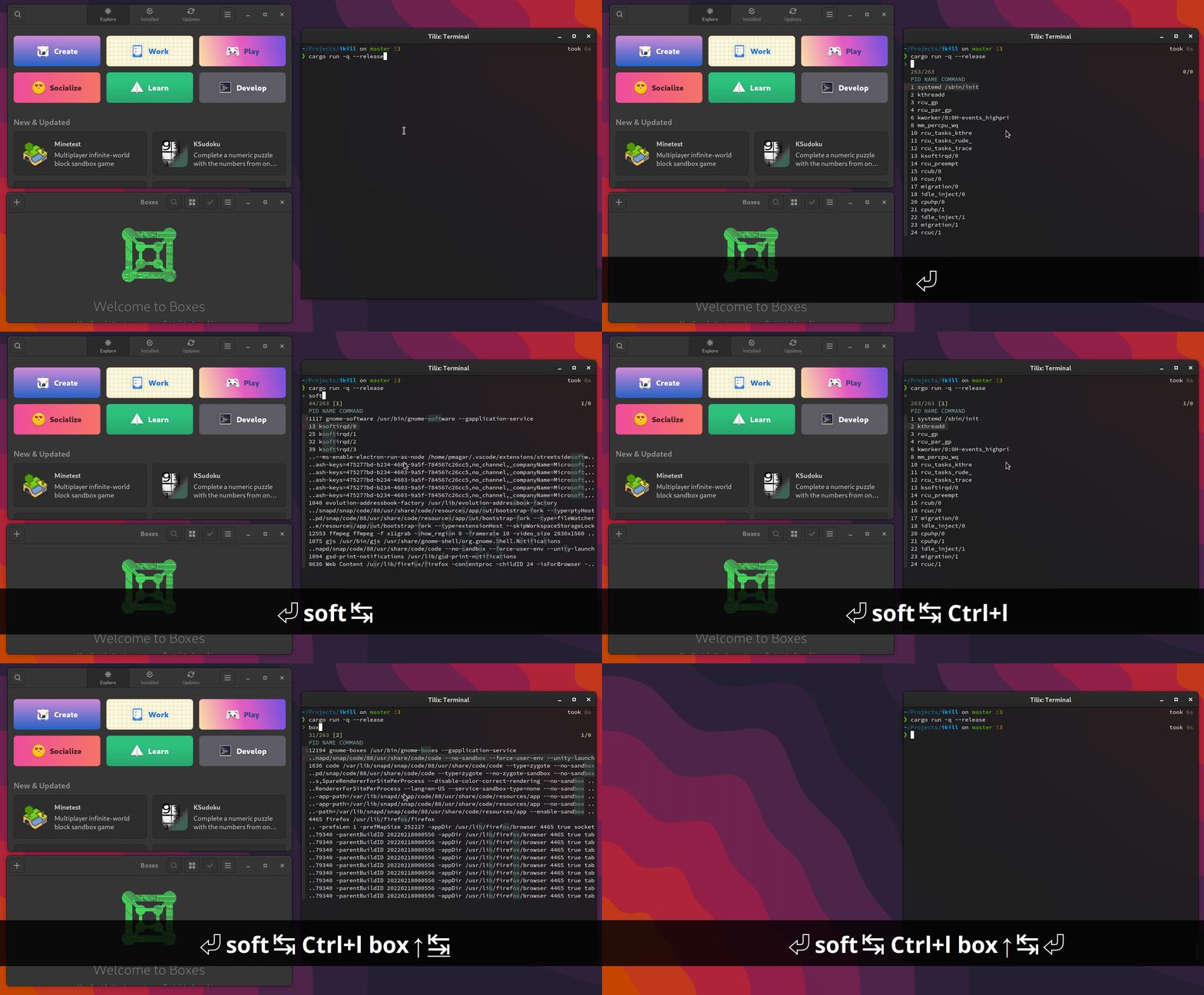](./screencast.gif) ### Installation If you have rust toolchain installed, you can just do: ``` cargo install ikill ``` Alternatively, you can download pre-build binaries from the [release page](https://github.com/pjmp/ikill/releases). ### Usage ``` ikill - Interactively kill processes USAGE: ikill FLAGS: -h, --help Prints help information -V, --version Prints version information ``` # Alternatives ```bash # using `fzf` pgrep . -l | fzf --reverse -m | awk '{ print $2 }' | xargs -I% -r kill -9 '%' # using `dmenu` pgrep . -l | dmenu -l 20 | awk '{ print $2 }' | xargs -I% -r kill -9 '%' ``` ### TODO - [ ] Preview pane with process id? - [ ] allow users to customize `skim`?
