KO
|
EN
gitlite — search
Search
#python
#java
#python3
#arduino
#golang
#machine-learning
#rust
#html
#flask
#javascript
#seismology
#nodejs
zipkin-view
★ 26
Open GitHub ↗
An alternative UI for Zipkin
Download README (.md)
Explore Similar Repositories
RSSCN7
:
Dataset of the article “Deep Learning Based Feature Selection for Remote Sensing Scene Classification”
may_actor
:
Local Actor library based on may
helm-test
:
A mocha based testing CLI for helm packages
DataSync
:
一个基于Rocket MQ的不同数据库之间数据实时同步的平台
simulink-python-communication
:
communication between matlab/simulink and python using tcp
// repository documentation
Was this content helpful?
★ 0
(0 ratings)
Select Rating:
★
★
★
★
★
Submit Feedback
Recent Feedback
×
Download README
Do you want to download the
README.md
file for
zipkin-view
?
Download (.md)
# Zipkin View 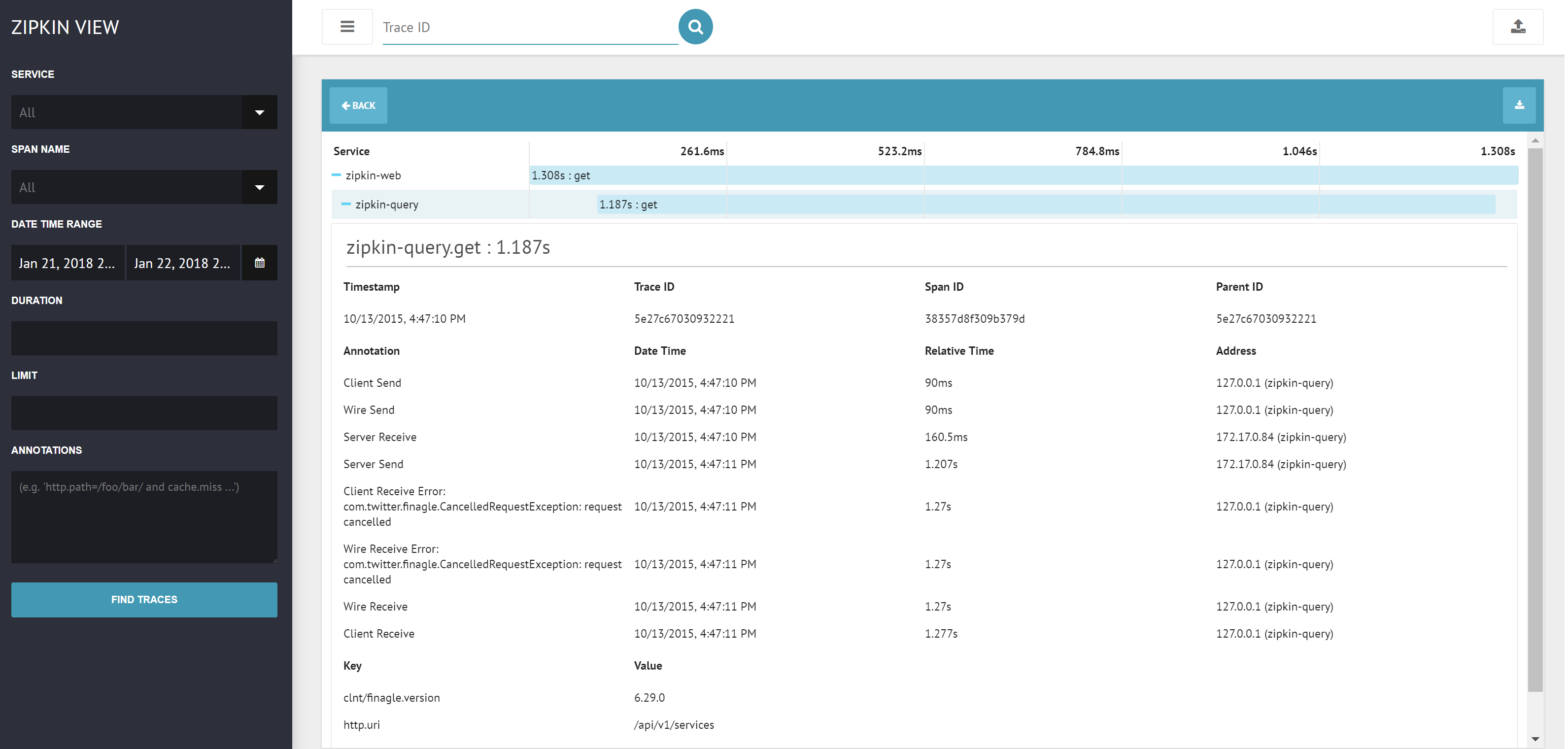 [](https://circleci.com/gh/msindwan/zipkin-view) This is an alternative UI for [OpenZipkin/zipkin](https://github.com/openzipkin/zipkin). The motivation for implementing a new UI is to try and re-invent the existing layout while improving the usability and performance of the client-side application. Zipkin View is built from scratch using React and other JavaScript technologies. ## Requirements Zipkin View requires `node >= 6.10.0` to build and serve assets. After cloning the zipkin-view repo, make sure to run `npm install` from the root directory before running any npm scripts. You'll also need to have an instance of Zipkin running. ## Quick Start From the root directory, run `NODE_ENV=production ZIPKIN_API=<Zipkin instance's API URL> npm run prod -- [webpack-dev-server options]` to deploy a production server. This will serve all assets and make api requests against the specified Zipkin URL. ## Development Suggestions and contributions are greatly appreciated! Please see the contribution guidelines. From the root directory, run `NODE_ENV=development ZIPKIN_API=<Zipkin instance's API URL> npm run dev -- [webpack-dev-server options]` ## Other Deployment Options If you want to serve files using a different http server (e.g nginx), you can build production assets alone by running `NODE_ENV=production ZIPKIN_API=<Zipkin instance's API URL> npm run build` If the build is successful, the scripts should exist under the static directory. You can then configure your server to serve from the static directory. You would also need to fallback on the index page if the requested resource is not found. ## License Zipkin View is licensed under the Apache License, Version 2.0. It was inspired by the OpenZipkin/zipkin project and released with the intention of complementing the incredible work done by OpenZipkin. It is not, however, affiliated or endorsed by the OpenZipkin authors.
