KO
|
EN
gitlite — search
Search
#javascript
#java
#python
#chrome-extension
#bioinformatics
#nodejs
#node
#plugin
#php
#api
#rest
#go
dl
★ 51
Open GitHub ↗
Command-line file downloader tool
Download README (.md)
Explore Similar Repositories
ha-triones
:
Home Assistant integration for BLE based Triones/HappyLighting lights
MadFS
:
Source code for the FAST '23 paper “MadFS: Per-File Virtualization for Userspace Persistent Memory Filesystems”
StudyDocumentation
:
Study document for Chinese programmers . 程序员的学习文档系列。包括数据结构与算法、面试八股文、Spring框架的理解等文档
Pegasus_with_Longformer_summarization
:
No description available.
ClusteredPi
:
No description available.
// repository documentation
Was this content helpful?
★ 0
(0 ratings)
Select Rating:
★
★
★
★
★
Submit Feedback
Recent Feedback
×
Download README
Do you want to download the
README.md
file for
dl
?
Download (.md)
DL --- Command-line file downloader tool ### Usage ```sh $ dl -u https://www.url.com/foo.ext ``` 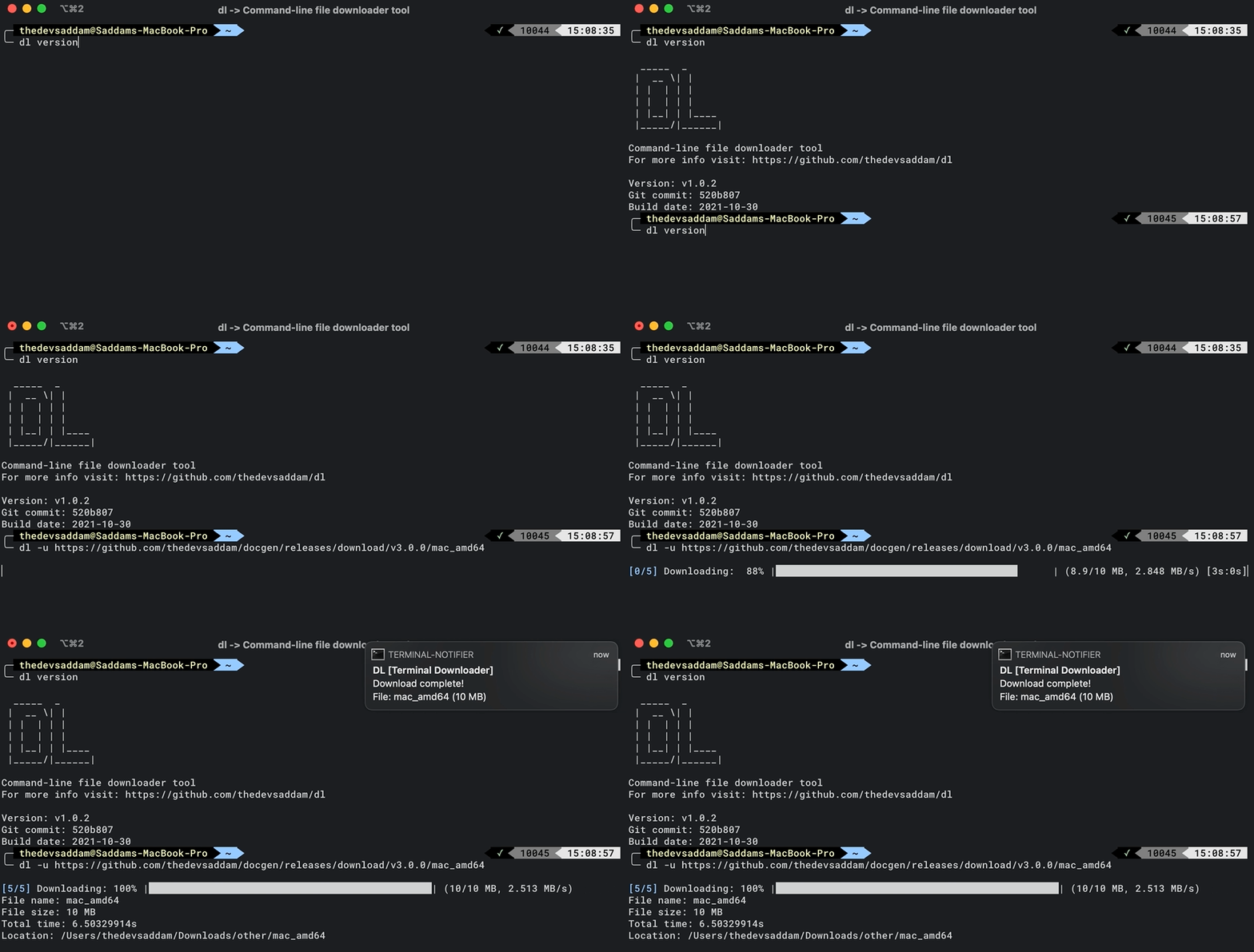 #### Installation on Mac/Linux ```bash curl https://raw.githubusercontent.com/thedevsaddam/dl/main/install.sh -o install.sh \ && chmod +x install.sh \ && ./install.sh \ && rm install.sh ``` #### Uninstallation ```bash curl https://raw.githubusercontent.com/thedevsaddam/dl/main/uninstall.sh -o uninstall.sh \ && chmod +x uninstall.sh \ && ./uninstall.sh \ && rm uninstall.sh ``` #### Windows **For windows download the binary and set environment variable so that you can access the binary from terminal** **[Download Binary](https://github.com/thedevsaddam/dl/releases)** ### Download options ```sh $ dl -u https://www.url.com/foo.ext # or with concurrency $ dl -u https://www.url.com/foo.ext -c 10 # with debug mode enabled (if you are curious!) $ dl -u https://www.url.com/foo.ext -c 10 -d # with custom output file name $ dl -u https://www.url.com/foo.ext -c 10 -d -n bar.ext ``` ### Configurations **Setup destination directory** ```sh # set current directory path as destination directory $ dl config -p . # or set other directory $ dl config -p $HOME/Downloads ``` Note: If you have `destination` directory set then all files automatically will be saved there. If you want to override on the fly then use `-p .` flag to download in the current directory. By default the `destination` directory value is empty that means the file will be downloaded in the current directory. **Setup sub-directory/extensions** Note: If `destination` directory is not set then the sub-directory/extensions will NOT WORK ```sh # set sub-directory based on extensions # this will create a "binary" diectory inside root directory. # all downloads with .exe, .dmg extensions will be stored there $ dl config -s "binary:.exe,.dmg" ``` **Setup concurrency** ```sh # default concurrency is 5, you can set default value by passing -c flag in config $ dl config -c 10 ``` ### Default configurations <details><summary>config.json</summary> <pre> { "auto_update":true, "directory":"", "concurrency":5, "sub_dir_map":{ "audio":[ ".aif", ".cda", ".mid", ".midi", ".mp3", ".mpa", ".ogg", ".wav", ".wma", ".wpl" ], "document":[ ".xls", ".xlsm", ".xlsx", ".ods", ".doc", ".odt", ".pdf", ".rtf", ".tex", ".txt", ".wpd", ".md" ], "image":[ ".ai", ".bmp", ".ico", ".jpeg", ".jpg", ".png", ".ps", ".psd", ".svg", ".tif", ".tiff" ], "video":[ ".3g2", ".3gp", ".avi", ".flv", ".h264", ".m4v", ".mkv", ".mov", ".mp4", ".mpg", ".mpeg", ".rm", ".swf", ".vob", ".wmv" ] } } </pre> </details> ### Contribution Your suggestions will be more than appreciated. [Read the contribution guide here](CONTRIBUTING.md) ### See all [contributors](https://github.com/thedevsaddam/dl/graphs/contributors) ### **License** The **dl** is an open-source software licensed under the [MIT License](LICENSE.md).
