KO
|
EN
gitlite — search
Search
#javascript
#python
#hacktoberfest
#react
#ai
#typescript
#llm
#go
#golang
#android
#machine-learning
#rust
#deep-learning
#linux
ising-model
★ 65
Open GitHub ↗
Python implementation of the Ising model
Download README (.md)
Explore Similar Repositories
quantum-monte-carlo-methods
:
Quantum Monte Carlo methods for Ising model
2D-Ising-Model-Python
:
No description available.
sawatabi
:
Sawatabi is an application framework to develop and run stream-data-oriented Ising applications with quantum annealing.
CorBinian
:
CorBinian: A toolbox for modelling and simulating high-dimensional binary and count-data with correlations
Ising-Model-for-Market-Crash
:
No description available.
// repository documentation
Was this content helpful?
★ 0
(0 ratings)
Select Rating:
★
★
★
★
★
Submit Feedback
Recent Feedback
×
Download README
Do you want to download the
README.md
file for
ising-model
?
Download (.md)
[](https://app.circleci.com/pipelines/github/bdhammel/ising-model) # Ising Model Python code to simulate the Ising model of a Ferromagnet. For a discussion of the theory, visit [my blog post](http://www.bdhammel.com/ising-model/). 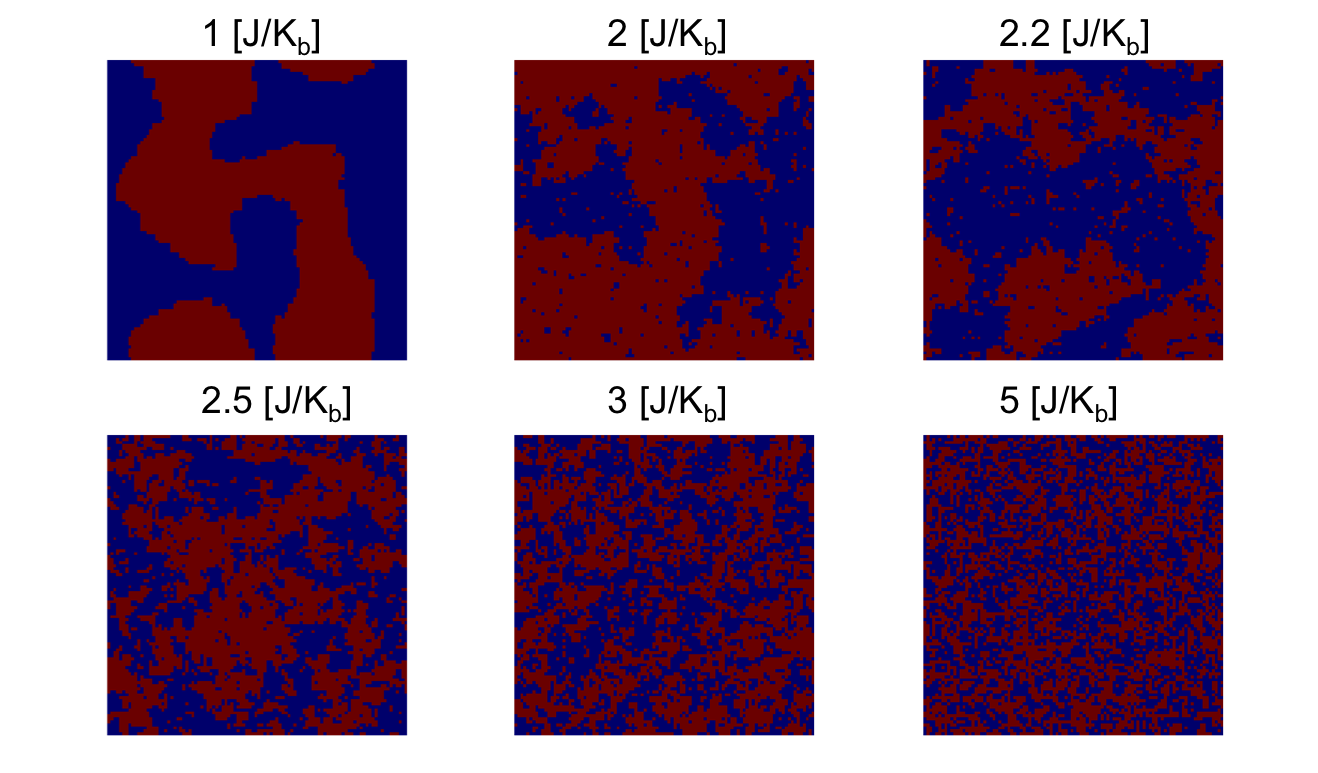 The initial conditions of the ising lattice can be specified by the `tempature`, `initial state`, and `size parameters` of the model. Running the simulation will output a video of system as it changes through out the run steps. ## Example The `--help` command can show to possible parameters for modifying the simulation ~~~bash $ python ising.py --help Usage: ising.py [OPTIONS] Options: -t, --temperature FLOAT temperature of the system [default: 0.5] -i, --initial-state [r|u] (R)andom or (U)niform initial state of the system [default: r] -s, --size INTEGER Number of sites, M, in the MxM lattice [default: 100] -e, --epochs INTEGER Number of iterations to run the simulation for [default: 1000000] --video Record a video of the simulation progression --help Show this message and exit. ~~~ For example: ~~~bash $ python ising.py --temperature .8 --initial-state r --video ~~~ ## FAQ If you get the error: ~~~bash MovieWriter stderr: dyld: Library not loaded: /usr/local/opt/x264/lib/libx264.152.dylib Referenced from: /usr/local/bin/ffmpeg Reason: image not found ~~~ Then you need to install ffmpeg ~~~bash $ brew install ffmpeg ~~~
