KO
|
EN
gitlite — search
Search
#javascript
#python
#hacktoberfest
#react
#ai
#typescript
#llm
#go
#golang
#android
#machine-learning
#rust
#deep-learning
#linux
monad-mcp-tutorial
★ 22
Open GitHub ↗
Monad MCP Tutorial
Download README (.md)
Explore Similar Repositories
Bypass-CheckM8-devices-with-signal
:
A Free iCloud Bypass Tool Powered by CheckM8 Exploit
StarEye
:
Official code repository for "An advanced three stage lightweight model for underwater human detection"
dock-prep
:
Pipeline converting PDB files to docking-ready PDBQT format
AerialVG
:
No description available.
raydium-ui-v3-public
:
No description available.
// repository documentation
Was this content helpful?
★ 0
(0 ratings)
Select Rating:
★
★
★
★
★
Submit Feedback
Recent Feedback
×
Download README
Do you want to download the
README.md
file for
monad-mcp-tutorial
?
Download (.md)
# Monad MCP Tutorial This project demonstrates how to create a MCP server that interacts with the Monad testnet. The MCP server provides a tool for checking MON token balances on the Monad testnet. ## What is MCP? The Model Context Protocol (MCP) is a standard that allows AI models to interact with external tools and services. In this tutorial, we're creating an MCP server that allows MCP Client (Claude Desktop) to query Monad testnet to check MON balance of an account. ## Prerequisites - Node.js (v16 or later) - `npm` or `yarn` - Claude Desktop ## Getting Started 1. Clone this repository ```shell git clone https://github.com/monad-developers/monad-mcp-tutorial.git ``` 2. Install dependencies: ``` npm install ``` ## Building the MCP server Monad Testnet related configuration is already added to `index.ts` in the `src` folder. ### Define the server instance ```ts // Create a new MCP server instance const server = new McpServer({ name: "monad-testnet", version: "0.0.1", // Array of supported tool names that clients can call capabilities: ["get-mon-balance"] }); ``` ### Defining the MON balance tool Below is the scaffold of the `get-mon-balance` tool: ```ts server.tool( // Tool ID "get-mon-balance", // Description of what the tool does "Get MON balance for an address on Monad testnet", // Input schema { address: z.string().describe("Monad testnet address to check balance for"), }, // Tool implementation async ({ address }) => { // code to check MON balance } ); ``` Let's add the MON balance check implementation to the tool: ```ts server.tool( // Tool ID "get-mon-balance", // Description of what the tool does "Get MON balance for an address on Monad testnet", // Input schema { address: z.string().describe("Monad testnet address to check balance for"), }, // Tool implementation async ({ address }) => { try { // Check MON balance for the input address const balance = await publicClient.getBalance({ address: address as `0x${string}`, }); // Return a human friendly message indicating the balance. return { content: [ { type: "text", text: `Balance for ${address}: ${formatUnits(balance, 18)} MON`, }, ], }; } catch (error) { // If the balance check process fails, return a graceful message back to the MCP client indicating a failure. return { content: [ { type: "text", text: `Failed to retrieve balance for address: ${address}. Error: ${ error instanceof Error ? error.message : String(error) }`, }, ], }; } } ); ``` ### Initialize the transport and server from the `main` function ```ts async function main() { // Create a transport layer using standard input/output const transport = new StdioServerTransport(); // Connect the server to the transport await server.connect(transport); console.error("Monad testnet MCP Server running on stdio"); } ``` ### Build the project ```shell npm run build ``` The server is now ready to use! ### Adding the MCP server to Claude Desktop 1. Open "Claude Desktop" 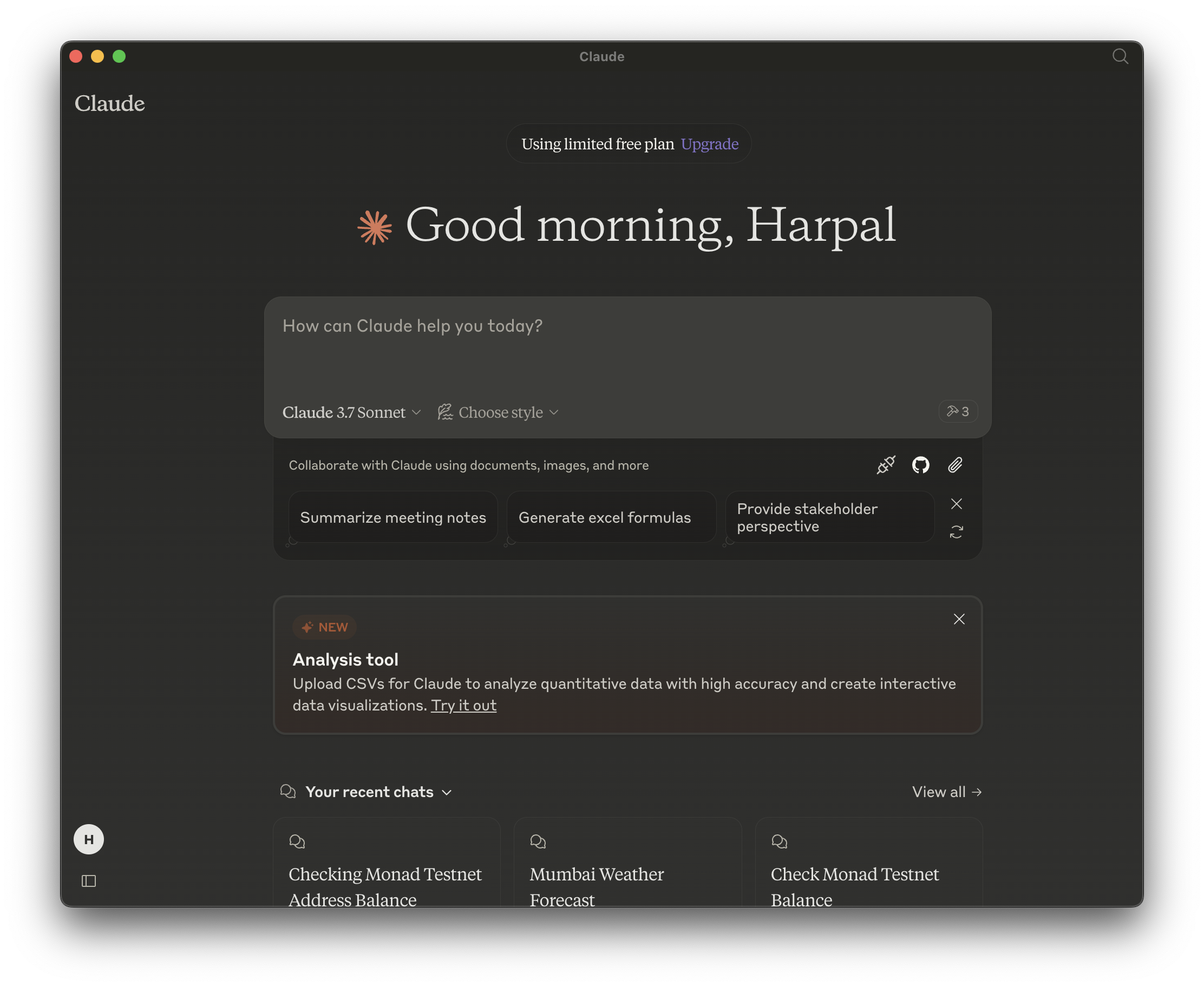 2. Open Settings Claude > Settings > Developer 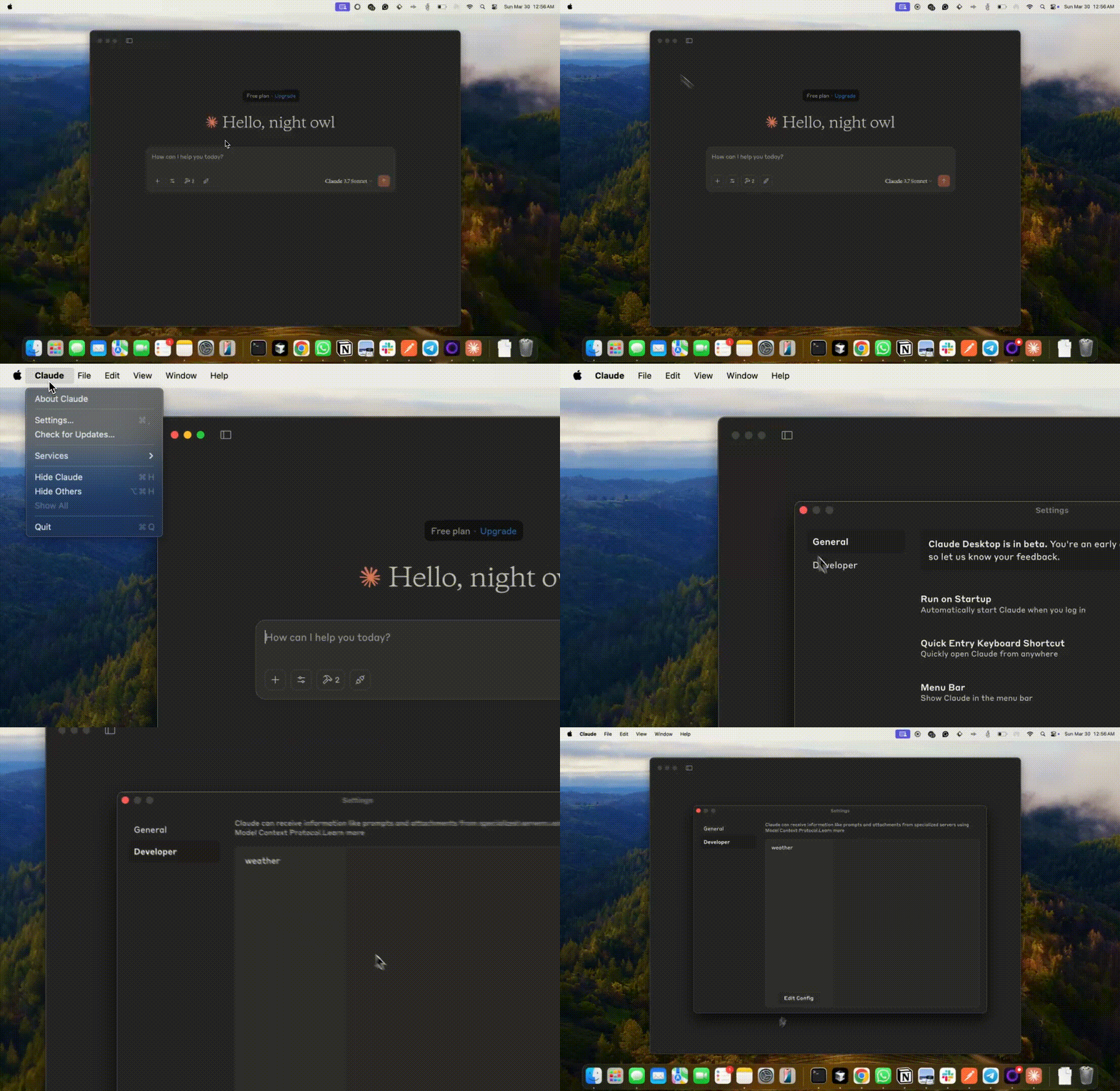 3. Open `claude_desktop_config.json` 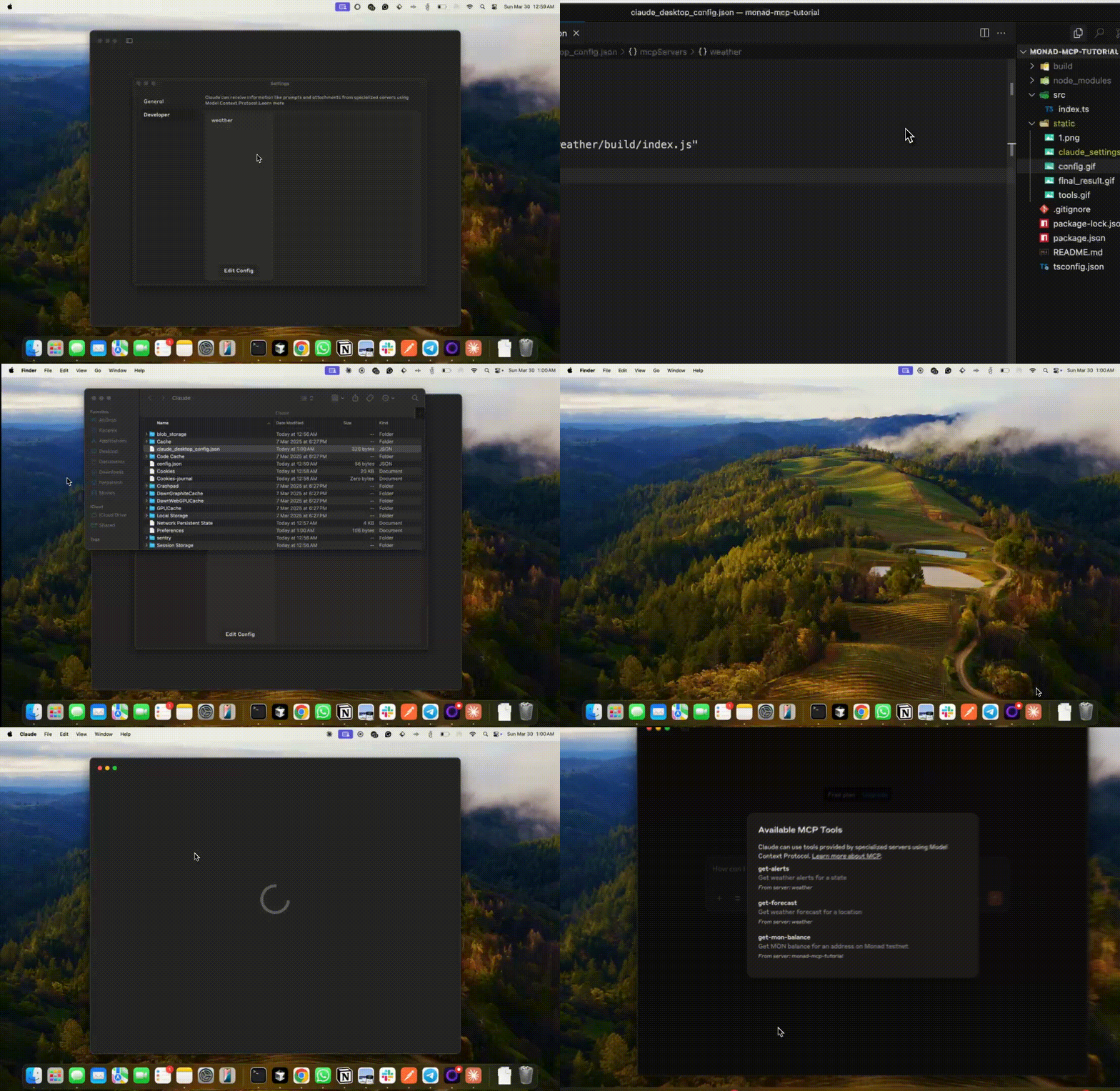 4. Add details about the MCP server and save the file. ```json { "mcpServers": { ... "monad-mcp": { "command": "node", "args": [ "/<path-to-project>/build/index.js" ] } } } ``` 5. Restart "Claude Desktop" ### Using the MCP server Here's the final result 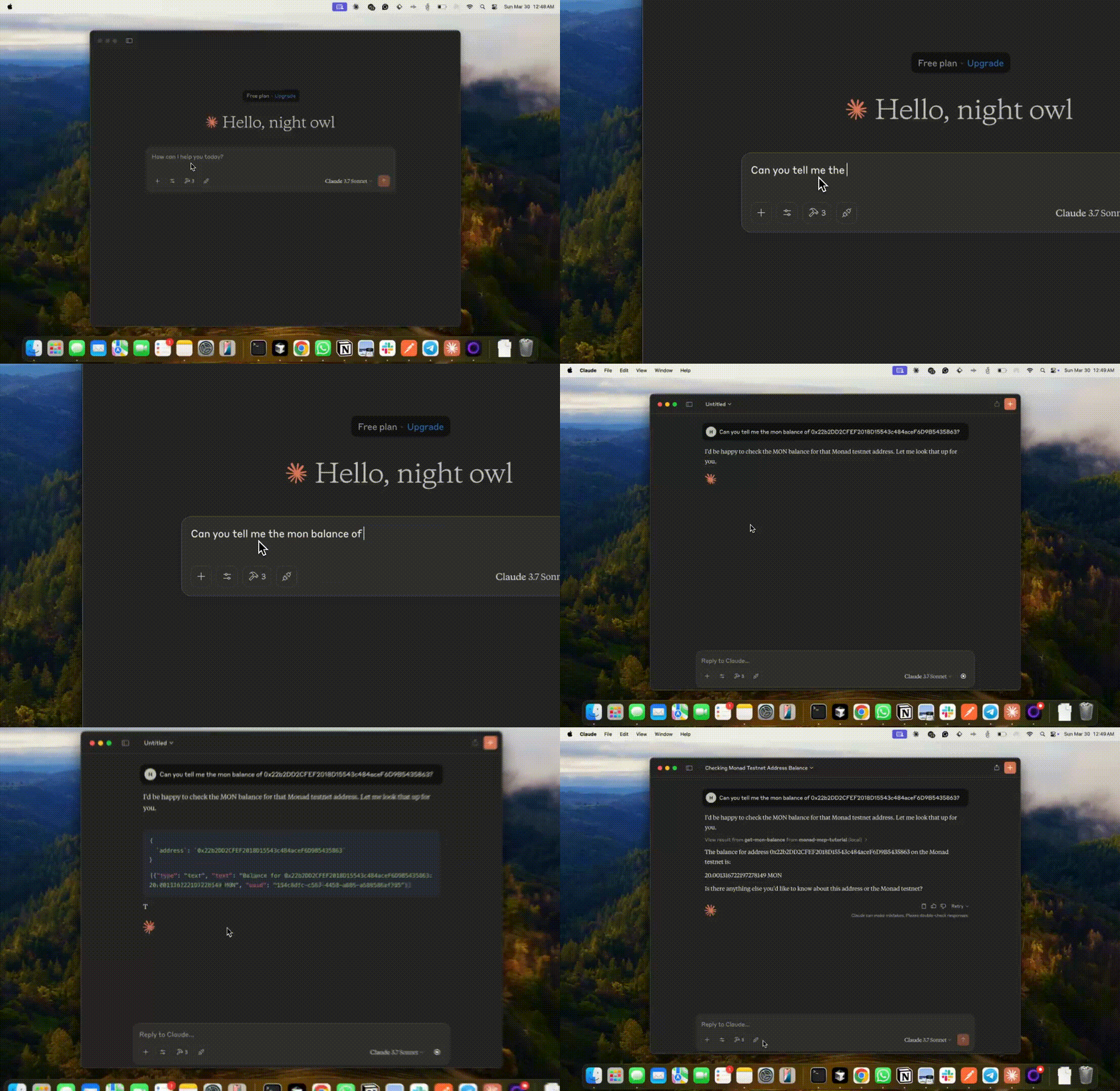 ## Further Resources - [Model Context Protocol Documentation](https://modelcontextprotocol.io/introduction) - [Monad Documentation](https://docs.monad.xyz/) - [Viem Documentation](https://viem.sh/)
