KO
|
EN
gitlite — search
Search
#javascript
#python
#hacktoberfest
#react
#ai
#typescript
#llm
#go
#golang
#android
#machine-learning
#rust
#deep-learning
#linux
sentry-feishu
★ 9
Open GitHub ↗
sentry 飞书机器人插件
Download README (.md)
Explore Similar Repositories
openshift_pxe_boot_menu
:
No description available.
jira-clone
:
A kanban board for agile project management tool built using nextjs, tailwindcss, faunadb, and react-query
intellij-color-theme
:
PhpStorm Color Theme for screencasts
doorcontrol
:
A FiveM resource enabling users to open vehicle's doors easily from the outside.
GTG
:
Авторская игра на Pygame
// repository documentation
Was this content helpful?
★ 0
(0 ratings)
Select Rating:
★
★
★
★
★
Submit Feedback
Recent Feedback
×
Download README
Do you want to download the
README.md
file for
sentry-feishu
?
Download (.md)
# Sentry-FeiShu `Sentry`的`飞书`通知插件 ## 安装 * 方式1: 进入sentry的安装目录执行一下命令 ```bash $ pip install git+https://github.com/DC-ET/sentry-feishu.git ``` * 方式2: 手动下载本项目, 并拷贝至sentry的安装目录下, 然后在sentry目录下执行以下命令 ```bash $ pip install sentry-feishu ``` ## 使用 在`项目`的 Settings > Alert 找到`FeiShu`插件,启用,并设置`Webhook` 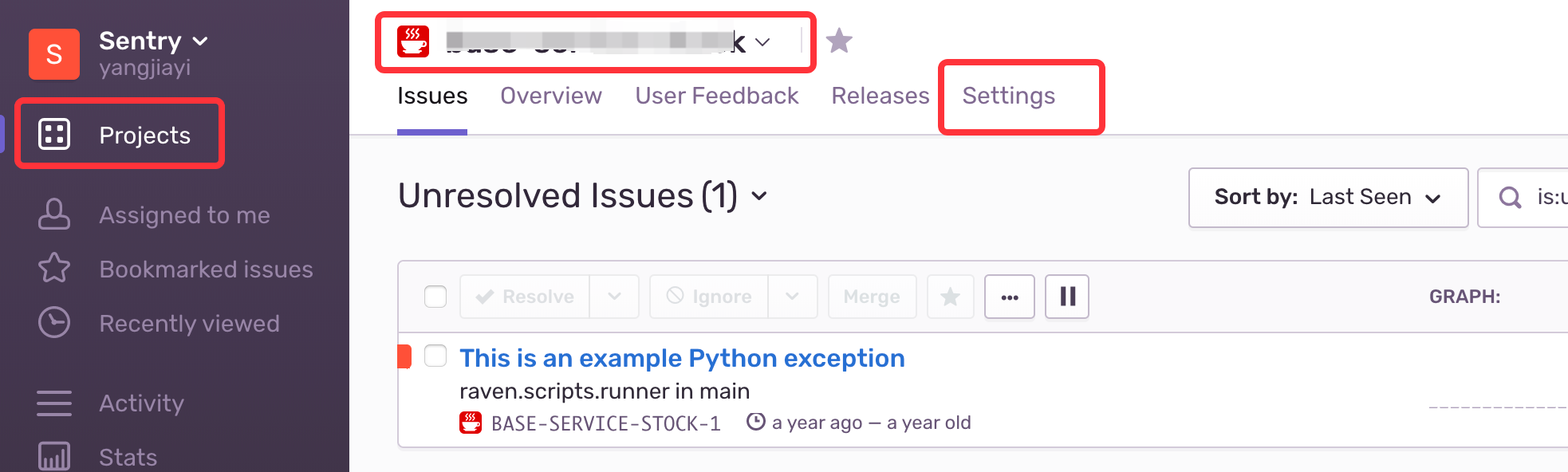 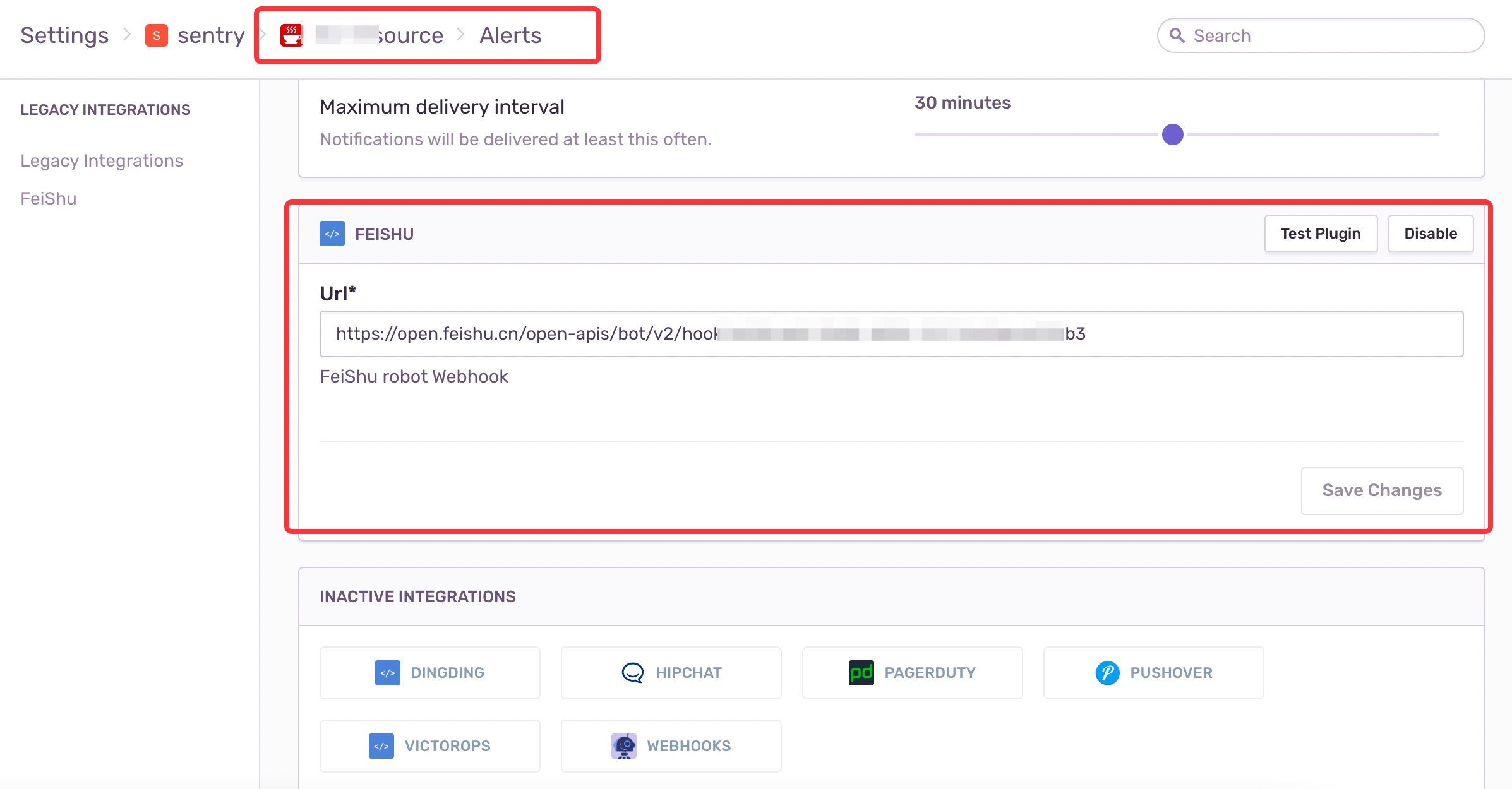 在插件上使用`Test Plugin`进行测试,当配置好`Webhook`后,在飞书群内会得到以下警告 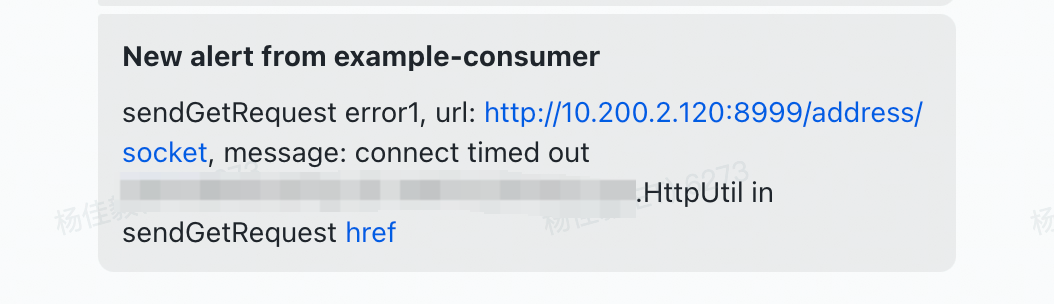 点击`href`按钮,打开异常详情页面。 ### 如何获取飞书Webhook? 飞书客户端 > 创建群聊 > 群设置 > 群机器人 > 添加机器人 > Custom Bot > 添加 > 获取webhook
