KO
|
EN
gitlite — search
Search
#ai
#python
#mcp
#mcp-server
#react
#cli
#linux
#javascript
#typescript
#llm
#gemini
#pytorch
CodeTour
★ 48
Open GitHub ↗
IntelliJ Plugin
Download README (.md)
Explore Similar Repositories
arduplot
:
No description available.
YOCO-BERT
:
The official implementation of You Only Compress Once: Towards Effective and Elastic BERT Compression via Exploit-Explore Stochastic Nature Gradient.
the-wisdom-of-trade-stocks
:
No description available.
markdown-guide-arabic
:
دليل الماركداون هو دليل مرجعي مجاني ومفتوح المصدر يشرح كيفية استخدام Markdown
CleanNetwork
:
No description available.
// repository documentation
Was this content helpful?
★ 0
(0 ratings)
Select Rating:
★
★
★
★
★
Submit Feedback
Recent Feedback
×
Download README
Do you want to download the
README.md
file for
CodeTour
?
Download (.md)
# CodeTour an IntelliJ Plugin CodeTour is an IntelliJ Plugin developed in the context of my MSc Thesis. University of Macedonia, Greece. **Original Name**: CodeTrailer > :exclamation: Renamed to CodeTour as a similar VSCode `GREAT` plugin already exist (https://github.com/microsoft/codetour), and thus this one would be compatible with it and would try to provide more enhanced experience. <hr> ## :scroll: Thesis Info :mortar_board:  ### Thesis tile: `Code Reading Challenges & Best Practices` Master Thesis, MSc Program: *Computer Science and Technology*, [University of Macedonia]() #### Thesis Goals 1. to find out, what makes Code reading so challenging, especially when there is no one for direct assistance, 2. to identify some Best Practices that may improve Code reading and understanding process, 3. to provide a tool, which could be standing as a Virtual guide for a developer, providing navigation and demonstration of important code parts, as instructed/recorded by a Project member. The whole Thesis (including research and development) is being managed on Github, and more information can be found on the repository: https://github.com/LefterisXris/CodeTour. The final results would be announced on the repo, so keep an eye on that, in case you are interested to check them. ### Management The following projects have been created for managing the whole Thesis (including research and development): - [Thesis Deliverables](https://github.com/LefterisXris/CodeTour/projects/3) - [Research](https://github.com/LefterisXris/CodeTour/projects/2) - [Plugin - Development](https://github.com/LefterisXris/CodeTour/projects/1) ### 📢 Participate on the research, via the Thesis survey (SurveySparrow): [Code Reading Challenges & Best Practices](https://codetour.surveysparrow.com/s/code-reading-challenges--best-practices/tt-080a698c44) <hr> ## :wrench: Plugin Info :electric_plug:  [](https://plugins.jetbrains.com/plugin/19227-codetour) [](https://plugins.jetbrains.com/plugin/19227-codetour) [](https://plugins.jetbrains.com/plugin/19227-codetour) ## Vision 👉 Vision: A tool that stands as a Virtual guide for a new member able to navigate him throughout the code, demonstrating important code parts or features, based on the instructions (configuration) that an experienced project member has already provided. Think of it, like a tutorial-wizard that presents the code with extra info, comments, images and maybe voice as well. Adding instructions is as simple as adding a new breakpoint, and the tool is able to auto-adjust, so that on code changes, the instructions (steps) remain valid. Instructions can also be under version control, for maintainability. <!-- Plugin description --> [CodeTour](https://github.com/LefterisXris/CodeTour) is an Intellij plugin, which allows you to record and play back guided walkthroughs of your codebases. It's like a table of contents, that can make it easier to onboard (or re-board!) to a new project/feature area, visualize bug reports, or understand the context of a code review/PR change. A **Code Tour** is simply a series of interactive **Steps**, each of which are associated with a specific file/line, and include a description of the respective code. This allows developers to clone a repo, and then immediately start learning it, without needing to refer to rely on help from others. Tours can be version controlled into a repo, to enable sharing with other contributors. To use the Code Tour tool window, select <kbd>View</kbd> > <kbd>Tool Windows</kbd> > <kbd>Tours Navigation</kbd>. Features: - Create new Tours and Steps easily through Editor's Gutter context menu (similar to adding breakpoints) <kbd>Right Click on gutter</kbd> > <kbd>Add Tour Step</kbd> - Markdown and HTML support for Step's description - Customizable (location, size, font etc) popup window for Step's description - Tree-like view of Tours and their Steps on a Tool Window - Code Navigation with single click (on Steps available on Tours Tree) - Shortcuts for Navigating on Previous (<kbd>Ctrl</kbd>+<kbd>Alt</kbd>+<kbd>Q</kbd>) and Next (<kbd>Ctrl</kbd>+<kbd> Alt</kbd>+<kbd>W</kbd>) Steps Ideal for: - Code Reviews *-- e.g. Walkthrough the context of a Pull Request* - Feature documentation *-- e.g. How a feature's workflow is depicted on the code* - Visualize bugs *-- e.g. follow a scenario that led to an error/bug/issue* - Onboard or re-board to a project *-- Start learning the project through the interactive Tour Steps, without relying on help from others* Feel free to **suggest** features, **request** changes and **report** issues on CodeTour repo https://github.com/LefterisXris/CodeTour/discussions <!-- Plugin description end --> ## Installation - Using IDE built-in plugin system: <kbd>Settings/Preferences</kbd> > <kbd>Plugins</kbd> > <kbd>Marketplace</kbd> > <kbd>Search for "CodeTour"</kbd> > <kbd>Install Plugin</kbd> - Manually: Download the [latest release](https://github.com/LefterisXris/CodeTour/releases/latest) and install it manually using <kbd>Settings/Preferences</kbd> > <kbd>Plugins</kbd> > <kbd>⚙️</kbd> > <kbd>Install plugin from disk...</kbd> ## Examples and Best Practices **TODO!** Examples and Best Practices will soon be provided ## Demos ### Open Tool Window 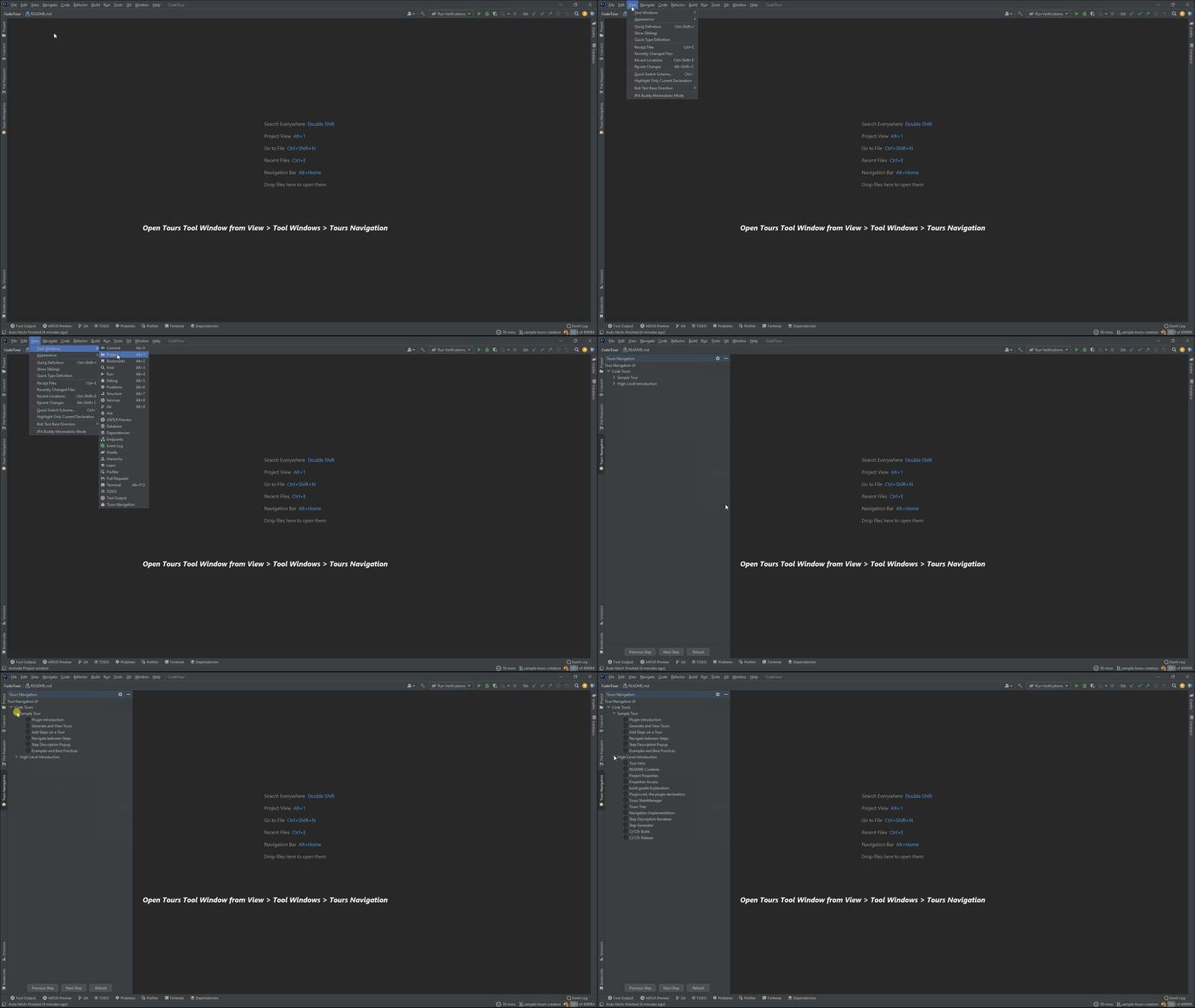 ### Create New Tour 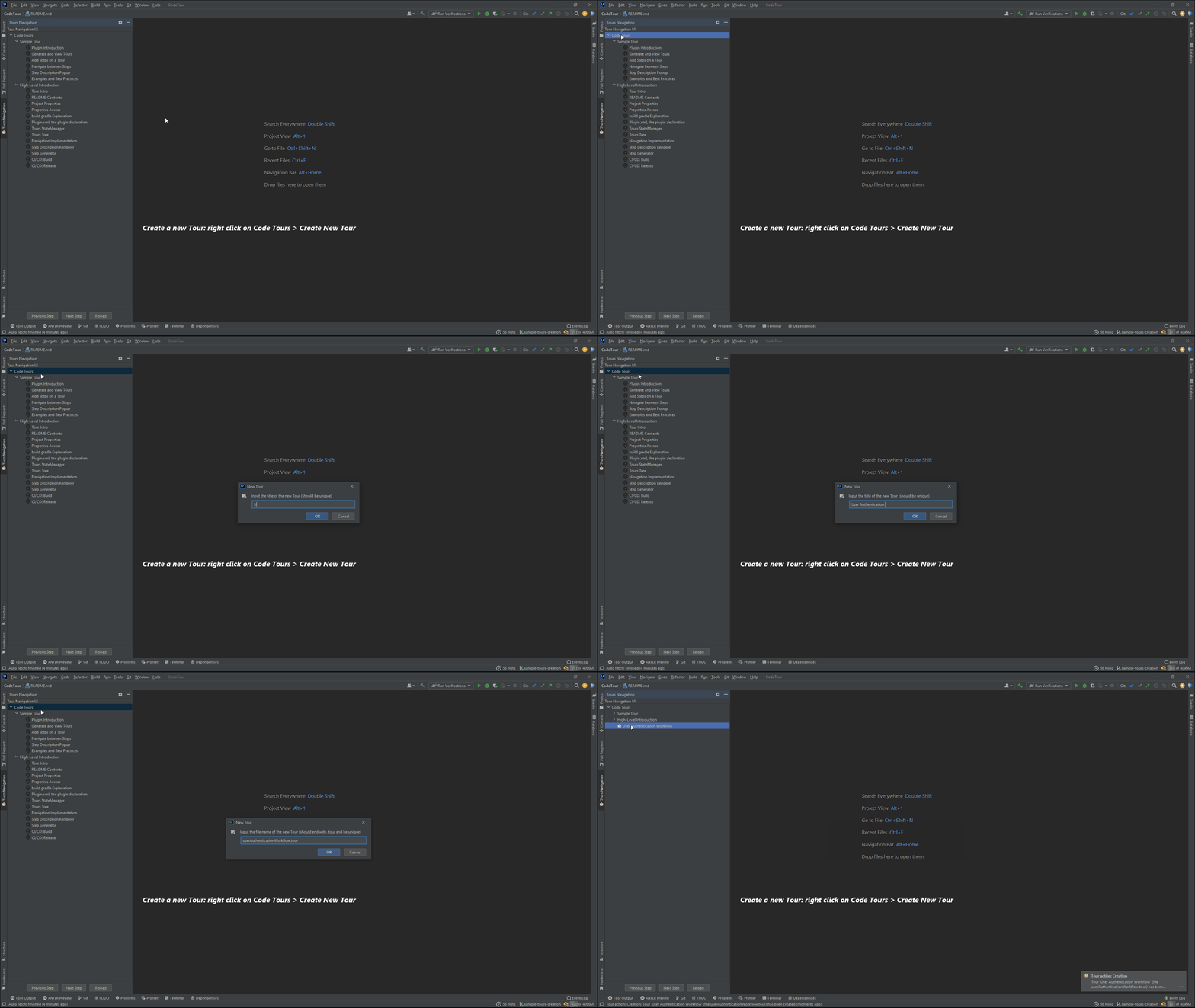 ### Create New Step 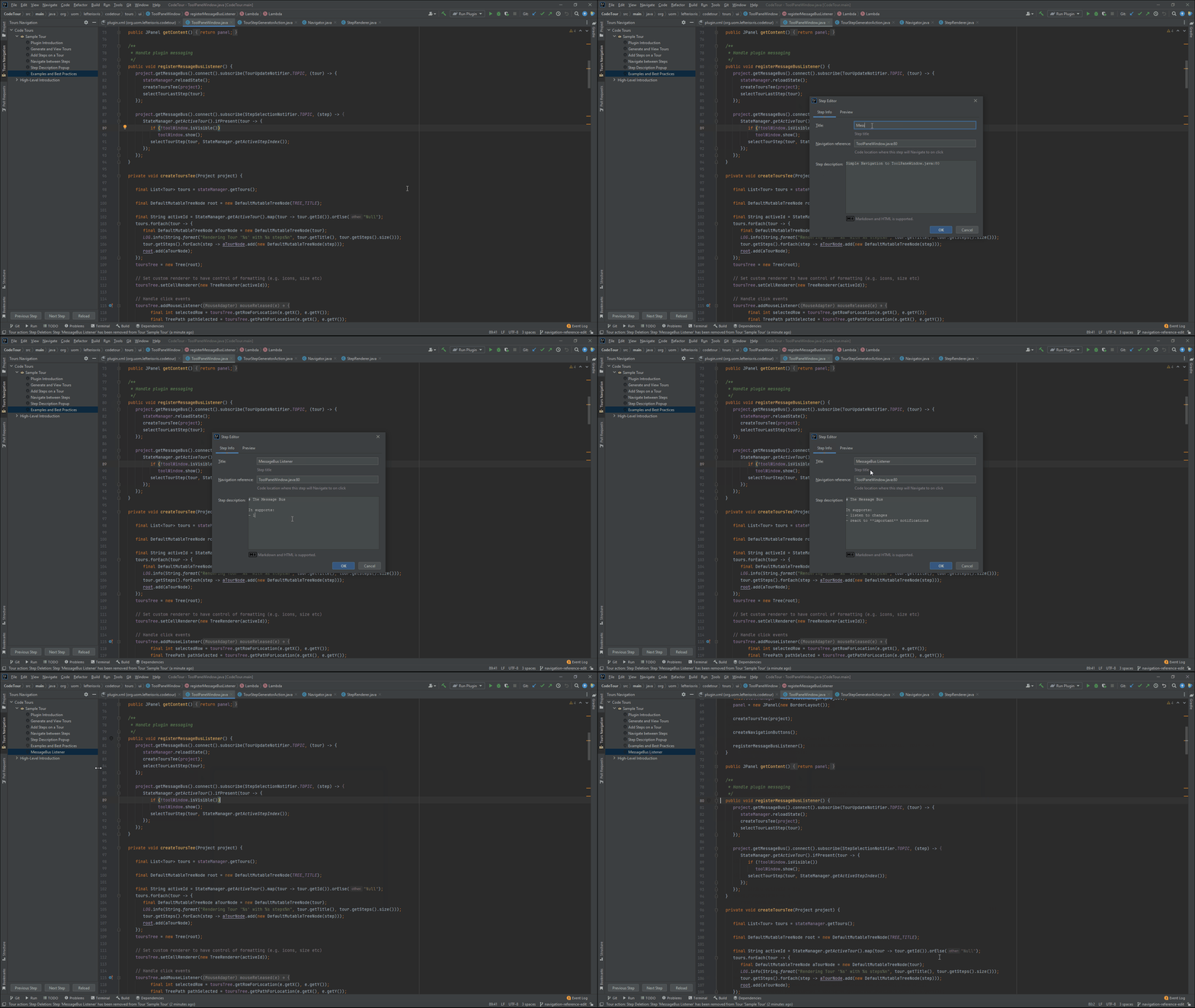 ### Step Context Menu 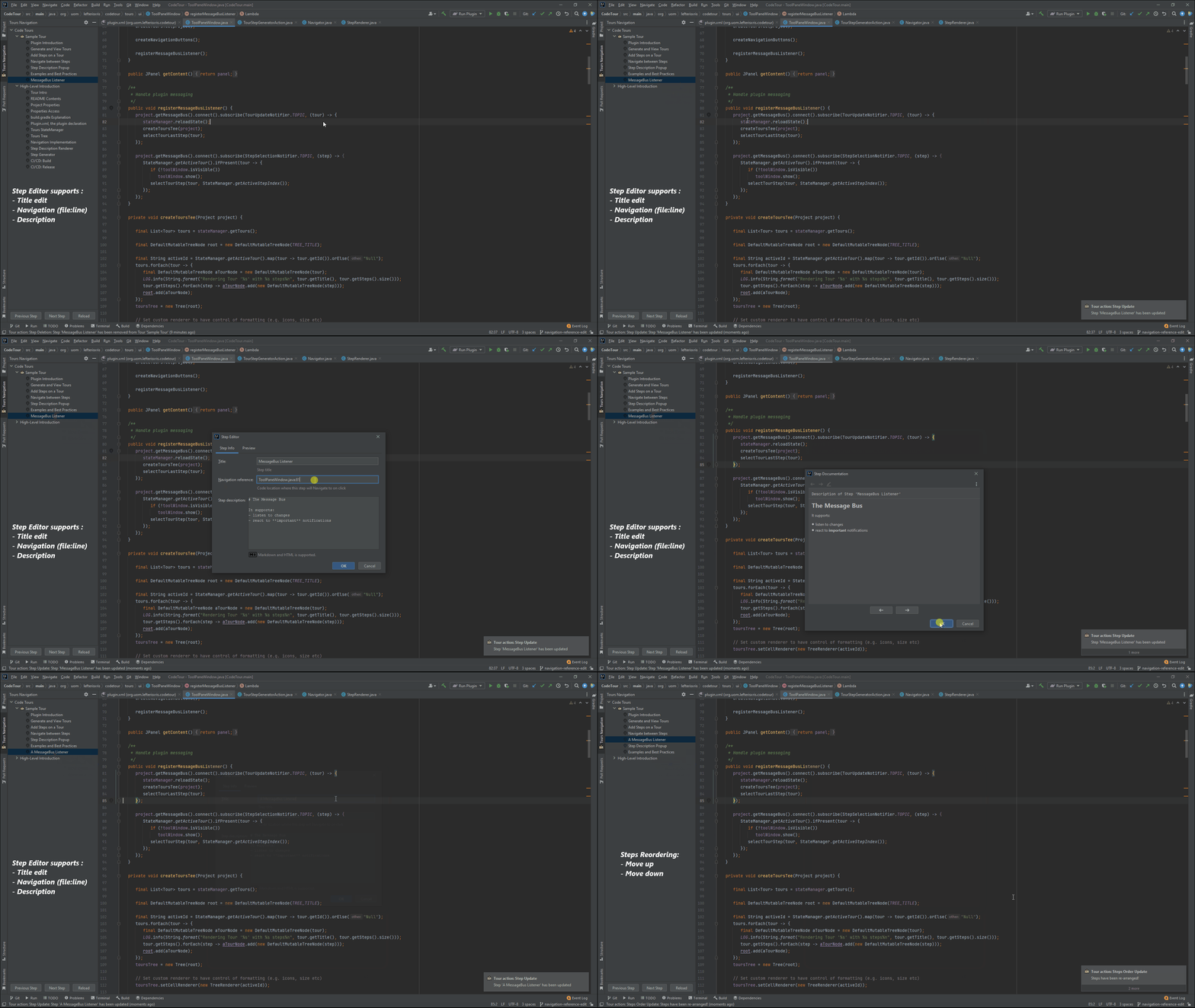 ### Navigation 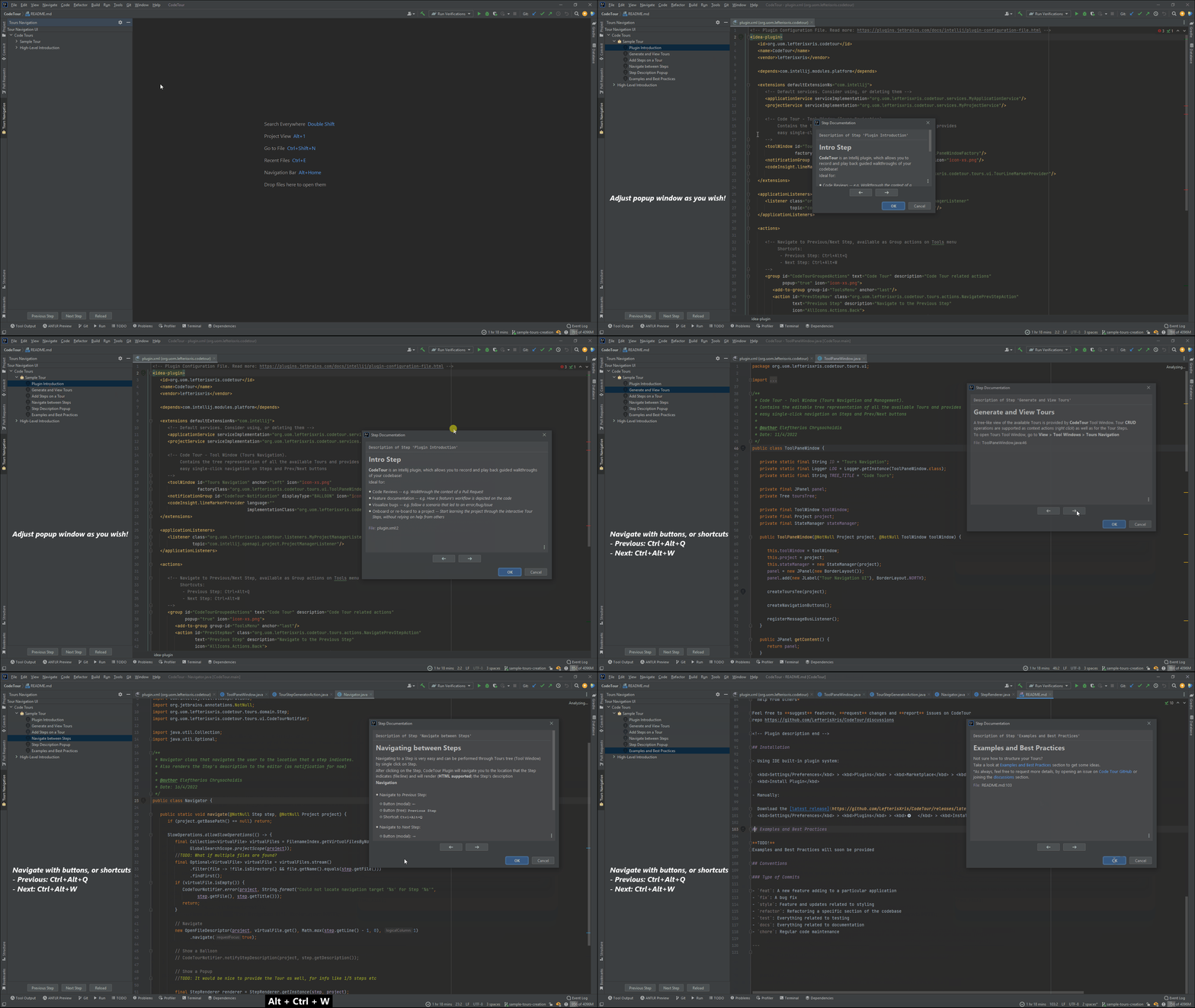 ### Plugin Main 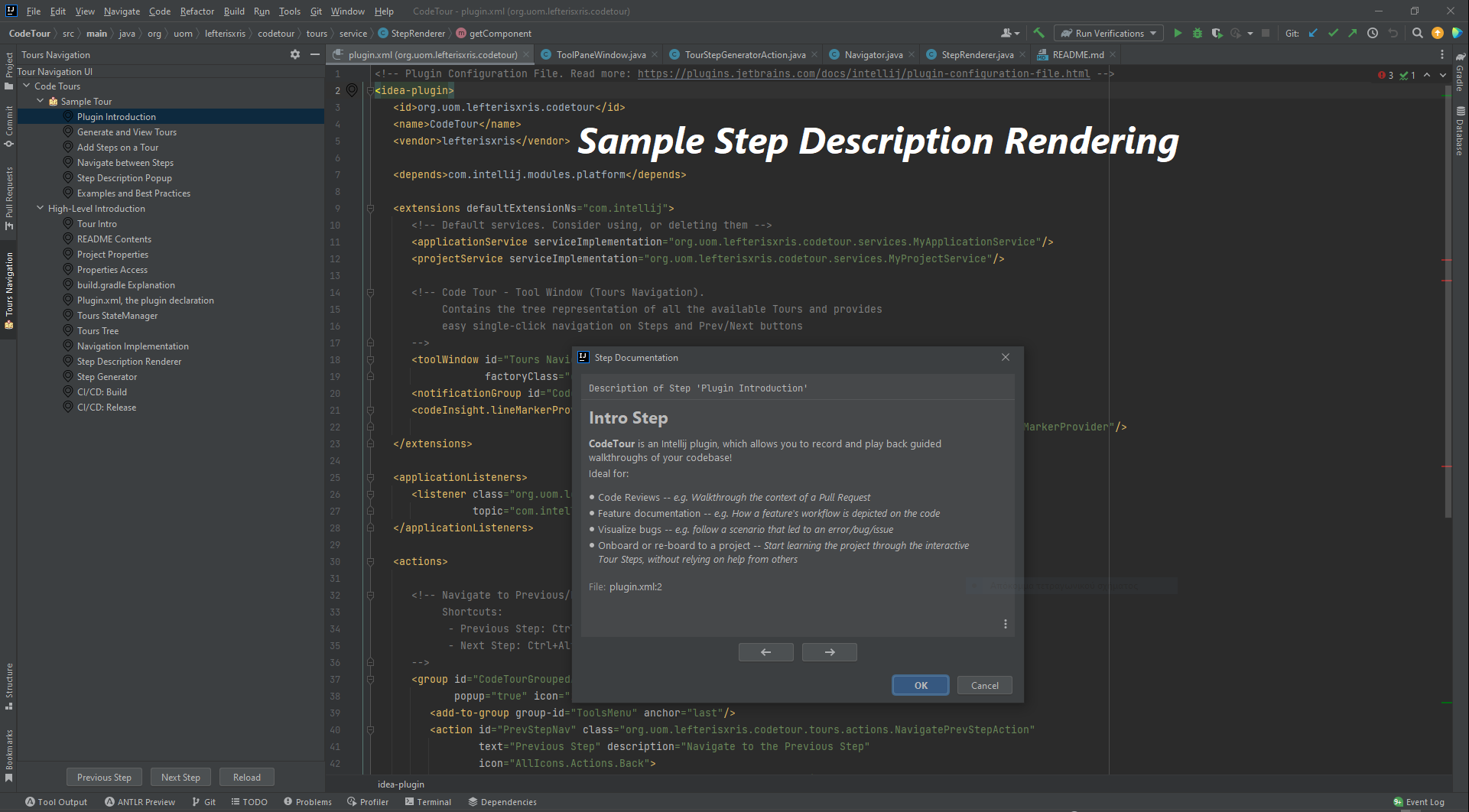 ### Tools Menu & Shortcuts 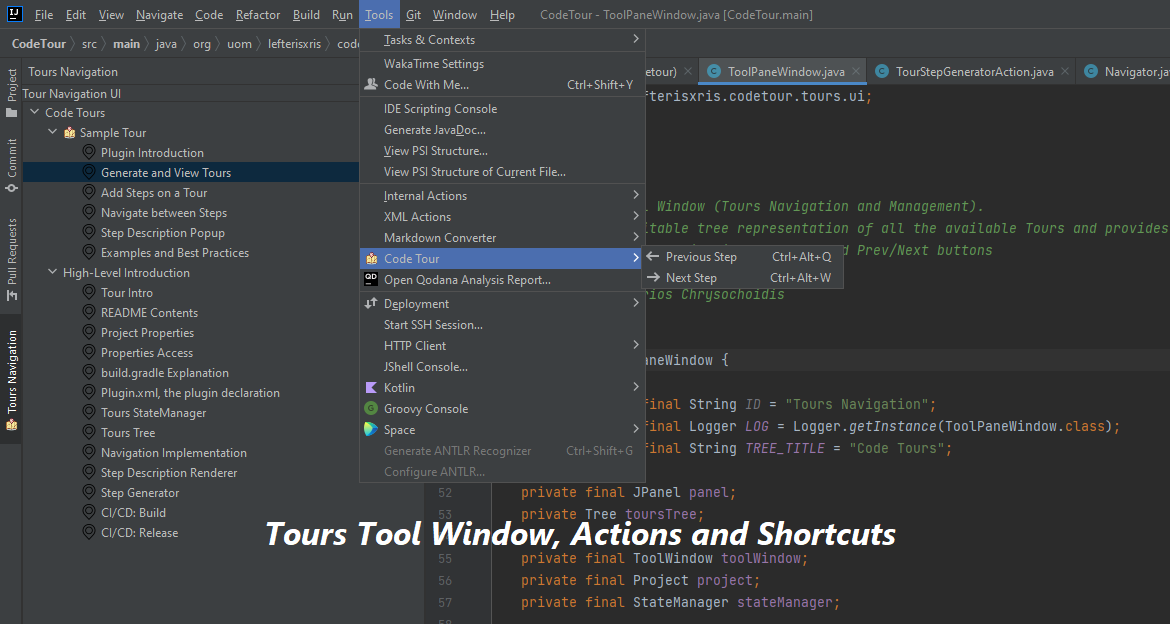 ### Tour Context Menu 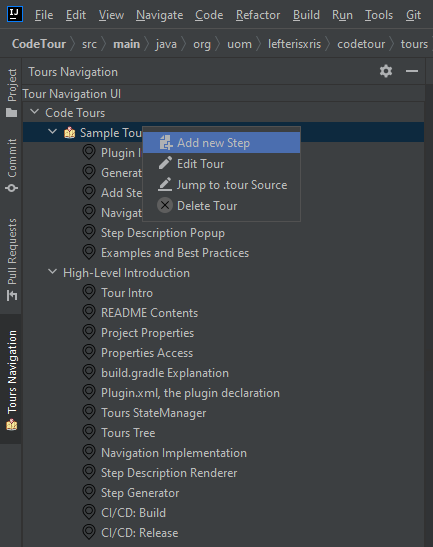 ### Step Context Menu 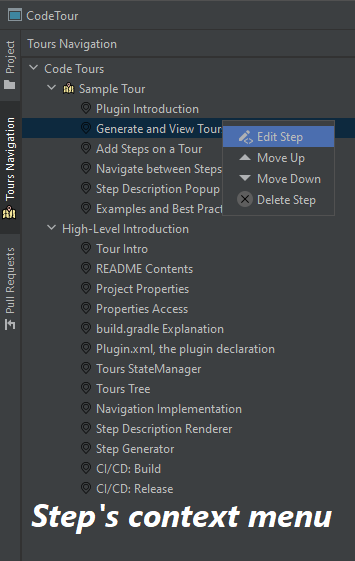 ### Step Editor 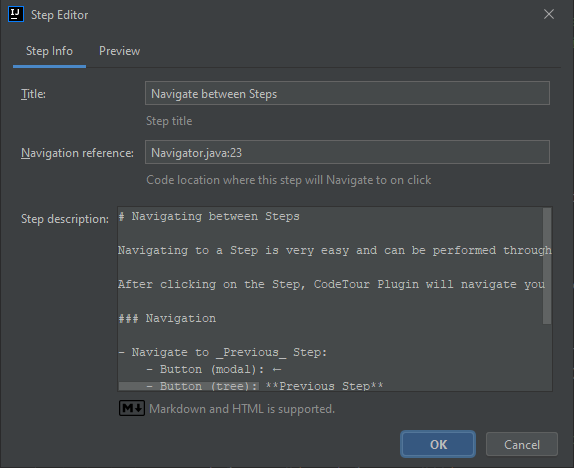 ## Conventions ### Type of Commits - `feat`: A new feature adding to a particular application - `fix`: A bug fix - `style`: Feature and updates related to styling - `refactor`: Refactoring a specific section of the codebase - `test`: Everything related to testing - `docs`: Everything related to documentation - `chore`: Regular code maintenance ---
