KO
|
EN
gitlite — search
Search
#typescript
#ai-agents
#deepseek-harness
#dsh-plugin
#open-source
#ai
#claude-code
#cli
#windows
#codex
#developer-tools
#dsh
acres
★ 25
Open GitHub ↗
CNN-based barcode sharpening
Download README (.md)
Explore Similar Repositories
ACRE
:
Absolute Capacitive Rotary Encoder (ACRE)
1point3acres
:
1Point3Acres handy scripts.
10acre-ranch
:
Build Rancher environment on GCE
acre
:
langserver client for acme in rust
AcrE
:
No description available.
// repository documentation
Was this content helpful?
★ 0
(0 ratings)
Select Rating:
★
★
★
★
★
Submit Feedback
Recent Feedback
×
Download README
Do you want to download the
README.md
file for
acres
?
Download (.md)
# acres acres is a tool for sharpening barcodes. Specifically, it is an implementation of a convolutional neural network designed for preprocessing blurry images of 1D barcodes. **Disclaimer: this was an experimental project and I don't think it's suitable for applications - the barcodes appear unblurred, but I haven't had much luck trying to scan the unblurred barcodes using other software. I'm sure the model could be improved to fix this, but if you're looking for an out-of-the-box solution, you're better off looking elsewhere. Good luck!** For details of the architecture and implementation, see [ARCHITECTURE.md](./ARCHITECTURE.md). ## Example The network takes an image and performs segmentation; for every pixel, it tries to predict whether it is: - not a part of a barcode - a white bar - a black bar ### Input image 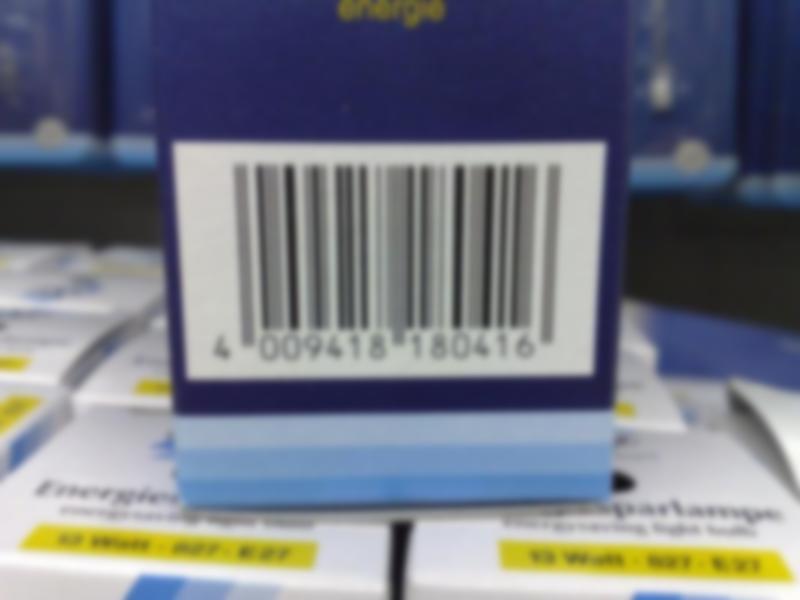 ### Unblurred image 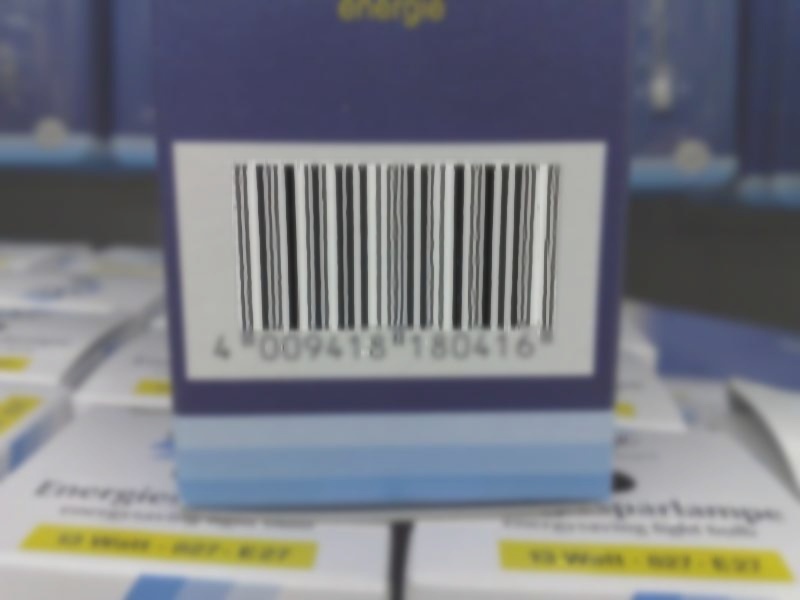 ### Prediction mask 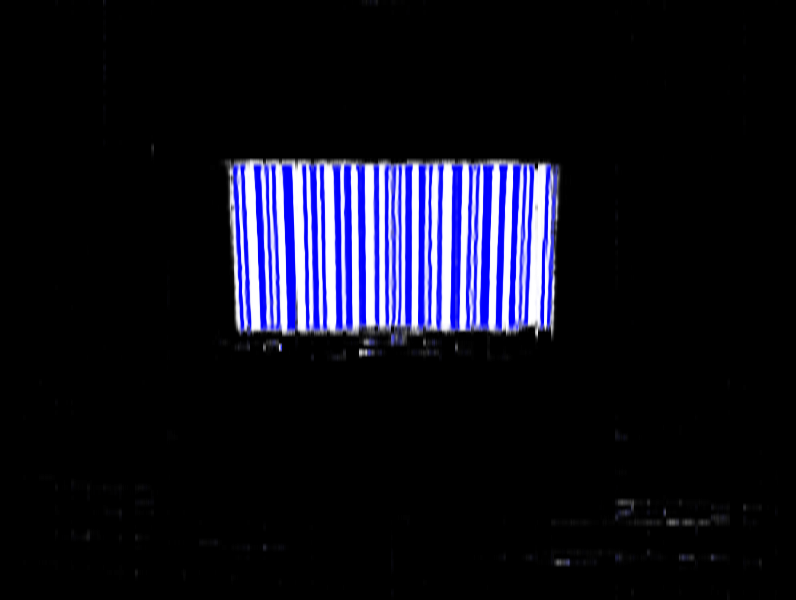 ### Ground truth mask - what the network would output in the ideal case 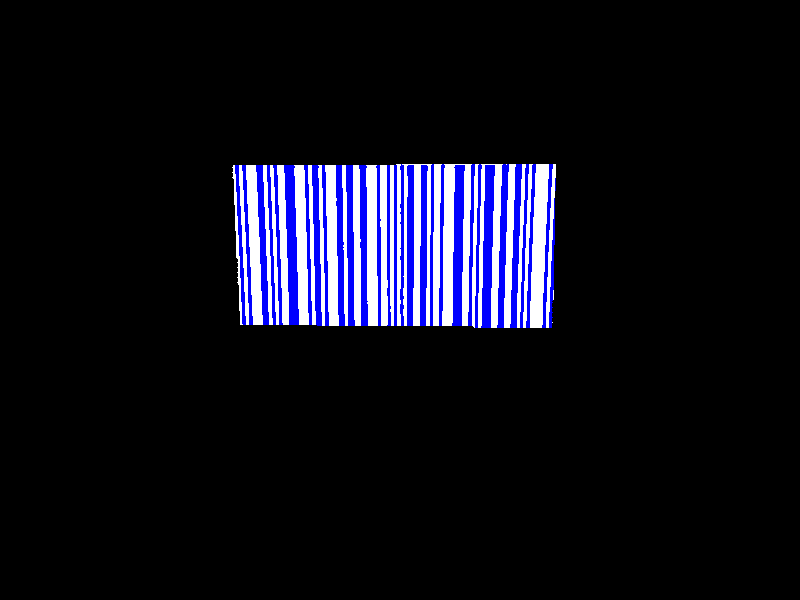 Even though the image is heavily blurred, the network manages to extract a reasonable prediction. ## Installation We use [Git Large File Storage](https://git-lfs.github.com/) to store the dataset in the repo. Please install Git LFS and then clone this repo using `git lfs clone` rather than `git clone` for better performance. acres requires Python 3.4 or higher. We recommend to use virtualenv for installation; the `install.sh` script should install the package in this way. Prediction and certain scripts in the `scripts` directory also require OpenCV (which must be installed separately), although this is not necessary for training. The simplest way to install OpenCV is running `pip3 install opencv-python` from inside your virtualenv. ## Usage ### Local training To run training locally, we may use: ``` python -m acres.binarization.task \ --dataset-dir data/muenster_blur/ \ --train-steps 500 \ --job-dir logs/example/ ``` where `--dataset-dir` is the path to the dataset (should have `images` and `masks` subdirectories) and `--job-dir` is the directory which will contain log files. The training should finish in a few minutes on a regular laptop. To see the progress of the training, we can use Tensorboard, which should be installed automatically with Tensorflow. Run `tensorboard --logdir logs/example/ --port 6006` and open `localhost:6006` in a browser. - The _Scalars_ tab contains charts of loss, accuracy and binarization accuracy. - The _Images_ tab contains visualisations of predictions during training. Under `masked`, there are images overlaid with the predicted classes - one is highlighted in red, the other in blue. ### Training on Google Cloud Platform Because acres uses Tensorflow's Estimator API, it can be seamlessly deployed on Google Cloud Platform's [ML Engine](https://cloud.google.com/ml-engine/). We can also use the GPU for computations, which gives us a great speed-up. For example, this is the command (except for different GCP Storage bucket names) which was used to train the final network: ``` gcloud ml-engine jobs submit training example_acres_training_(date "+%Y_%m_%d_%H%M%S") \ --module-name acres.binarization.task \ --package-path acres/ \ --job-dir gs://my-bucket-for-logs/change_penalty/ \ --config gcp_config.yaml \ --region us-east1 \ --scale-tier BASIC_GPU \ -- \ --network-name strided32 \ --dataset-dir gs://my-bucket-for-data/muenster_blur \ --batch-size 500 \ --train-steps 30000 \ --change-penalty 100 ``` ### Predictions Assuming you ran the command from the _Local training_ section, you can predict the test set with the following command. Replace the `--model-name` argument with the name of the subdirectory created in `logs/example`, which is where the trained model's weights are saved. ``` python -m acres.binarization.predict \ --job-dir logs/example/ \ --network-name strided32 \ --dataset-dir data/muenster_blur/ \ --batch-size 50 \ --model-name task.py-2018-01-01_123456-my-model-name ``` The command will create a `predictions` subdirectory in the model's directory containing the predictions for the test set (which is an automatically chosen subset of the images in `--dataset-dir`). For each pixel, the probabilities of the classes are encoded as RGB: - Red: White part of a barcode - Green: Not in a barcode - Blue: Black part of a barcode There is also a module which can take the predictions and use them to unblur the input images: ``` mkdir -p results/example python -m acres.evaluation.mask_images \ ./data/muenster_blur/images/ \ ./logs/example/task.py-2018-01-01_123456-my-model-name/predictions/ ./results/example/ --mask-weight 0.3 ``` This is what was used to produce the example unblurred image.
