KO
|
EN
gitlite — search
Search
#javascript
#python
#hacktoberfest
#react
#ai
#typescript
#llm
#go
#golang
#android
#machine-learning
#rust
#deep-learning
#linux
kindle-download
★ 18
Open GitHub ↗
kindle 电子书下载
Download README (.md)
Explore Similar Repositories
uno.js
:
JavaScript Library for Arduino
fluid-simulation-rust
:
A rewrite of my fluid simulation project entirely in Rust
nextjs-fcm-demo
:
No description available.
Admin-Abwesenheitsassistent
:
No description available.
monai_uf_tutorials
:
No description available.
// repository documentation
Was this content helpful?
★ 0
(0 ratings)
Select Rating:
★
★
★
★
★
Submit Feedback
Recent Feedback
×
Download README
Do you want to download the
README.md
file for
kindle-download
?
Download (.md)
# KindleDownload > 下载亚马逊上你的 **电子书** 以及 **个人文档** # 使用说明 ## 配置说明 初次运行会在当前目录生成一个 `cookie.txt`,将浏览器 `cookie` 粘贴到 `cookie.txt` 中,重新运行程序即可,也可以直接在当前目录手动创建一个 `cookie.txt` 文件,将浏览器 `cookie` 粘贴到 `cookie.txt` 中,运行程序 ### cookie 的获取 登录亚马逊后,F12 打开浏览器控制台,然后找到任意请求,将下图的 cookie 对应的值,复制到 `cookie.txt` 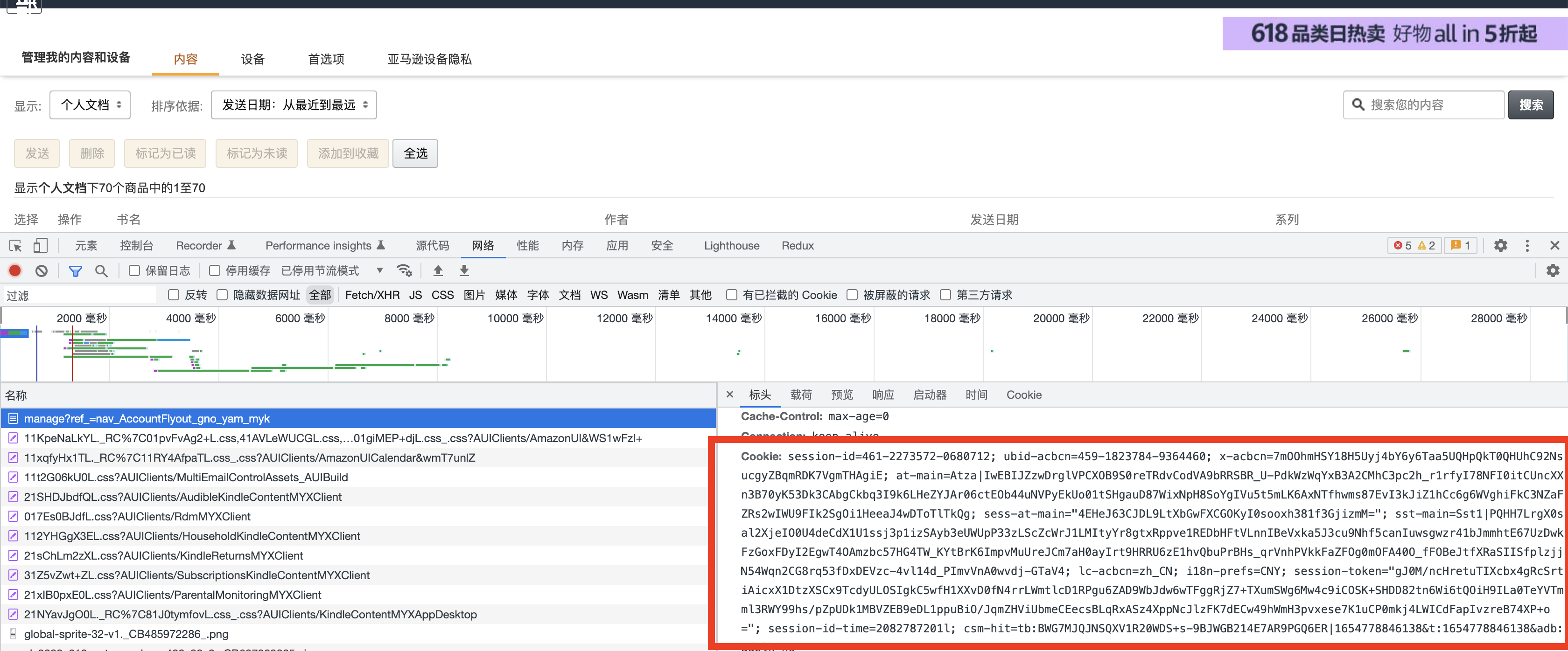 ## 使用 ```bash Usage of kindle-download: -cn 是否下载中国版的书籍,默认为 true (default true) -dir string 文件保存目录,默认为当前目录下的ebooks (default "ebooks") -worker int 最大协程数,默认为5 (default 5) ``` ### 二进制文件 可以使用已经[编译好的二进制文件](https://github.com/LeetaoGoooo/kindle-download/releases/) ``` # mac 输入以下命令,回车运行 ./kindle-download [workerNum 最大协程数] [fileDir 保持文件夹] [cn 是否下载中国版的书籍,默认为 true] ``` ### 直接运行 ```golang go run kindle-download.go ``` ### 编译运行 ```golang go build kindle-download.go ``` 编译成功后,当前目录会生成一个 `kindle-download` 的可执行程序 # 截图 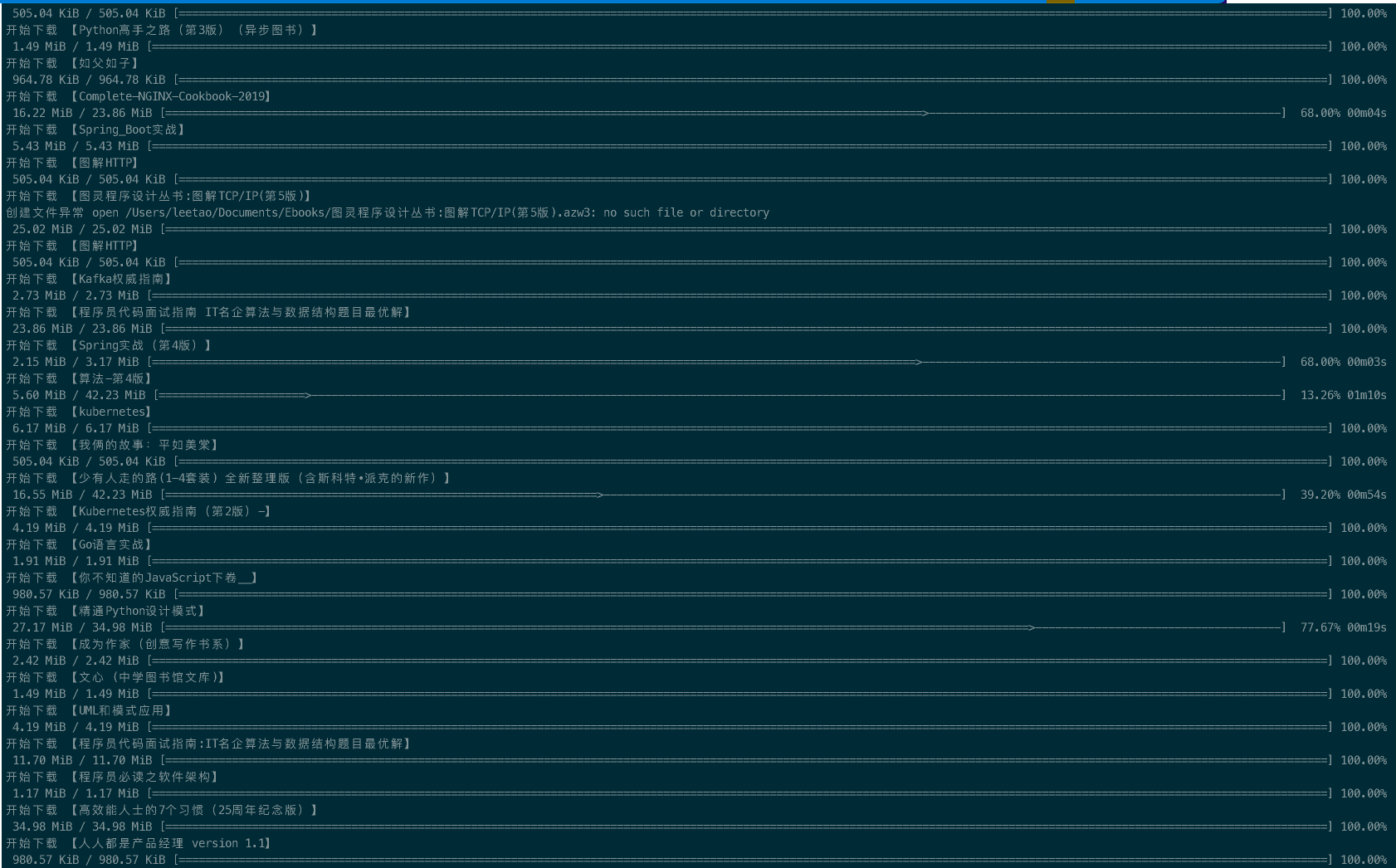 # 感谢 [Kindle_download_helper-Python](https://github.com/yihong0618/Kindle_download_helper)
