KO
|
EN
gitlite — search
Search
#javascript
#python
#hacktoberfest
#react
#ai
#typescript
#llm
#go
#golang
#android
#machine-learning
#rust
#deep-learning
#linux
lilygo-t5-weather-station
★ 14
Open GitHub ↗
No description available.
Download README (.md)
Explore Similar Repositories
RogiRadar
:
Disease Prediction platform empowers you to take charge of your health by identifying potential conditions based on 18 common symptoms you choose
nord.yazi
:
Nord theme for yazi terminal file manager
example-skse-plugin
:
SKSE plugin template with Prisma UI and CommonLib-NG.
infini-manager
:
infini manager is a tool used for batch management of one's own infini account
KVisualRAG
:
No description available.
// repository documentation
Was this content helpful?
★ 0
(0 ratings)
Select Rating:
★
★
★
★
★
Submit Feedback
Recent Feedback
×
Download README
Do you want to download the
README.md
file for
lilygo-t5-weather-station
?
Download (.md)
# LilyGO T5 Weather Station A weather station for LilyGO T5 e-paper displays that shows current weather, forecasts, and AI-generated weather summaries. 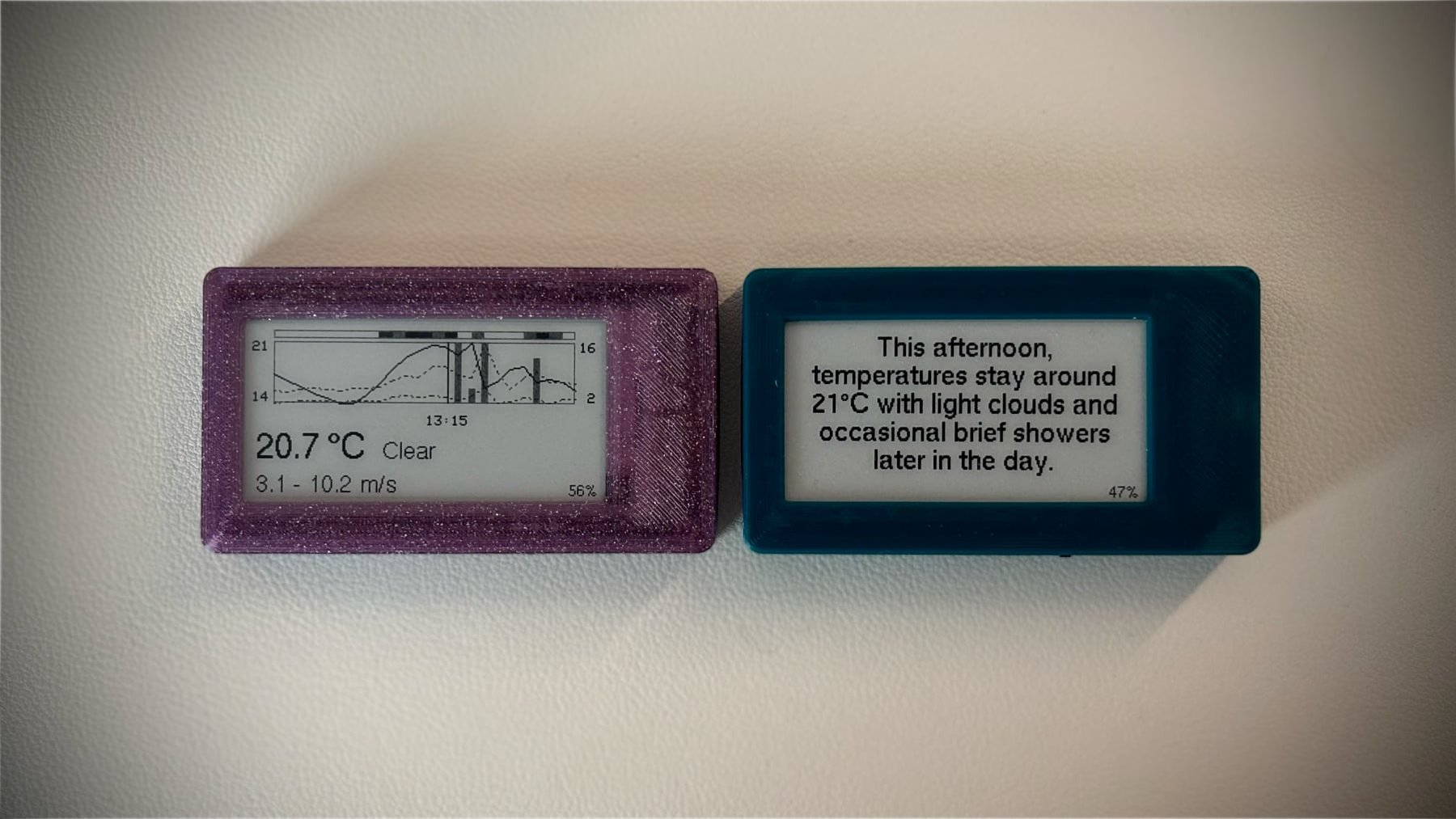 See also the [blog post](https://blog.shvn.dev/posts/2025-lilygo-t5-weather-station/) I wrote about this. ## Features - Current weather display - Meteorogram/forecast view - AI-powered weather summaries (requires OpenAI API key) - Configuration via web interface - Deep sleep mode for battery efficiency ## Data Sources - **Weather data**: [Open-Meteo API](https://open-meteo.com/) - **AI summaries**: OpenAI API (optional, requires API key) ## Hardware Required - One of the following boards: - [LilyGo T5 v2.13 e-paper display board (4 grayscale colors)](https://lilygo.cc/en-pl/products/t5-2-13inch-e-paper?variant=42466420850869) - [LilyGO T5 v2.13 e-paper display board (officially only black and white)](https://lilygo.cc/en-pl/products/t5-v2-3-1?variant=42366871666869) - [Case](https://www.thingiverse.com/thing:4670205/files) - LiPo battery: 3.7V 500mAh recommended (fits in case, ~1 month battery life) - WiFi network for initial configuration and weather data updates - Mobile phone to connect to the device and configure it ## Setup 1. Install PlatformIO 2. Clone this repository 3. **Configure display type** (if using a different display): - Edit `src/DisplayType.h` - Set the appropriate `#define` for your display type: - `#define ARDUINO_LILYGO_T5_V213 1` (default, 2.13" display) - `#define ARDUINO_LILYGO_T5_V213_4G 1` (2.13" 4-grayscale display) - Comment out other display definitions 4. Build and upload the firmware 5. Upload the filesystem image (contains web interface files) ## Configuration 1. Power on the device (shows configuration screen automatically on first boot) 2. Connect to the WiFi hotspot created by the device 3. Your web browser will open automatically showing the configuration page 4. Configure WiFi credentials, location, and optionally OpenAI API key To re-enter configuration mode later, press the button while the device is running. ## Usage - **Button press**: Cycle through screens or enter configuration mode. - **Screens**: Configuration → Current weather → Meteogram → AI summary (if configured). - **Auto-refresh**: Updates every 15 minutes and goes back into deep sleep mode.
