KO
|
EN
gitlite — search
Search
#javascript
#python
#hacktoberfest
#react
#ai
#typescript
#llm
#go
#golang
#android
#machine-learning
#rust
#deep-learning
#linux
PingPlugin
★ 17
Open GitHub ↗
A ping display plugin for Dalamud.
Download README (.md)
Explore Similar Repositories
ECommons
:
A library for Dalamud
RoleplayingVoiceDalamud
:
Spoken in game voices, enhanced mod management, Twitch integration, and more!
ffxiv-materialui-accent-cn
:
Build Dalamud plugin Material UI for CN client.
Divination
:
FINAL FANTASY XIV toolkits
Catppuccin-Dalamud
:
☄️ Soothing pastel theme for Dalamud
// repository documentation
Was this content helpful?
★ 0
(0 ratings)
Select Rating:
★
★
★
★
★
Submit Feedback
Recent Feedback
×
Download README
Do you want to download the
README.md
file for
PingPlugin
?
Download (.md)
[](https://github.com/karashiiro/PingPlugin) # PingPlugin A ping display plugin for [Dalamud](https://github.com/goatcorp/Dalamud). This plugin provides a ping monitor and graph that show your latest ping and your average ping over a configurable number of steps. ## Screenshots 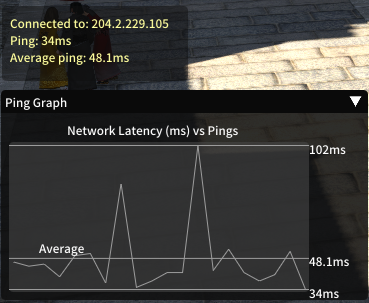 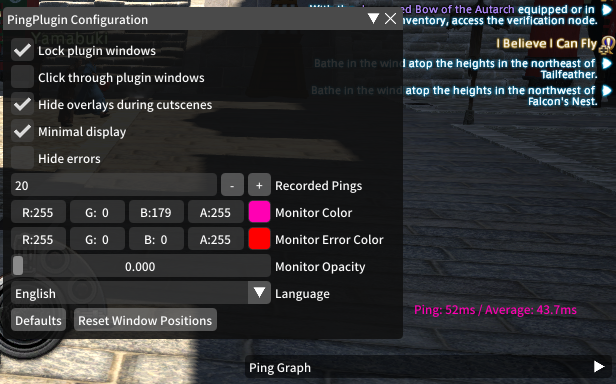 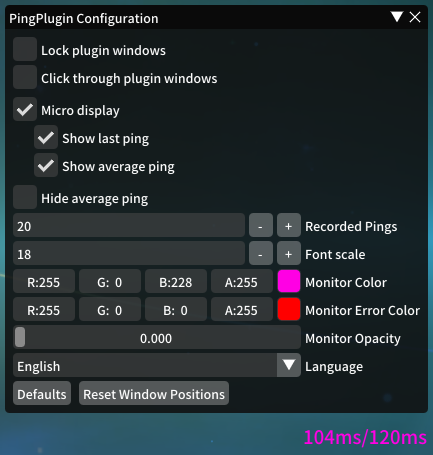 ## Usage * `/ping` - Show/hide the ping monitor. * `/pinggraph` - Show/hide the ping graph. * `/pingconfig` - Open the configuration from chat. ## Configuration 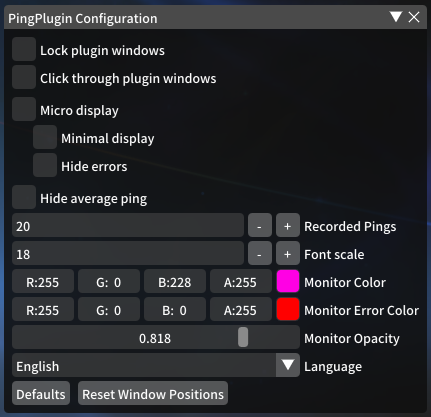 * Lock plugin windows: This prevents you from accidentally dragging the windows around, but still allows you to hover over the graph and collapse it. * Click through plugin windows: This ignores plugin window clicks, instead treating them as game clicks. * Hide overlays during cutscenes: It's what it says on the tin. * Minimal display: This turns the monitor from a 3-line display into a 1-line display, omitting the current server's IP address. * Hide errors: If you like, this prevents errors from being displayed, which expand the monitor by one line temporarily. Though it's not recommended to hide errors, most errors are just one-time server timeouts, and can be safely ignored. * Recorded pings: This is the number of pings that are displayed in the graph and averaged over. Increasing this will increase the computational load of the plugin negligibly. * Monitor Color: The color of the monitor text. * Error Color: The color of the error text. * Monitor Opacity: How see-through the monitor background is. * Language: Current options include English, Japanese, Spanish, and German. Feel free to PR additional translations!
