KO
|
EN
gitlite — search
Search
#javascript
#python
#hacktoberfest
#react
#ai
#typescript
#llm
#go
#golang
#android
#machine-learning
#rust
#deep-learning
#linux
zsh-navigator
★ 12
Open GitHub ↗
No description available.
Download README (.md)
Explore Similar Repositories
Test
:
No description available.
FAWE-1.8-Reborn
:
Working FastAsyncWorldEdit for Minecraft 1.8.8 in 2024
RCLMuFN
:
2025 Knowledge-based Systems 《RCLMuFN: Relational Context Learning and Multiplex Fusion Network for Multimodal Sarcasm Detection》
skywatched
:
review movies and tv shows, based on at proto
I0T
:
[ACL Main 2025] I0T: Embedding Standardization Method Towards Zero Modality Gap
// repository documentation
Was this content helpful?
★ 0
(0 ratings)
Select Rating:
★
★
★
★
★
Submit Feedback
Recent Feedback
×
Download README
Do you want to download the
README.md
file for
zsh-navigator
?
Download (.md)
# Zsh Navigator Plugin The `zsh-navigator` plugin allows you to quickly navigate your workspace using `fzf` and optionally manage `tmux` sessions or switch directories. > Inspired by [ThePrimeagen](https://github.com/ThePrimeagen/.dotfiles/blob/602019e902634188ab06ea31251c01c1a43d1621/bin/.local/scripts/tmux-sessionizer) tmux-sessionizer script. ## Installation ### Using a Zsh Plugin Manager 1. **[Oh My Zsh](https://ohmyz.sh/)** or **[Zinit](https://github.com/zdharma-continuum/zinit)**: - Add the plugin to your `.zshrc`: zinit light Andree37/zsh-navigator - Or for Oh My Zsh: ```bash git clone https://github.com/Andree37/zsh-navigator.git $ZSH_CUSTOM/plugins/zsh-navigator ``` Add the plugin to your `.zshrc`: ```bash plugins=(zsh-navigator) ``` 2. Reload your Zsh configuration: ```bash source ~/.zshrc ``` 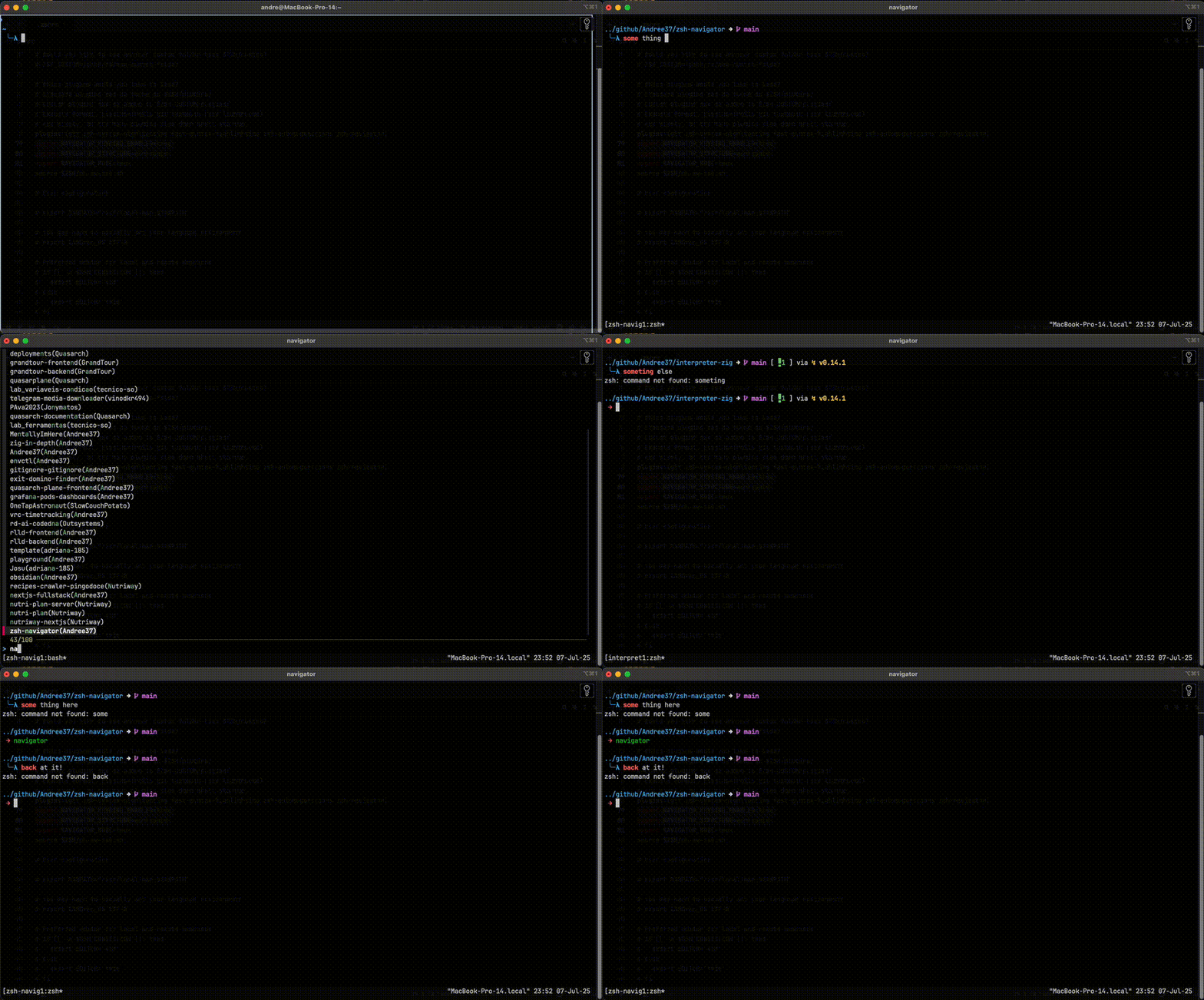 --- ## Configuration Options ### Overview All configuration is done through `ZSH_NAVIGATOR_*` variables that can be set in your `.zshrc` file before loading the plugin. The plugin also provides a configuration utility for runtime changes. | **Variable** | **Default** | **Description** | **Examples** | | -------------------------------------- | -------------- | ----------------------------------------------- | ---------------------------------------- | | `ZSH_NAVIGATOR_MODE` | `tmux` | Set the navigation mode. | `tmux`, `cd` | | `ZSH_NAVIGATOR_KEYBIND_ENABLED` | `true` | Enable keybindings. | `true`, `false` | | `ZSH_NAVIGATOR_KEYBIND` | `^f` | Keybinding to launch the navigator. | `^g`, `^n` | | `ZSH_NAVIGATOR_ORIGINAL_PATH_KEYBIND` | `^h` | Keybinding to return to the original directory. | `^x`, `^o` | | `ZSH_NAVIGATOR_STRUCTURE` | `unsorted` | Define the workspace structure. | `workspace`, `workspace_src`, `unsorted` | | `ZSH_NAVIGATOR_BASE_DIR` | `$HOME/github` | Set the base directory for navigation. | `/path/to/projects` | | `ZSH_NAVIGATOR_WINDOW_NAMING` | `false` | Enable automatic renaming of tmux windows. | `true`, `false` | | `ZSH_NAVIGATOR_HOME_PATH` | `.` | Default directory to return to. | `$HOME`, `/path/to/default` | --- ### Configuration Method Configure zsh-navigator by setting `ZSH_NAVIGATOR_*` variables in your `.zshrc` file **before** loading the plugin. This is the standard way that zsh plugins are configured (same pattern as zsh-autosuggestions, zsh-syntax-highlighting, etc.). ### Detailed Explanation - **`ZSH_NAVIGATOR_MODE`**: Controls how the navigator operates (`tmux` for session management, `cd` for changing directories). - **`ZSH_NAVIGATOR_KEYBIND_ENABLED`**: Toggles keybinding functionality (`true` to enable, `false` to disable). - **`ZSH_NAVIGATOR_KEYBIND`**: Defines the keybinding for launching the navigator (default is `Ctrl+f`). - **`ZSH_NAVIGATOR_ORIGINAL_PATH_KEYBIND`**: Sets the keybinding for returning to the original directory (default is `Ctrl+h`). - **`ZSH_NAVIGATOR_STRUCTURE`**: Configures workspace organization (`workspace`, `workspace_src`, or `unsorted`). - **`ZSH_NAVIGATOR_BASE_DIR`**: Specifies the root directory for navigation. - **`ZSH_NAVIGATOR_WINDOW_NAMING`**: Enables or disables automatic renaming of the current tmux window based on the selected package name. - IMPORTANT that this option is only effective in `tmux` mode and it requires additional configuration in your `~/.tmux.conf` file to work properly. See the [tmux configuration section](#tmux-configuration) below for details. - **`ZSH_NAVIGATOR_HOME_PATH`**: Default directory to return to when using the original path keybinding. ### Structure Options The `ZSH_NAVIGATOR_STRUCTURE` variable allows you to define the structure of your workspace. The following options are available: - **`workspace`**: Expects a workspace directory with subdirectories for each project. For example: ``` ~/Projects ├── package1 ├── package2 ├── package3 ``` - **`workspace_src`**: Expects a workspace directory with subdirectories for each project containing a `src` directory. For example: ``` ~/Projects ├── src │ ├── package1 │ ├── package2 │ ├── package3 ``` - **`unsorted`**: Does not expect any specific structure. All directories are listed without any assumptions and this is the default option. --- ### Example Configuration #### Complete .zshrc Example Here's a complete example of how to configure zsh-navigator in your `~/.zshrc`: ```bash # Configure zsh-navigator BEFORE loading plugins ZSH_NAVIGATOR_KEYBIND_ENABLED=true ZSH_NAVIGATOR_STRUCTURE=workspace ZSH_NAVIGATOR_MODE=tmux ZSH_NAVIGATOR_WINDOW_NAMING=true ZSH_NAVIGATOR_BASE_DIR="$HOME/Projects" ZSH_NAVIGATOR_KEYBIND="^f" # Load plugins plugins=(git zsh-syntax-highlighting fast-syntax-highlighting zsh-autosuggestions zsh-navigator) source $ZSH/oh-my-zsh.sh ``` #### Minimal Configuration If you're happy with most defaults, you only need to set what you want to change: ```bash # Only configure what you want to change ZSH_NAVIGATOR_BASE_DIR="$HOME/Development" ZSH_NAVIGATOR_STRUCTURE=workspace plugins=(git zsh-navigator) ``` --- ## Migration from Old Configuration If you were using the old `NAVIGATOR_*` environment variables, you need to update your configuration: ### Old Configuration (no longer supported) ```bash # OLD - Don't use this anymore export NAVIGATOR_KEYBIND_ENABLED=true export NAVIGATOR_STRUCTURE=workspace export NAVIGATOR_MODE=tmux export NAVIGATOR_WINDOW_NAMING=true plugins=(zsh-navigator) ``` ### New Configuration (current) ```bash # NEW - Use this format ZSH_NAVIGATOR_KEYBIND_ENABLED=true ZSH_NAVIGATOR_STRUCTURE=workspace ZSH_NAVIGATOR_MODE=tmux ZSH_NAVIGATOR_WINDOW_NAMING=true plugins=(zsh-navigator) ``` ### What Changed 1. **Variable names**: Added `ZSH_` prefix to all variables. This matches other plugins 2. **No exports**: Remove `export` statements - just set the variables 3. **Order matters**: Variables must be set BEFORE the `plugins=()` line --- ## Usage 1. Run the navigator: - Manually: `navigator` - Or, if keybinding is enabled: Press your configured key (e.g., `Ctrl+f`). 2. Use `fzf` to select a directory. 3. Depending on the mode: - TMUX Mode: Opens or switches to a `tmux` session. - CD Mode: Navigates to the selected directory in your terminal. ## TMUX Configuration To enable automatic renaming of tmux windows based on the selected package name, add the following to your `~/.tmux.conf`: ```bash # Enable automatic renaming of tmux windows set-option -g set-titles on set-option -g set-titles-string "#W" ```
