KO
|
EN
gitlite — search
Search
#javascript
#php
#python
#ruby
#hacktoberfest
#java
#vim
#dotfiles
#rails
#clojure
#c-plus-plus
#sensor-fusion
brackets-tree-icons
★ 29
Open GitHub ↗
Brackets icons with folder icon
Download README (.md)
Explore Similar Repositories
ratatouille
:
A Node.js wrapper for scraping allrecipes.com
AnvilConverter
:
Convert MCRegion (.mcr) worlds to Anvil (.mca) or PMAnvil (.mcapm)
ife
:
学习前端的杂七杂八
Business-Card-Scanner
:
Engine for Optical Character Recognition to scan Business Cards locally on Android devices.
SwiftProject
:
🏆 Generate Swift project with necessary toolings
// repository documentation
Was this content helpful?
★ 0
(0 ratings)
Select Rating:
★
★
★
★
★
Submit Feedback
Recent Feedback
×
Download README
Do you want to download the
README.md
file for
brackets-tree-icons
?
Download (.md)
# [NOTE] **This extension is not maintained anymore. If someone would like to take over the maintenance and future updates, contact me. PR will be merged immediately.** ## You want to add some icon? Create new entry in `config.js` and `styles/style.css`. For simple usage use `generator.php` and add your definition in `$data` array; Add new svg file into `svg` folder. And send PR. ```js /* config.js */ { ext: '<file-type-extension>', css: '<css-class>' } ``` ```css /* styles/style.css */ .file-icon.icon-<css-class> { background: url('../svg/<css-class>.svg'); } ``` Brackets Tree Icons ============== This extension adds file and folder (open and close state) icons to the brackets file tree. Originally based on [drewbkoch](https://github.com/drewbkoch) and his [Brackets File Icons](https://github.com/drewbkoch/Brackets-File-Icons) project, which is based on [ivogabe's ](https://github.com/ivogabe)[Brackets-Icons](https://github.com/ivogabe/Brackets-Icons) project. Thank to both of you. Toggle to show grayscaled icons has been added to View menu. Screenshots -------------- 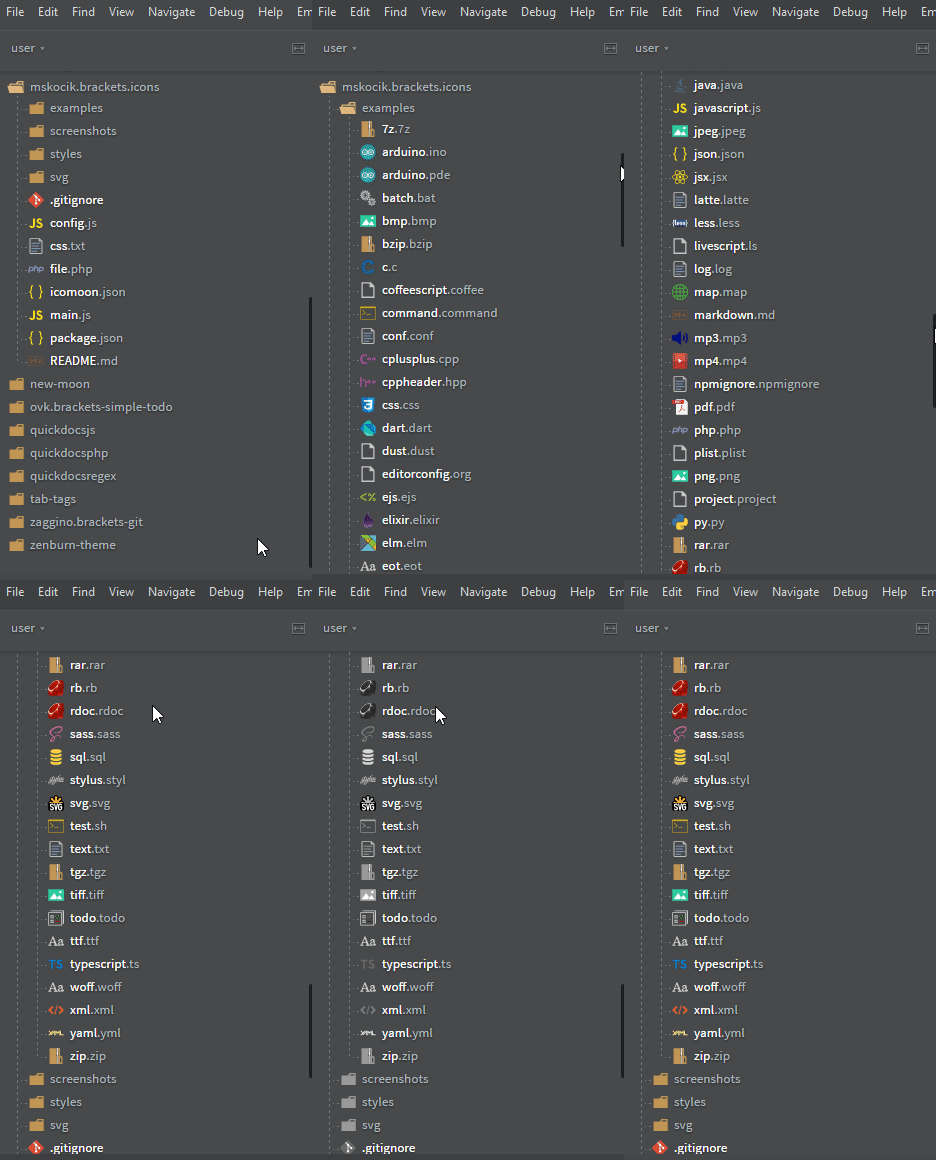 Supported files --------------- Numberous icons format are supported, including opened and closed folder. How to install -------------- Open Brackets, and click the extensions button on the right. Search for 'Brackets File Icons' and click install. Changelog --------- **v2.0.0** - switch from icon fonts to css for simpler additions and maintenance for future contributors. Option to display grayscaled icons has been added. **v1.2.0** - remove default folder arrow, dashed lines in file tree, new formats **v1.1.1** - added open folder, font clean up **v1.1.0** - moved icon to _:before_ pseudoelement to be compatible with [brackets-move-files](https://github.com/alemonteiro/brackets-move-files). License ------- Brackets Tree Icons is licensed under the [MIT license](http://opensource.org/licenses/MIT). Svg files are taken from [vscode-icons](https://github.com/vscode-icons/vscode-icons). The icons are licensed under the Creative Commons - ShareAlike (CC BY-SA) license. Branded icons are licensed under their copyright license.
