KO
|
EN
gitlite — search
Search
#typescript
#ai-agents
#ai
#dsh-plugin
#deepseek-harness
#open-source
#cli
#claude-code
#codex
#developer-tools
#react
#windows
Cloudreve-AfdianPay
★ 48
Open GitHub ↗
Cloudreve自定义付款渠道-爱发电接口
Download README (.md)
Explore Similar Repositories
desktop
:
Desktop sync client for Cloudreve.
Cloudreve-Heroku
:
Cloureve on Heroku with Redis
flutter_reve
:
🔥🔥 私有云盘CloudReve的flutter手机客户端,完美复刻!!
cloudreve-heroku
:
Deploy cloudreve on Heroku
Cloudreve-slave-on-PaaS
:
在 PaaS 服务上部署 Cloudreve 从机离线下载节点
// repository documentation
Was this content helpful?
★ 0
(0 ratings)
Select Rating:
★
★
★
★
★
Submit Feedback
Recent Feedback
×
Download README
Do you want to download the
README.md
file for
Cloudreve-AfdianPay
?
Download (.md)
# Cloudreve-AfdianPay [](https://app.fossa.com/projects/git%2Bgithub.com%2Fessesoul%2FCloudreve-AfdianPay?ref=badge_shield) Cloudreve自定义付款渠道-爱发电接口 参考 https://docsv4.cloudreve.org/zh/payment/custom 构建 推荐使用 **Python3.12** ## 使用方法 ### 爱发电账号 使用爱发电接口 - 需要先[注册爱发电](https://afdian.com/)账户 - 在[开发人员页面](https://afdian.com/dashboard/dev)获取**user_id** - 在[开发人员页面](https://afdian.com/dashboard/dev)底部获取**API Token** ### 手动部署 下载 `src` 文件夹,运行 `pip install -r requirements.txt` 安装依赖包 修改 `.env` 文件中的内容 ``` SITE_URL="你的网站url,不带斜杠,例如 https://demo.cloudreve.org" COMMUNICATION_KEY="你的网站通信密钥" USER_ID="你的爱发电user_id" TOKEN="你的爱发电api token" PORT="5000"# 监听端口,默认5000 ``` 例如 ``` SITE_URL="https://demo.cloudreve.org" COMMUNICATION_KEY="xxxxxx" USER_ID="abcxxxxxxx123" TOKEN="aAABBB123xxxxzzz" PORT="5000" ``` 运行 `cloudreve_pay.py` 文件即可 默认监听5000端口,可以自行修改 `.env` 文件的 `PORT` 参数 ``` PORT="5000"# 监听端口,默认5000 ``` ### docker-compose部署 ``` version: '3' services: cloudreve-pay-afd: image: xxdl/cloudreve-pay-afd:latest container_name: cloudreve-pay-afd network_mode: host command: ["python","-u", "cloudreve_pay.py"] environment: - SITE_URL=https://demo.cloudreve.org - COMMUNICATION_KEY=xxxxxx - USER_ID=abcxxxxxxx123 - TOKEN=aAABBB123xxxxzzz - PORT=5000 ``` ------ ### 配置 在[爱发电开发者页面](https://afdian.com/dashboard/dev)设置**Webhook URL** `http://example.com:5000/afdian` 将 `example.com` 更换为你的域名或IP,点击保存 如果没有报错则说明成功 在Cloudreve管理后台-参数设置-增值服务-自定义付款渠道中填写付款方式名称、支付接口地址、通信密钥 接口地址为: `http://example.com:5000/order` 将 `example.com` 更换为你的域名或IP,点击保存 通信密钥需要与 COMMUNICATION_KEY 匹配,否则无法通过签名验证 ## License [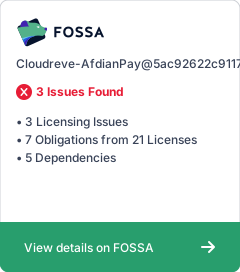](https://app.fossa.com/projects/git%2Bgithub.com%2Fessesoul%2FCloudreve-AfdianPay?ref=badge_large)
