KO
|
EN
gitlite — search
Search
#javascript
#css
#html
#golang
#python
#react
#github
#php
#html5
#webpack
#python3
#template
tastymap
★ 31
Open GitHub ↗
🎨 colormaps cooked for your palate
Download README (.md)
Explore Similar Repositories
AnimationModels
:
Easy and ready to use animation models for Matlab and python
the-most-starred-readme
:
⭐️ Let's turn this readme into a galaxy of stars!
llamaindex-RAG-techniques
:
Notebooks and code with some RAG techniques using llamaindex
MusER
:
This is the official implementation of MusER (AAAI'24).
animations_ag
:
Short python scripts for animating physics and mathematics
// repository documentation
Was this content helpful?
★ 0
(0 ratings)
Select Rating:
★
★
★
★
★
Submit Feedback
Recent Feedback
×
Download README
Do you want to download the
README.md
file for
tastymap
?
Download (.md)
# TastyMap ## 🎨 Color palettes for your palate 😋 Make, customize, and/or use colormaps, any way you like. 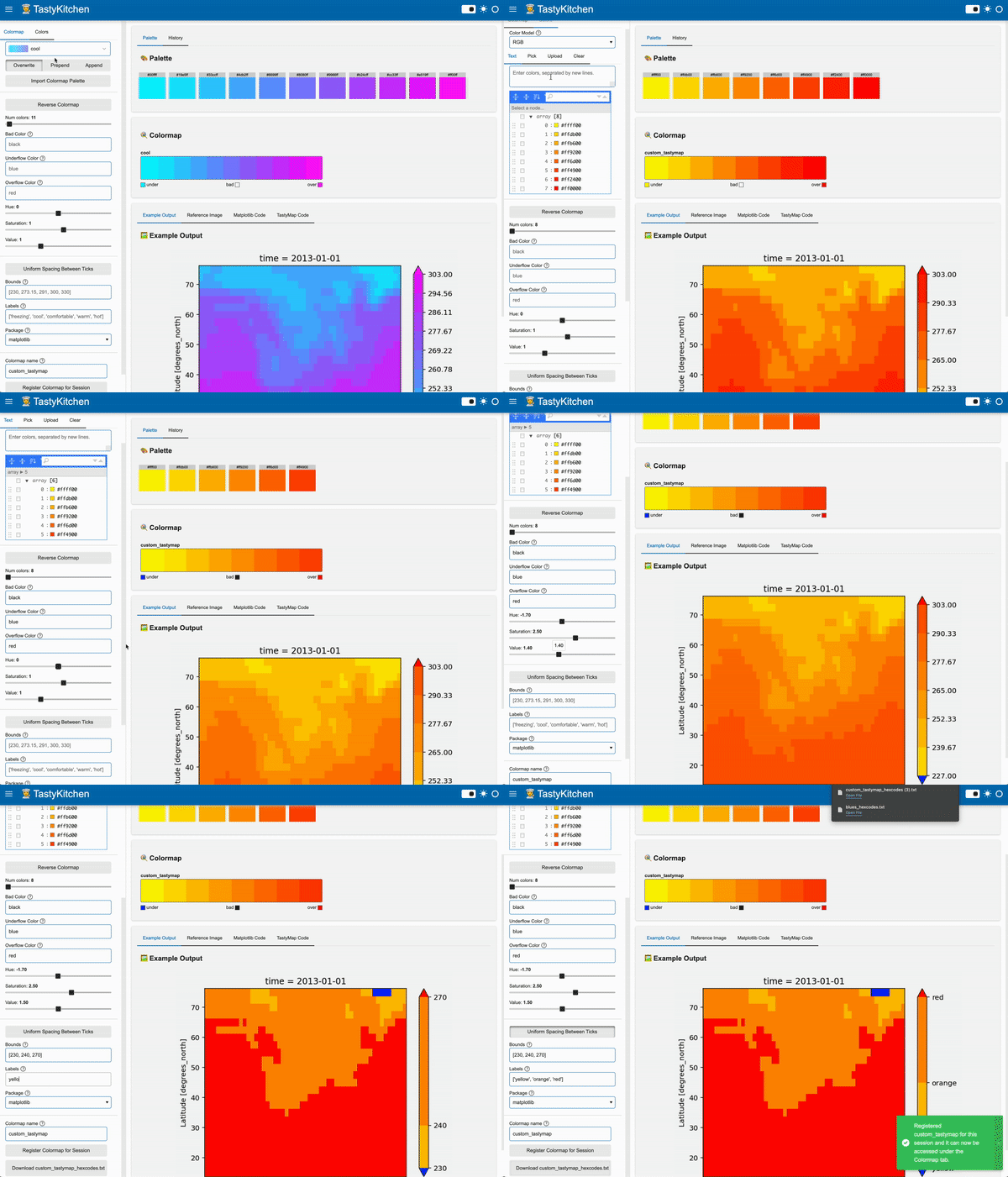 ## 📖 Quick start Try to craft your visual delight *interactively* with the TastyKitchen UI, hosted [here](https://huggingface.co/spaces/ahuang11/tastykitchen). ```bash tastymap ui ``` <img width="1455" alt="image" src="https://github.com/user-attachments/assets/902bfc6b-e36c-4d3a-8c30-7c00276d45aa"> Or, start cooking from pre-made colormaps... ```python from tastymap import cook_tmap tmap = cook_tmap("viridis", num_colors=12, reverse=True) tmap ```  Or start from scratch! ```python from tastymap import cook_tmap tmap = cook_tmap( ["red", "green", "blue"], num_colors=256, reverse=True, name="rgb", ) tmap ```  Then pair it with your plots effortlessly: ```python import numpy as np from matplotlib import pyplot as plt from tastymap import cook_tmap, pair_tbar fig, ax = plt.subplots() img = ax.imshow(np.random.random((10, 10))) tmap = cook_tmap(["red", "green", "blue"], num_colors=256) pair_tbar( img, tmap, bounds=[0, 0.01, 0.5, 1], labels=["zero", "tiny", "half", "one"], uniform_spacing=True, ) ```  Or if you need suggestions, get help from AI by providing a description of what you're imagining: ```python from tastymap import ai tmap = ai.suggest_tmap("Pikachu") tmap ```  Check out the [docs](https://ahuang11.github.io/tastymap) for more recipes! ## 📦 Installation To get started on your culinary color journey, install `tastymap` with: ```bash pip install tastymap ``` To get access to TastyKitchen UI, install `tastymap` with: ```bash pip install tastymap[ui] ``` --- [](https://github.com/ahuang11/tastymap/actions) [](https://codecov.io/gh/ahuang11/tastymap) [](https://badge.fury.io/py/tastymap) **Documentation**: <a href="https://ahuang11.github.io/tastymap/">https://ahuang11.github.io/tastymap/</a> **Source Code**: <a href="https://github.com/ahuang11/tastymap" target="_blank">https://github.com/ahuang11/tastymap</a>
