KO
|
EN
gitlite — search
Search
#python
#ai-agent
#agentic-ai
#automation
#mcp-server
#claude-code
#genpark
#llm-tools
#ai-agents
#llm
#typescript
#ai
eleFixed
★ 54
Open GitHub ↗
Let element fixed. Like table's thead fixed
Download README (.md)
Explore Similar Repositories
shootgame
:
基于cocos creator的小游戏:头像大乱战(json通信版)
jmisb
:
jMISB is an open source Java library implementing various MISB standards.
kubernetes-po-polsku
:
Kurs Kubernetes po polsku - materiały
fastlane-plugin-google_drive
:
fastlane plugin to upload files to Google Drive
React-Quick-eChart
:
react快速拖拽配置echart图形
// repository documentation
Was this content helpful?
★ 0
(0 ratings)
Select Rating:
★
★
★
★
★
Submit Feedback
Recent Feedback
×
Download README
Do you want to download the
README.md
file for
eleFixed
?
Download (.md)
## 介绍 eleFixed是一款非常简单的使用动画来固定元素的插件(最常见的作用就是固定table的thead) 它可以同时固定多个HTMLElement而不用额外监听多个事件,而且你也可以随时删除某一个监听对象或者直接把eleFixed从你的网页中移除 ## 使用 当你引入eleFixed.js的时候,它就已经帮你在全局定义好了eleFixed对象并监听scroll事件(仅仅一个); ##### 以下为全局eleFixed对象的描述: eleFixed对象 | 描述 --- |--- targets | Array,用来存放多个需要固定的target对象,target对象格式见下表 push | Function,接受一个target对象并推送元素到targets数组中 delete | Function,从targets中删除指定的HTMLElement,只需要传入需要删除的HTMLElement对象 destory | Function,移除eleFixed的监听事件、并删除eleFixed对象 ##### eleFixed.push需要传入的对象(targrt)描述: target对象 | 描述 --- |--- target | HTMLElement,接收你想固定的元素,比如 document.getElementsByTagName('thead')[0] offsetTop | Number,此元素距离顶部多少像素时开始固定在顶部, 比如 200 (无需单位) ##### 插入target: ```html <table class="table"> <thead> <!-- some titles here --> </thead> <tbody> <!-- some elements here --> </tbody> </table> <script src="./eleFixed.min.js"></script> <script> // add an instance eleFixed.push({ target: document.getElementsByTagName('thead')[0], // it must be a HTMLElement offsetTop: 210 // height from window offsetTop }) </script> ``` ##### 效果预览: 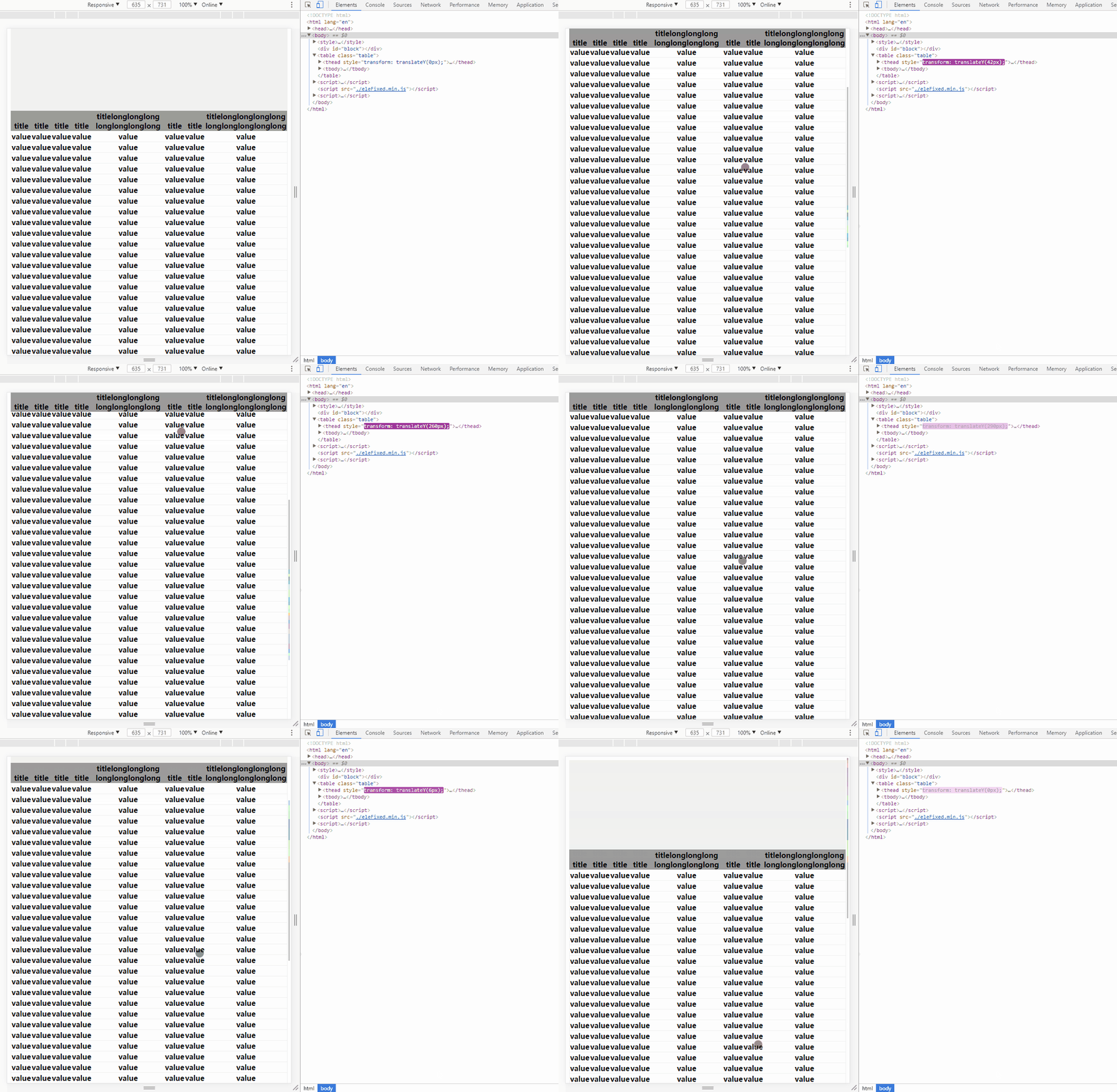 ##### 删除元素: ```html <script> // delete an instance eleFixed.delete(document.getElementsByTagName('thead')[0]) </script> ``` ##### 移除eleFixed: ```html <script> // destory eleFixed eleFixed.destory() </script> ```
