KO
|
EN
gitlite — search
Search
#typescript
#ai-agents
#deepseek-harness
#dsh-plugin
#open-source
#ai
#claude-code
#cli
#windows
#codex
#developer-tools
#dsh
memory-palace-web-frontend
★ 31
Open GitHub ↗
No description available.
Download README (.md)
Explore Similar Repositories
AutoFly-VLA
:
No description available.
Plugin.Maui.Rive
:
Rive animation runtime bindings for .NET MAUI
gemini-pro-panel
:
gemini 增强面板(历史prompt 和收藏 prompt)
llama.cpp-dgx
:
llama.cpp fork optimized for NVIDIA DGX Spark / GB10 (Blackwell, SM 12.1) — TurboQuant weights + KV, NVFP4, DFlash MTP
chicory-redline
:
[EXPERIMENTAL - IN DEVELOPMENT] Use Cranelift to compile Wasm
// repository documentation
Was this content helpful?
★ 0
(0 ratings)
Select Rating:
★
★
★
★
★
Submit Feedback
Recent Feedback
×
Download README
Do you want to download the
README.md
file for
memory-palace-web-frontend
?
Download (.md)
# Memory Palace Web Frontend A lightweight, read-only web UI and JSON API for browsing a MemPalace SQLite store. ## Related projects - Upstream MemPalace: <https://github.com/milla-jovovich/mempalace> ## Version - Current version: `1.0.0` (see [`VERSION`](./VERSION)) - Version history log: [CHANGELOG.md](./CHANGELOG.md) ## Quick start guide ### 1) Configure palace path (hardcoded config file) Edit `config/palace.json`: ```json { "palace_path": "./palace" } ``` Set this to a palace directory or a direct `chroma.sqlite3` path. ### 2) Run locally ```bash cp .env.example .env python3 -m venv .venv source .venv/bin/activate pip install -r requirements.txt ./scripts/run.sh ``` Open <http://127.0.0.1:8099> ### 3) Run with Docker ```bash cp .env.example .env ./scripts/docker-up.sh ``` Dev hot-reload mode is enabled by default in Docker: - app code, templates, and static files are bind-mounted from the repo - Gunicorn runs with `--reload` by default - edit files and refresh browser, no image rebuild needed Force a rebuild only when dependencies/base image changed: ```bash ./scripts/docker-up.sh --build ``` Open <http://127.0.0.1:8099> ## Screenshots 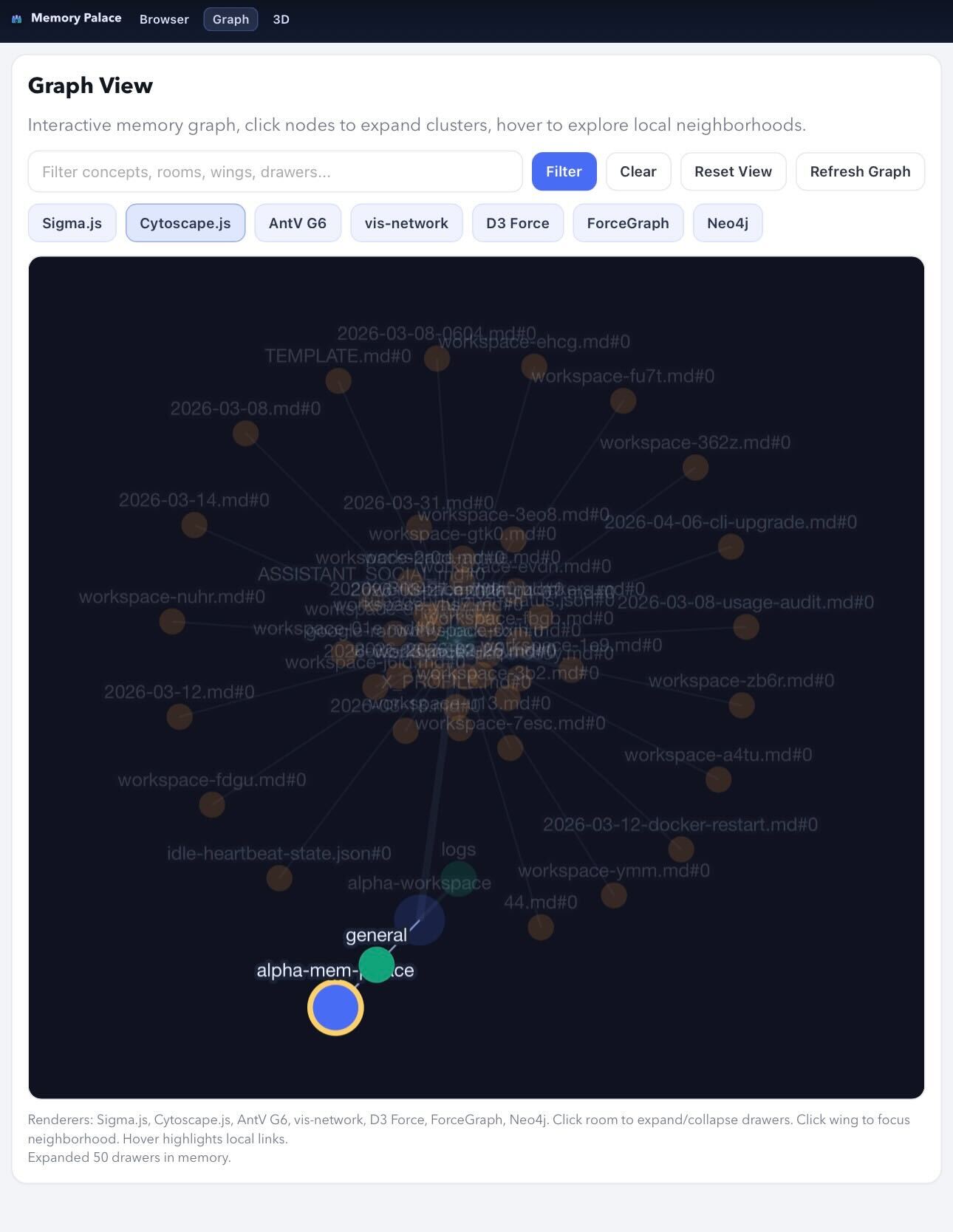 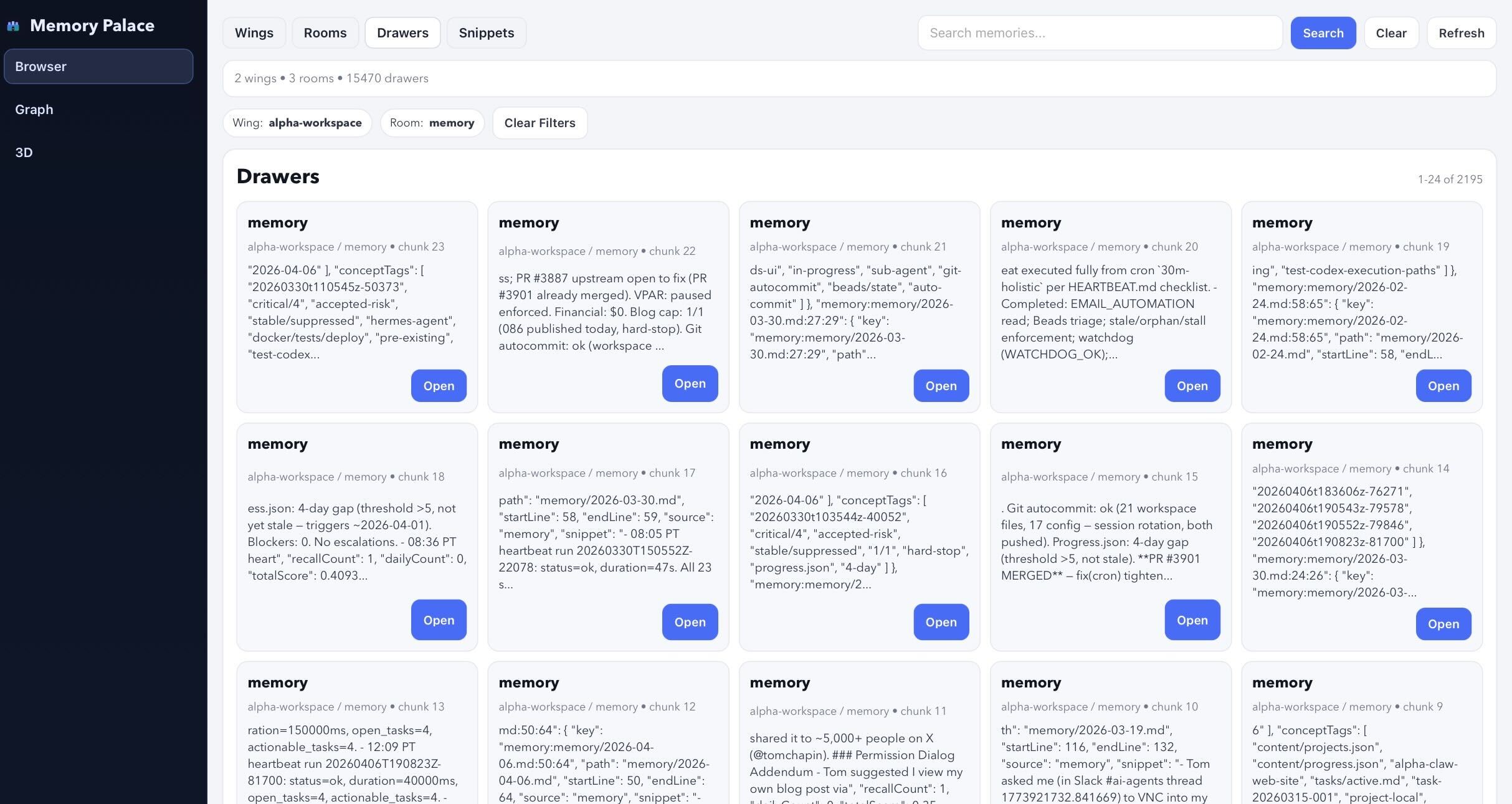 ## Features - Read-only API over `chroma.sqlite3` - Top tabs for Browser, 3D View, Graph View - Wing and room navigation - Drawer search and pagination - Drawer detail view - Neo4j renderer mode (default graph tab) with optional live Bolt-backed graph queries - Config-file-driven palace target (`config/palace.json`) - Optional Cloudflare Tunnel sidecar for Access-gated publishing ## API - `GET /api/summary` - `GET /api/wings` - `GET /api/rooms?wing=<name>` - `GET /api/drawers?wing=&room=&q=&limit=&offset=` - `GET /api/drawer/<embedding_id>` - `GET /api/graph` - `GET /api/graph_neo4?max_nodes=&max_edges=&q=` - `GET /api/graph_neo4_status` - `GET /healthz` ## Docker details ```bash cp .env.example .env # optionally set PALACE_PATH in .env (defaults to ./palace) ./scripts/docker-up.sh ``` - App runs on `http://127.0.0.1:${PORT:-8099}` (bound to `${BIND_HOST:-127.0.0.1}`) - Container mounts `PALACE_PATH` (read-only) at `/app/palace` - Container also bind-mounts `app.py`, `config/`, `templates/`, and `static/` for live-reload development - App reads config from `/app/config/palace.json` Optional live Neo4j/Bolt integration (used by the Neo4j graph renderer): - `NEO4J_ENABLED=true` - `NEO4J_URI=bolt://<host>:7687` - `NEO4J_USER=<username>` - `NEO4J_PASSWORD=<password>` - `NEO4J_DATABASE=neo4j` If Neo4j is not configured/reachable, the graph view falls back to local graph data and shows a status message in the UI. ### Optional Cloudflare Tunnel If `CLOUDFLARED_TUNNEL_TOKEN` is set, `scripts/docker-up.sh` also starts cloudflared using the `tunnel` profile. Stop: ```bash ./scripts/docker-down.sh ``` Logs: ```bash ./scripts/docker-logs.sh ``` ## Security model - Read-only SQLite connection (`mode=ro`) - Least-privilege Docker mount (single explicit palace path) - Cloudflare exposure is optional and intended to be protected by Cloudflare Access - No secrets should be committed to this repository ## Development See [CONTRIBUTING.md](./CONTRIBUTING.md). ## Wishlist / Coming soon - Saved search presets in the UI - Wing and room analytics dashboard - Export views (JSON/CSV) for filtered result sets - Optional auth provider integrations for self-hosted installs - Better large-palace performance with indexed search tuning ## License MIT (see [LICENSE](./LICENSE)).
