KO
|
EN
gitlite — search
Search
#python
#javascript
#css
#html
#react
#typescript
#php
#vue
#ios
#golang
#nextjs
#reactjs
git-gud
★ 74
Open GitHub ↗
A simple git commit checker
Download README (.md)
Explore Similar Repositories
android-chessclock
:
No description available.
vue2-event-calendar
:
Full calendar base on Vue2 and momentjs.
SSIS-DB-Dashboard
:
PowerBI SSIS Catalog DB Dashboard
baresifter
:
A bare-metal x86 instruction set fuzzer a la Sandsifter
kafka-connect-elasticsearch-source
:
Kafka Connect Elasticsearch Source
// repository documentation
Was this content helpful?
★ 0
(0 ratings)
Select Rating:
★
★
★
★
★
Submit Feedback
Recent Feedback
×
Download README
Do you want to download the
README.md
file for
git-gud
?
Download (.md)
# git-gud [](https://app.fossa.io/projects/git%2Bgithub.com%2Faaossa%2Fgit-gud?ref=badge_shield) A simple git commit checker. I often use a commit message template I created a while ago, and I wanted to make sure that everything was in the right place after writing a commit, that's why this script exists. Use it if you want to *git gud* too. To add this custom git command to git, just place the file in a folder that's in your path (a.k.a `PATH`). You can [setup `git-gud` as custom command](https://github.com/aaossa/git-gud/wiki/Setup-'git-gud'-as-custom-command) or [setup `git-gud` as `post-commit` hook](https://github.com/aaossa/git-gud/wiki/Setup-'git-gud'-as-'post-commit'-hook). ### Usage You can use the same commit limmits as in `git log`: `--author`, `--number`, `--until`, `--before`, and more. ([`git-log` docs](https://git-scm.com/docs/git-log#_commit_limiting)). Some basic examples: ```bash # Check last commit $ git gud # Check <number> commits in the current branch $ git gud -<number> $ git gud -n <number> $ git gud --max-count=<number> # Check commits in another branch $ git gud <branch> $ git gud <branch> -<number> $ git gud -n <number> <branch> # And... a sample output $ git gud Checking... afaeaf5 > OK: Author name format is valid (Antonio Ossa) > OK: Author email format is valid (aaossa@uc.cl) > OK: Commiter name format is valid (Antonio Ossa) > OK: Commiter email format is valid (aaossa@uc.cl) > ERROR: Subject is too long (59 > 50) > ERROR: Body is empty (0 == 0) > OK: Body includes comment (2 > 0) > OK: 'Signed-off-by' line is not empty (42 > 0) > OK: 'Signed-off-by' line has author information > WARNING: Signature is not valid (Status: N) ``` ### Checks - [x] Commit author name is in a valid format ( `Antonio Ossa`) - [x] Commit author name is the same in your config file - [x] Commit author email is in a valid format (`aaossa@uc.cl`) - [x] Commit author email is the same in your config file - [x] Commit subject message uses a maximum of **50 characters** - [x] Commit body message is not empty - [x] Commit body message lines use a maximum of **72 characters** - [x] Commit body message has lines with comments (i.e. not "Signed-off-by: ...") - [x] Commit body message has a "Signed-off-by: ..." line (`Signed-off-by: Antonio Ossa <aaossa@uc.cl>`) - [x] Commit signature is "good" ### Template This is the template I use. You can find it as [`.gitmessage`](https://github.com/aaossa/git-gud/blob/master/.gitmessage) in this repo and install it following [these instructions](https://github.com/aaossa/git-gud/wiki/Setup-a-commit-template). The script assumes that you're following these conventions, but you can use your own template if you want (or none) and customize the checker too! That's why is OSS :heart:: ``` # |<---- Using a Maximum Of 50 Characters ---->| # If this commit is applied, it will... # Examples of imperative mood: Refactor X, Update Y, Remove Z Subject # |<---- Try To Limit Each Line to a Maximum Of 72 Characters ---->| # What/why/how was this change made? # Any references to relevant tickets, articles, resources, etc? # Example: GitHub issue #23 # Something more? # Reported-by: A person or @somebody Signed-off-by: Antonio Ossa <aaossa@uc.cl> # (:heart: emoji? http://emoji.muan.co/) ``` ### To do - [X] ~~Wiki: How to use template~~ - [X] ~~Instructions: Use git-gud as custom command~~ - [X] ~~Instructions: Use git-gud as post-commit hook~~ - [x] ~~Script: Allow check multiple commits (`git gud -n 10`)~~ - [x] ~~Script: Allow check on another branch (`git gud branch`)~~ - [ ] Script: Check imperative mood in subject - [ ] Script: Add flags about output verbosity (`--full`/current, `--warn`/warnings+errors, `--error`/errors only) ### License This software is released under the [MIT License](https://opensource.org/licenses/MIT) [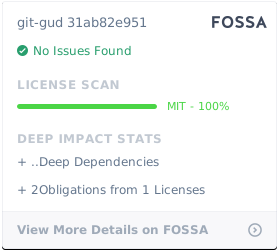](https://app.fossa.io/projects/git%2Bgithub.com%2Faaossa%2Fgit-gud?ref=badge_large)
